Create tests with AI
rayQuiz’s AI drafts a test with answers from the teacher’s description or from teaching material. The draft opens in the quiz editor so the teacher can review and edit it before saving.
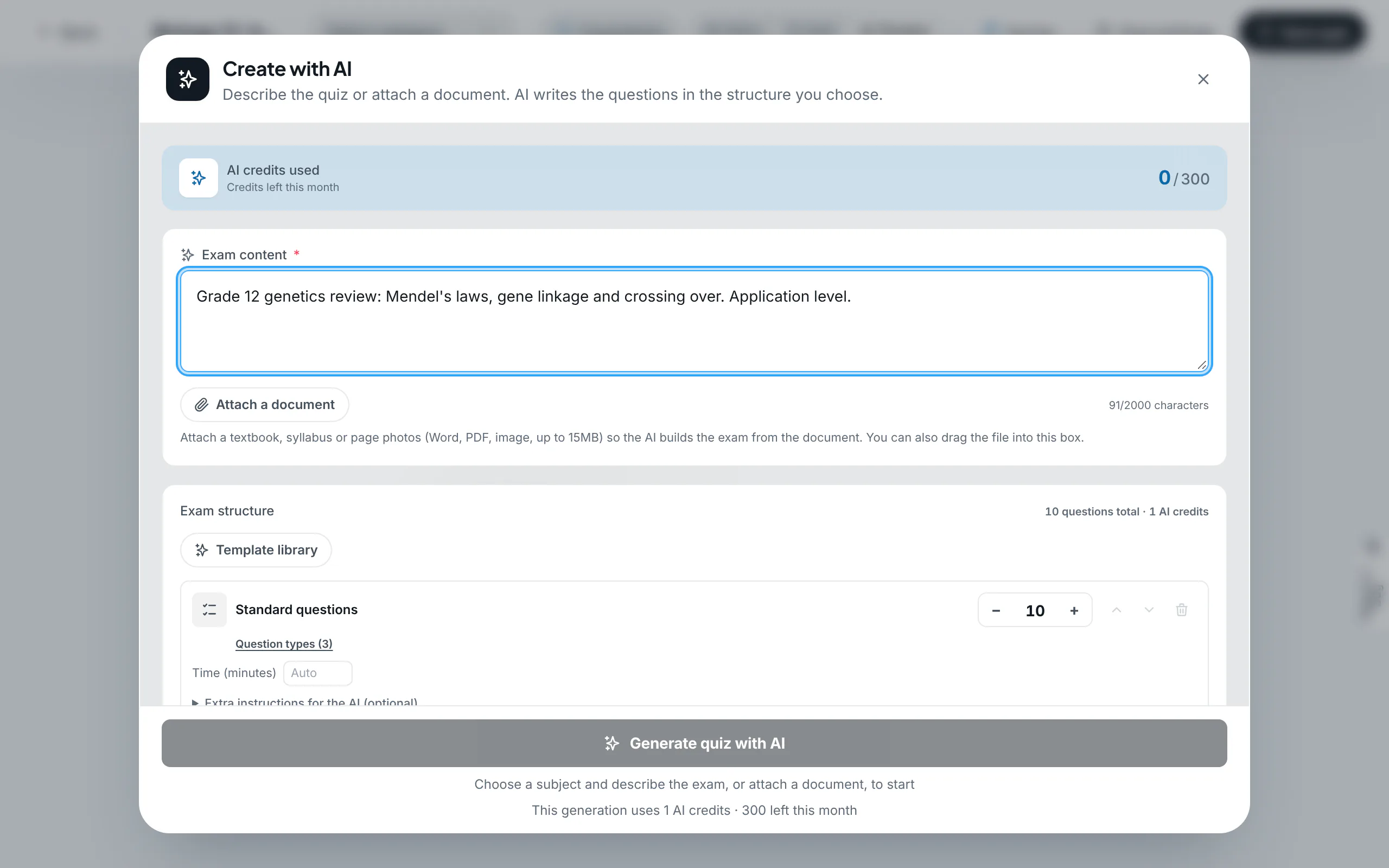
Three content sources
- Description: state the subject, grade, unit, difficulty and any specific requirements in the content box (up to 2,000 characters).
- Document: attach a lesson plan, syllabus or Word or PDF file (up to 15 MB). The AI follows the document’s content and suggests a question count that fits its length.
- Photo: pictures of textbook pages or printed tests are read and used as the source. Photos should be sharp and well lit.
Exam structure
The exam structure sets the number of parts, the question types and the number of questions in each part. Teachers can add parts one by one, or open the template library for ready-made structures such as IELTS Academic, VSTEP or JLPT mock tests. Tests built from a certificate template come with the exam format and band scoring already set.
For reading tests, the AI can also generate a shared passage for a group of questions. See Passages and question groups.
Review before assigning
AI can make mistakes. Before assigning a test, read every question, check the correct answers, add explanations and adjust the difficulty to suit the class.
AI credits
Each generation uses AI credits, and the cost is shown under the generate button before you start. In a center workspace, "Pay with" chooses between the organization’s shared credits and your own. Credit allowances by plan are listed on Pricing.
Step-by-step guides with screenshots
- Generate a test with AI from a description or document
- Build IELTS and VSTEP tests in the standard format with band scoring
- Track your organization’s plan and AI credits
Last updated: 08/11/2026