Plan and AI credits
Track organization plan capacity and manage shared AI credits
Monitor usage limits for classes, students, and staff seats, and designate credit billing sources for AI quiz generation.
Each organization operates under defined capacities for classes, active learners, and faculty seats, alongside a shared monthly pool of AI credits enabling teachers to draft comprehensive assessments.
3 min · 2 steps
- 1
Review active plan consumption metrics
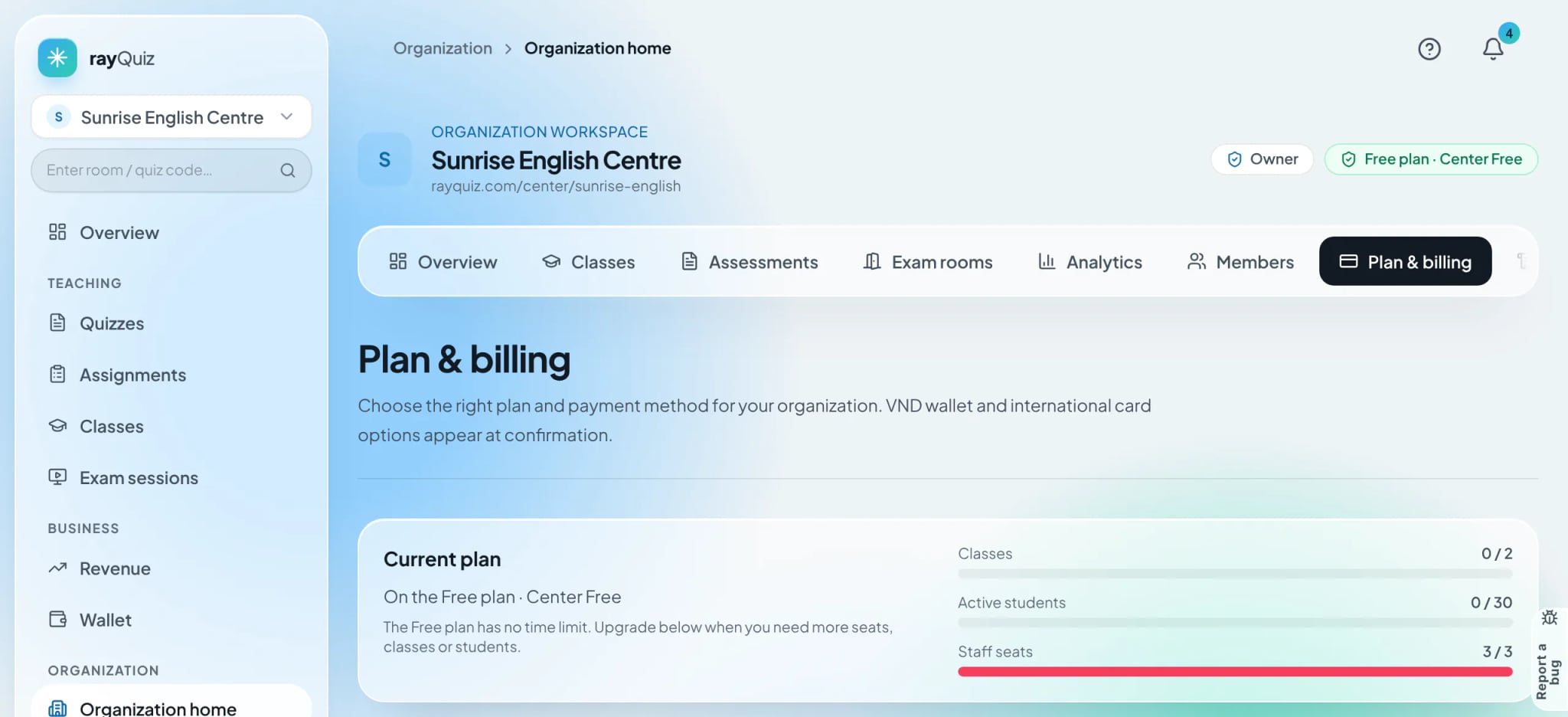
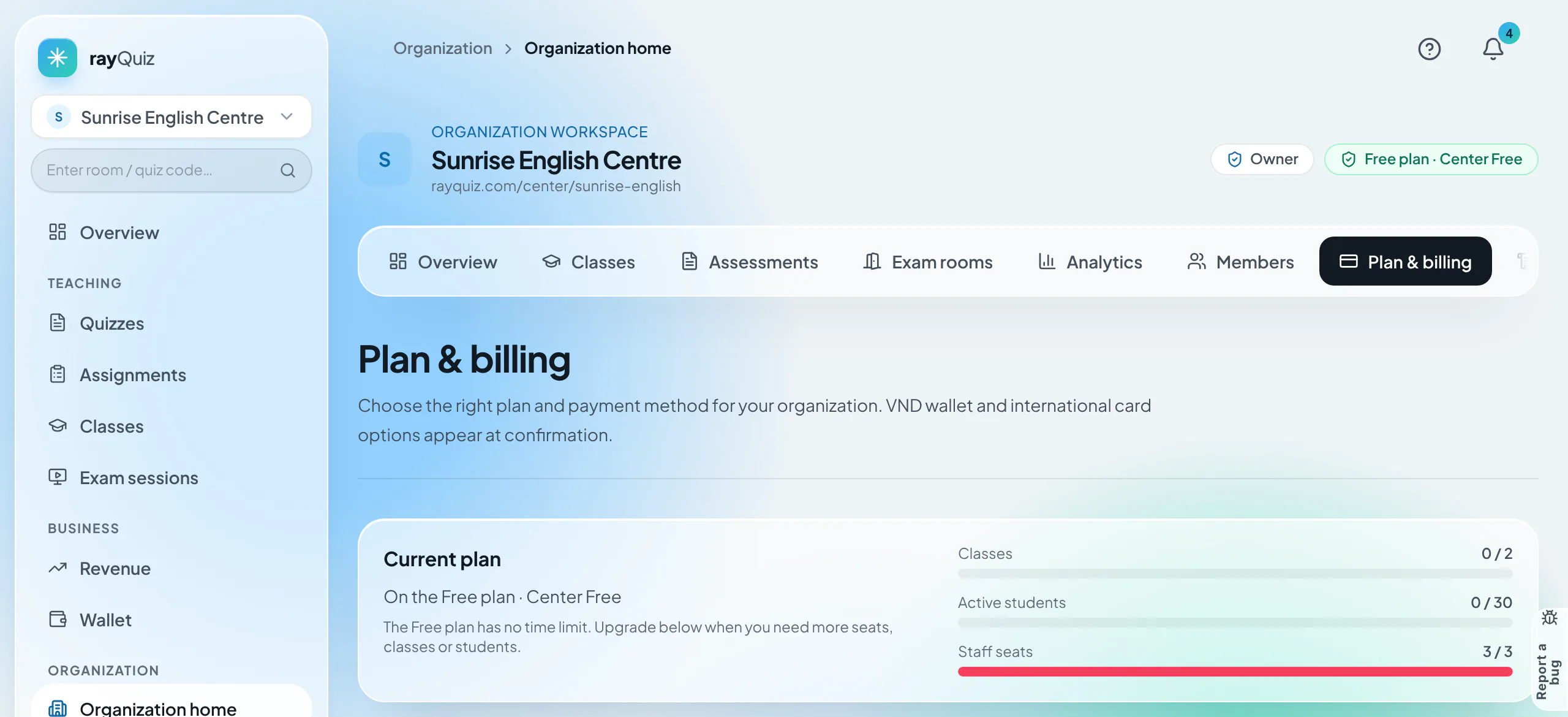
"Plan & billing" displays the current subscription tier alongside real-time usage meters for Classes, Active students, and Staff seats. When capacity approaches its limit, Owners and Admins can trigger instant plan upgrades.
- 2
Designate credit billing sources for AI drafting
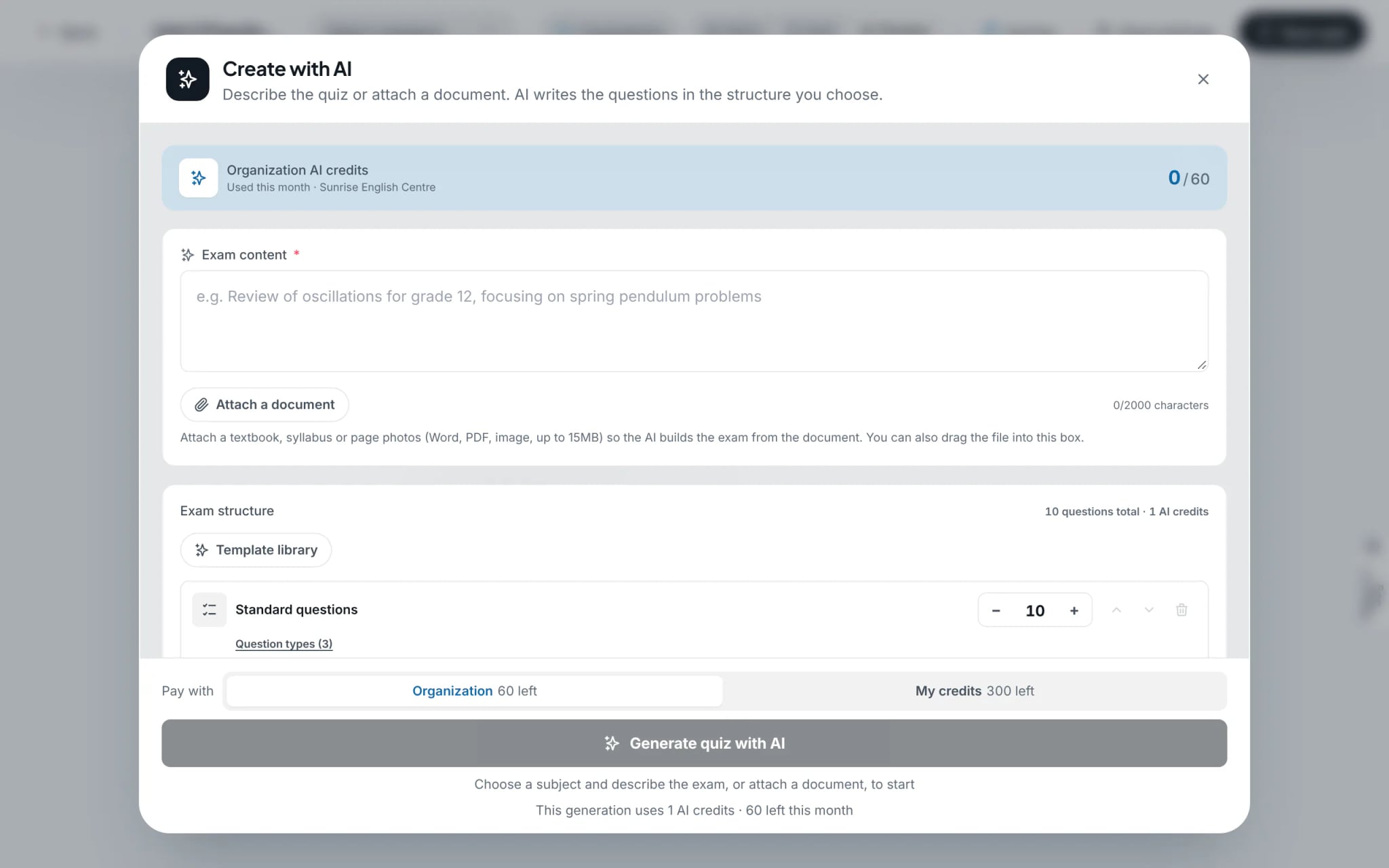
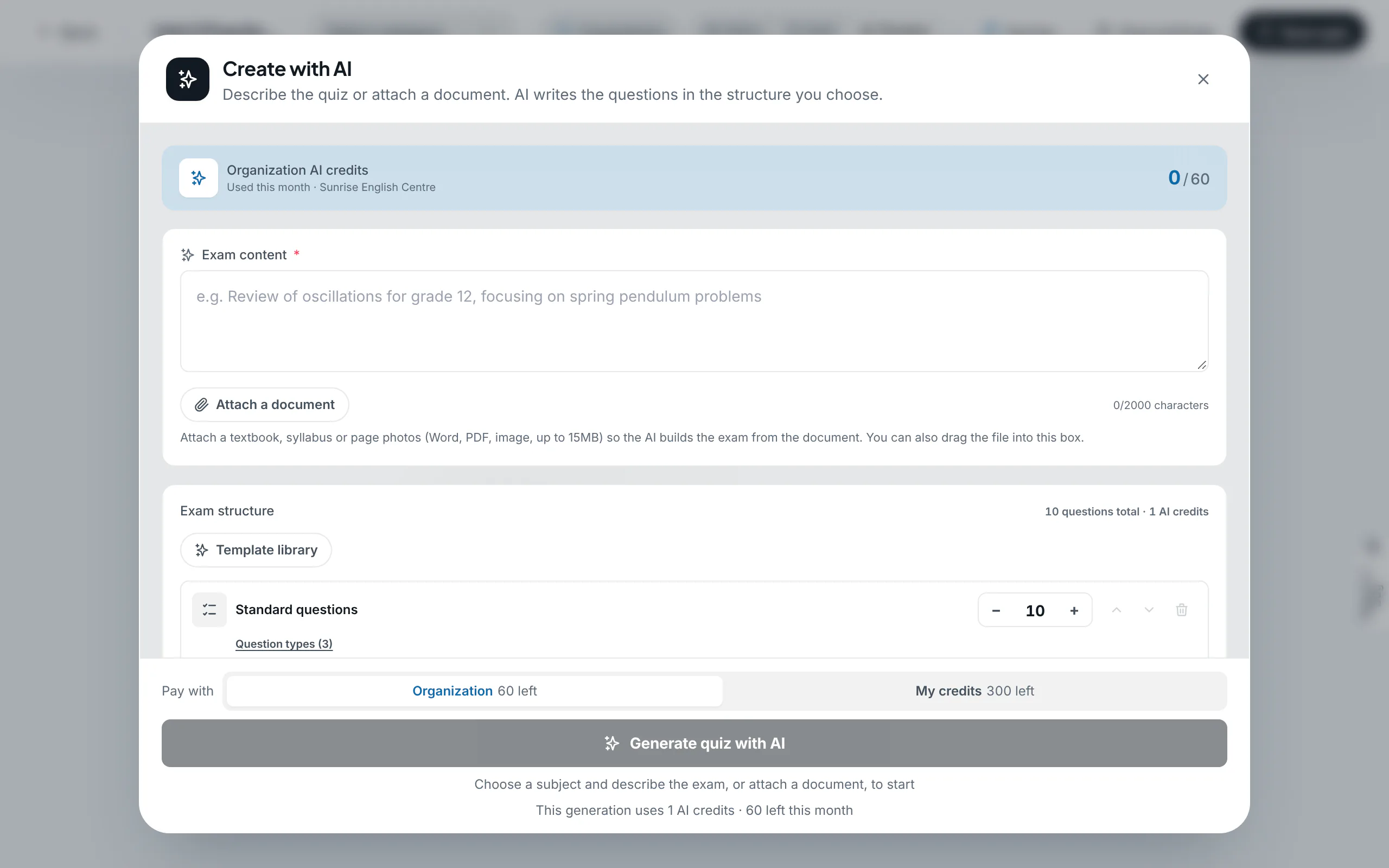
Within the organization workspace, the "Create with AI" modal surfaces the institution’s remaining AI credit balance. The "Pay with" toggle allows faculty to bill either the Organization’s pooled balance or their personal allowance. The exact credit cost is previewed prior to generation.
Tip: When the organization’s credits for the month are used up, choose "My credits" to continue on personal credits, or ask an organization admin to upgrade the plan.
Frequently asked questions
- When do organization AI credits renew?
- The shared pool is counted per month; the AI dialog always shows how many credits have been used this month and how many remain.
- Who can change the organization’s plan?
- Owners and Admins. Teachers and Viewers cannot make payments.