Classes and homework
Manage online classes and assign coursework with deadlines
Create classroom cohorts, onboard students via email or 7-day shareable links, schedule assignments with deadlines, and monitor submissions.
Classroom management organizes learners into cohorts, automates task scheduling with enforced deadlines, and compiles gradebook analytics centrally.
5 min · 6 steps
- 1
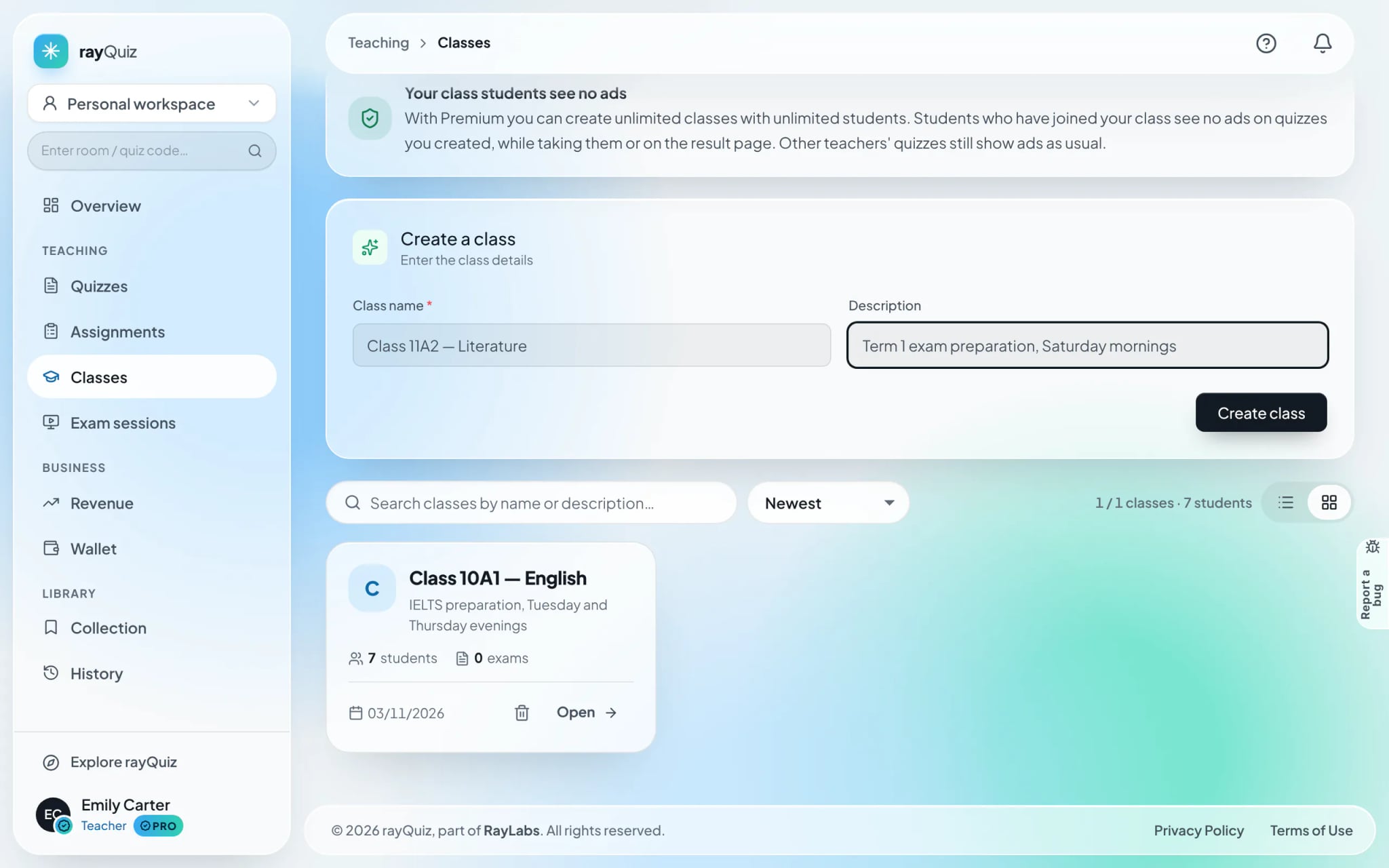
Initialize a new classroom cohort
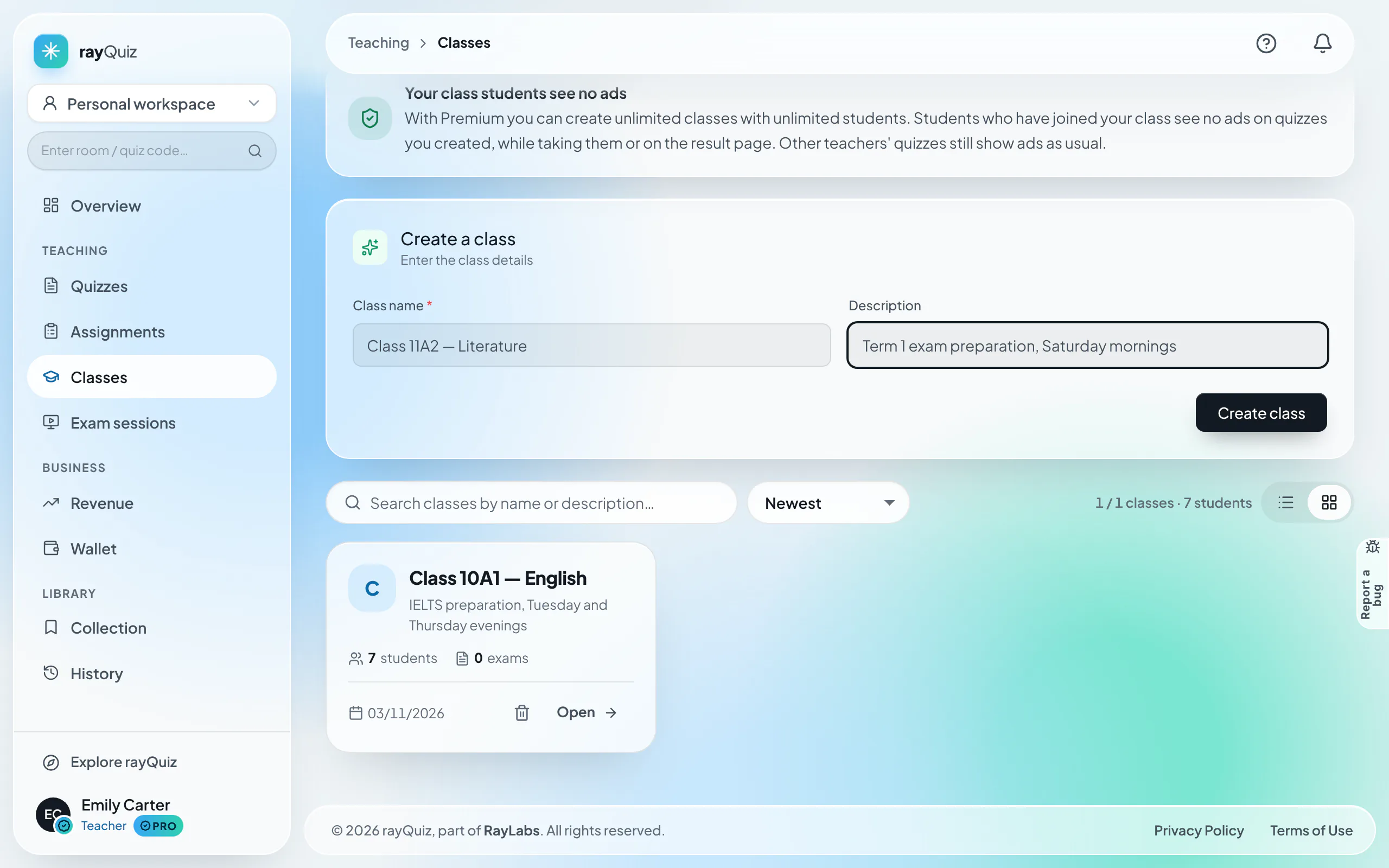
Navigate to "Classes" in the sidebar and select "Create class". Enter the class title (e.g. "Advanced English 10A1") and optional scheduling notes, then confirm.
- 2
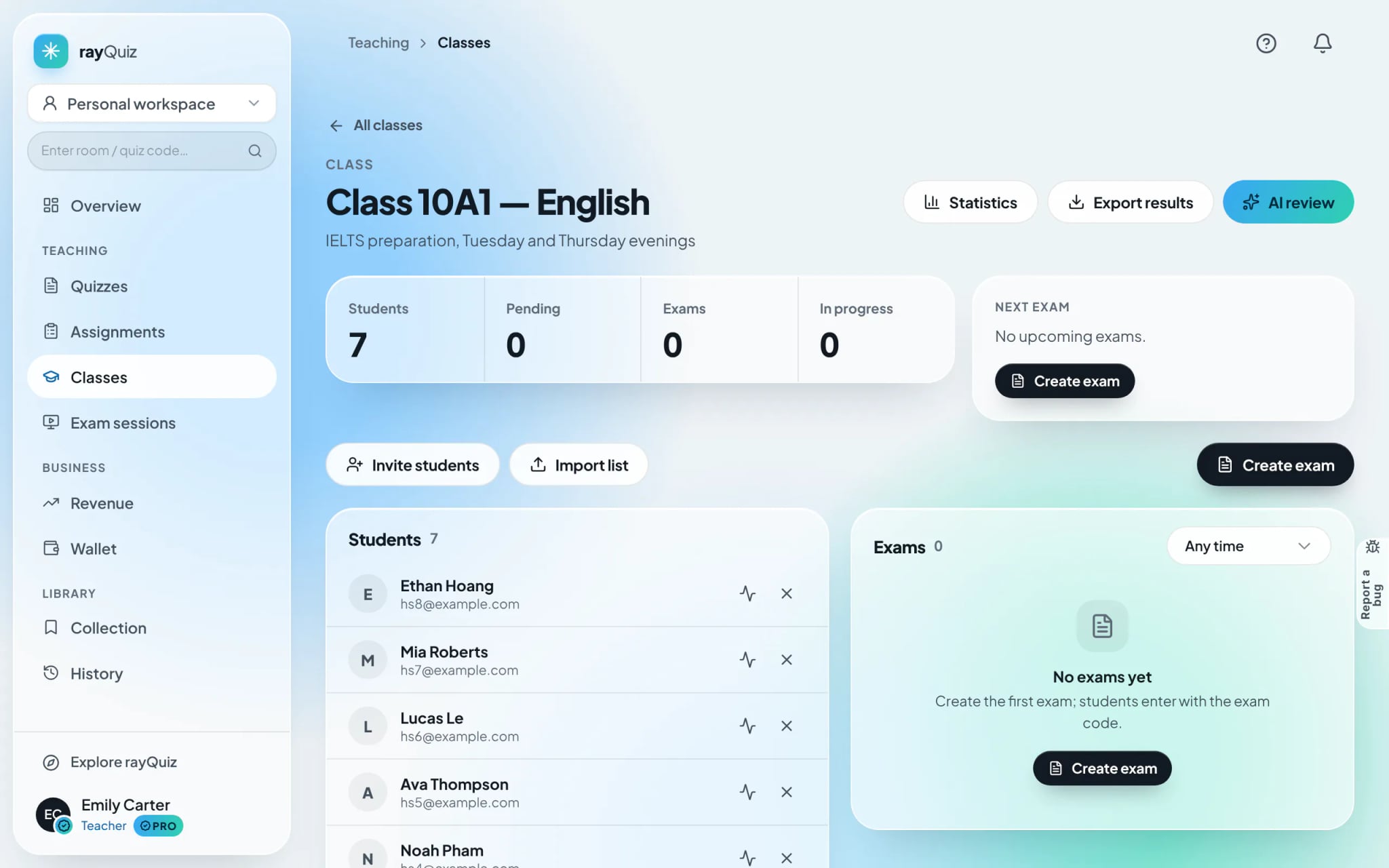
Access the classroom management hub
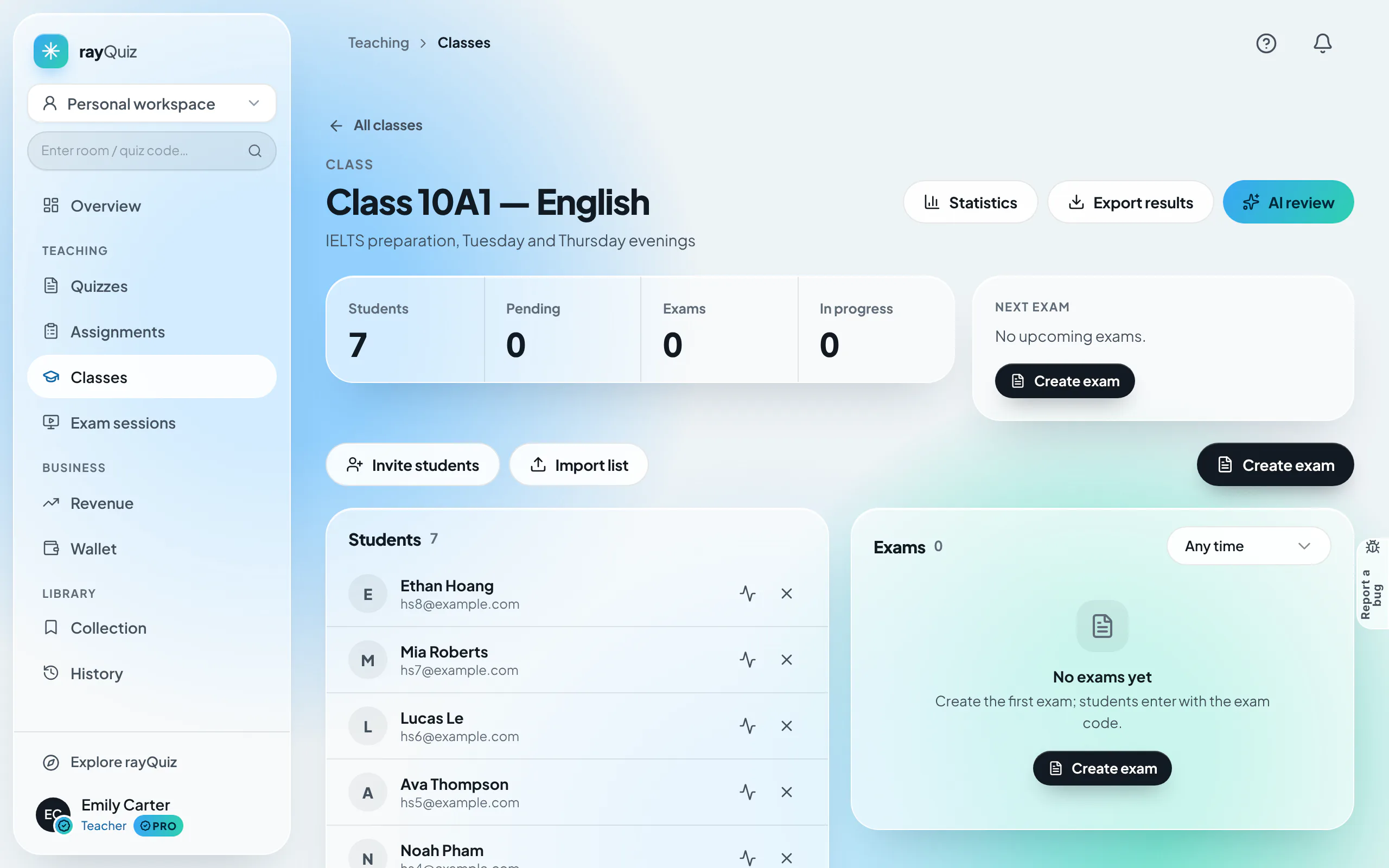
The classroom dashboard consolidates the student roster and active assignments alongside diagnostic utilities: "Statistics", "Export results", and automated "AI review".
- 3
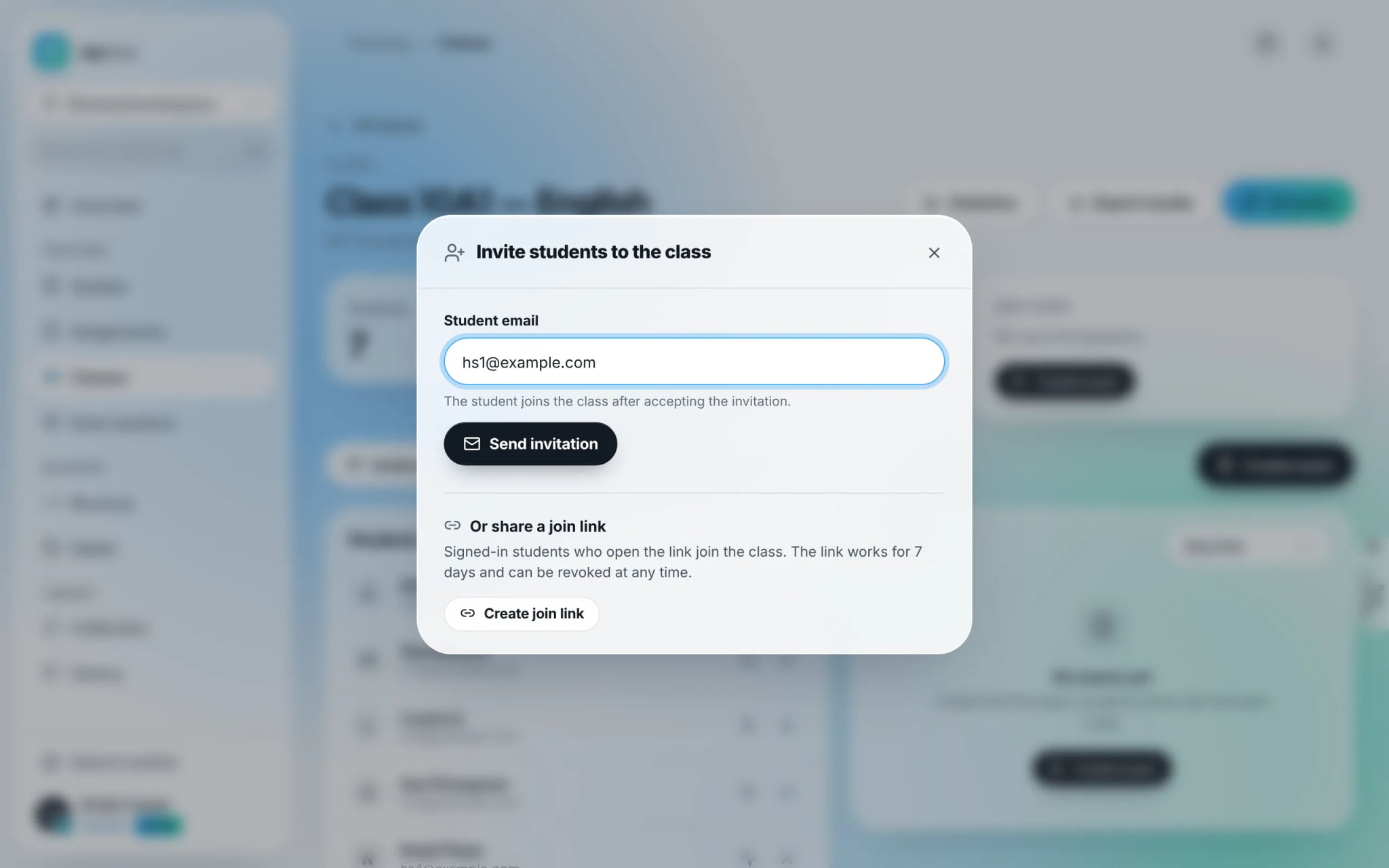
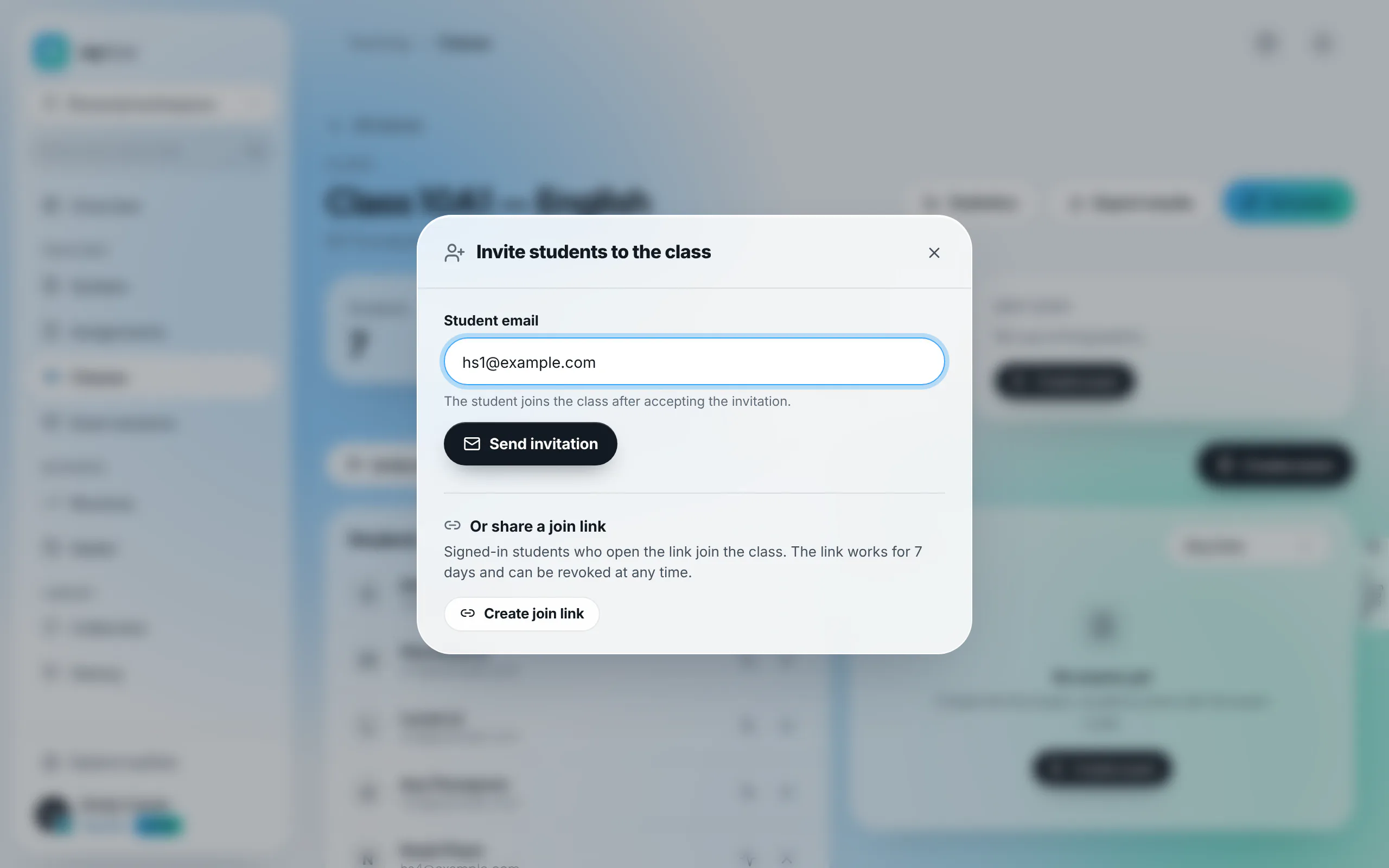
Onboard students via Email or 7-day shareable join link
Select "Invite students". Input student email addresses for direct system invitations. Alternatively, select "Create join link" to generate a 7-day active link for cohort distribution.
Tip: Classrooms do not utilize random entry codes. Students join exclusively by accepting personal invitations or clicking teacher-generated links.
- 4
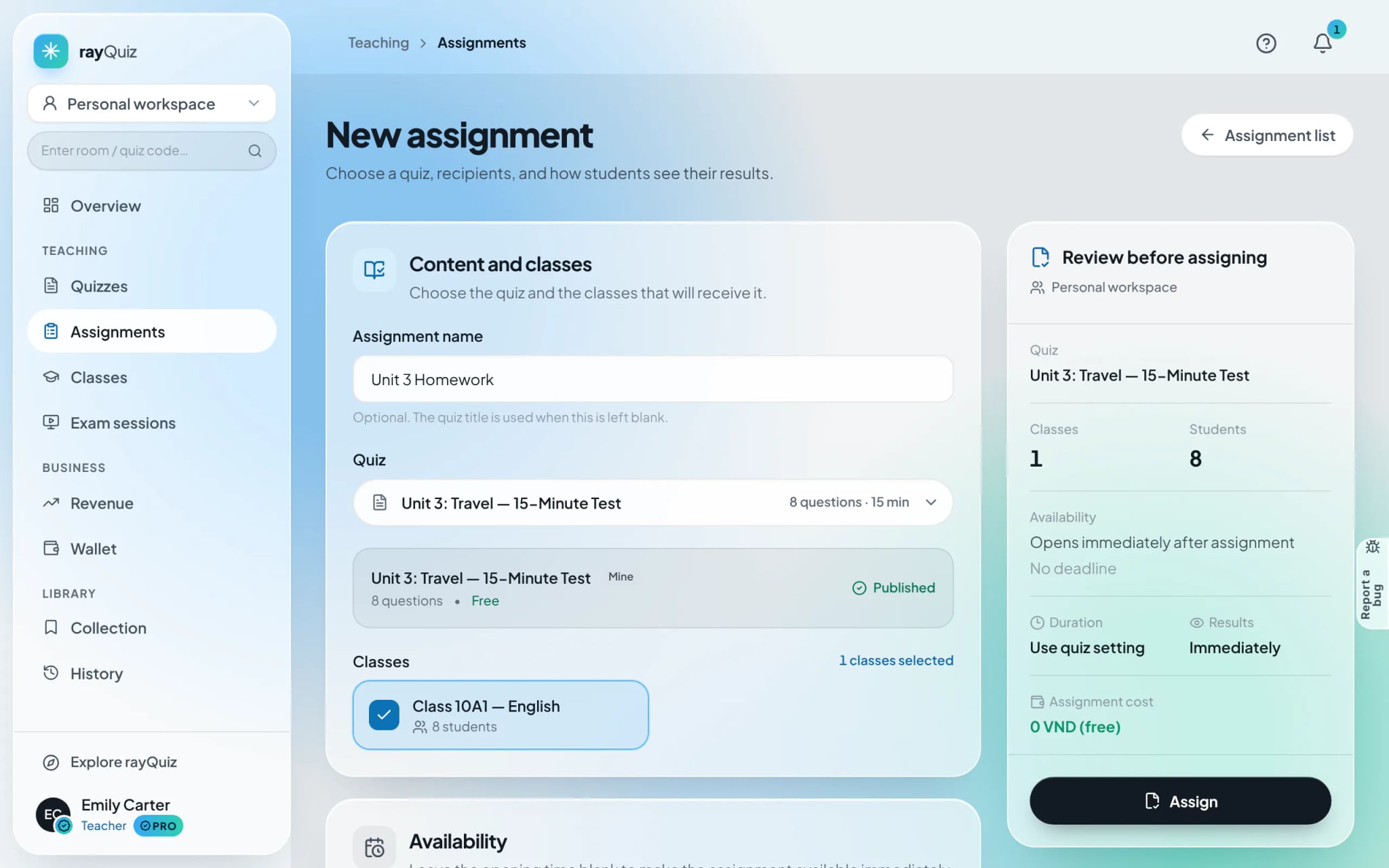
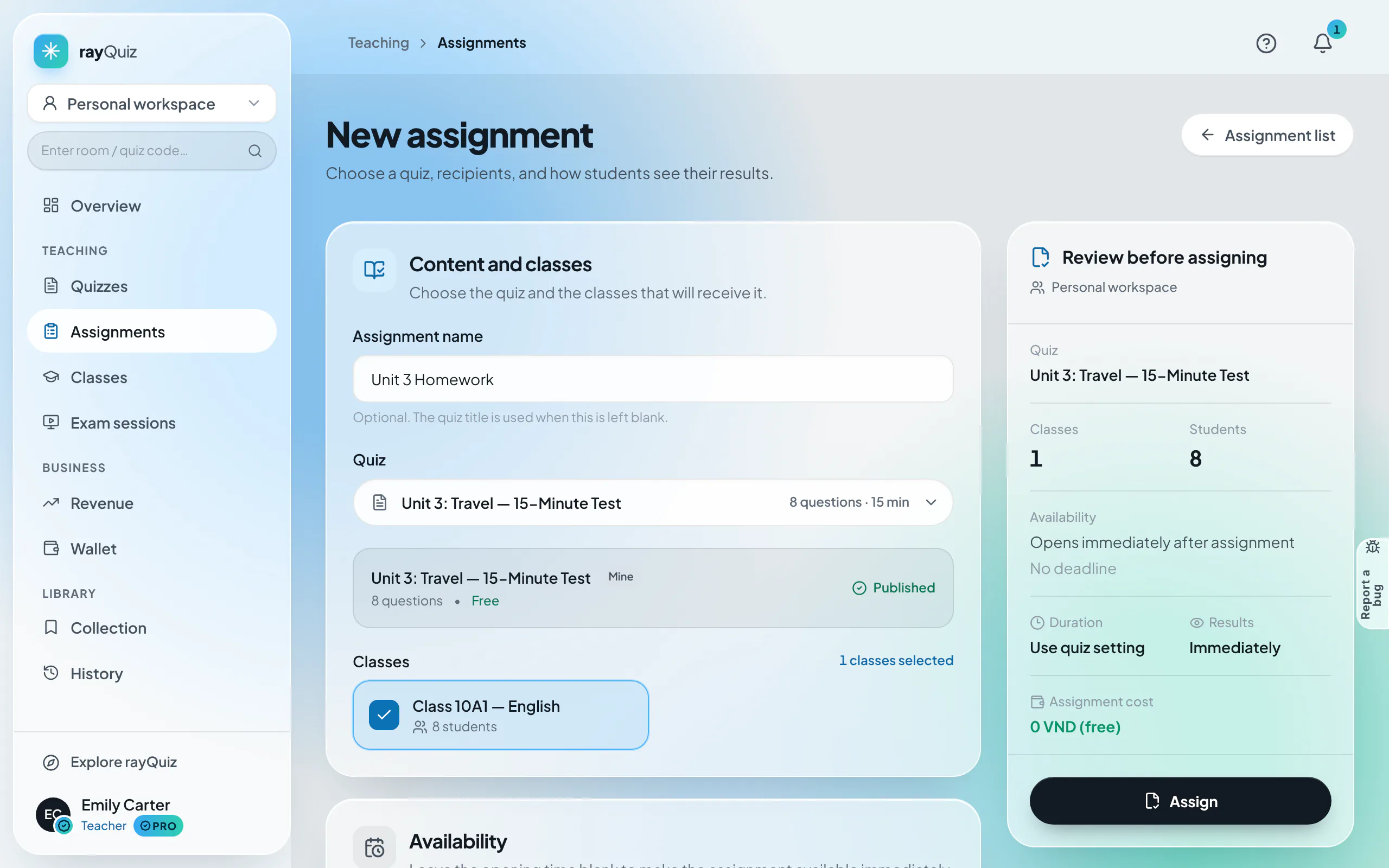
Deploy an assignment across target cohorts
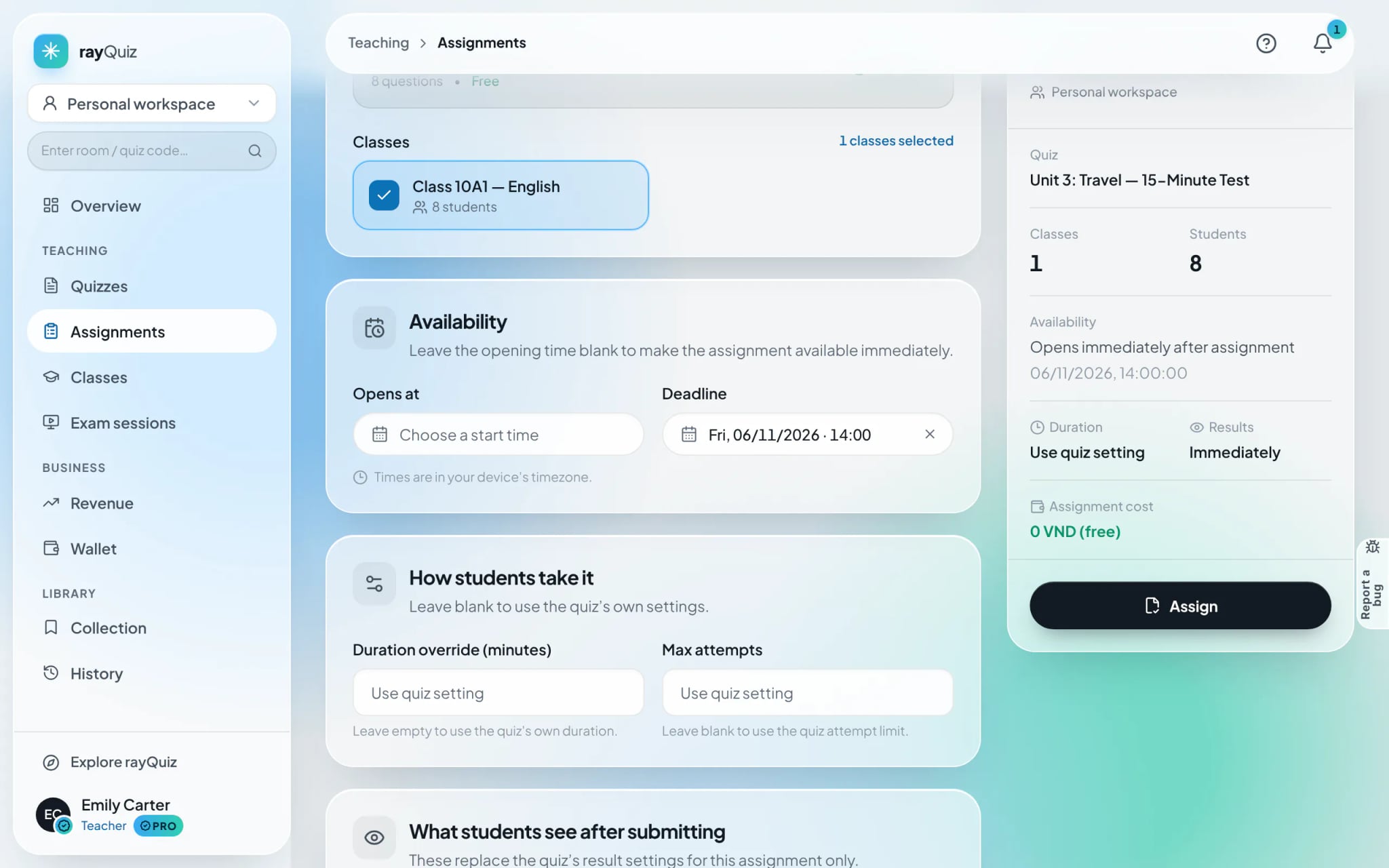
Navigate to "Assignments" and select "New assignment". Title the assignment, designate an assessment from your library, and select recipient cohorts. The right-hand summary confirms total recipient headcounts.
Tip: Only assessments marked as "Public" can be deployed in assignments.
- 5
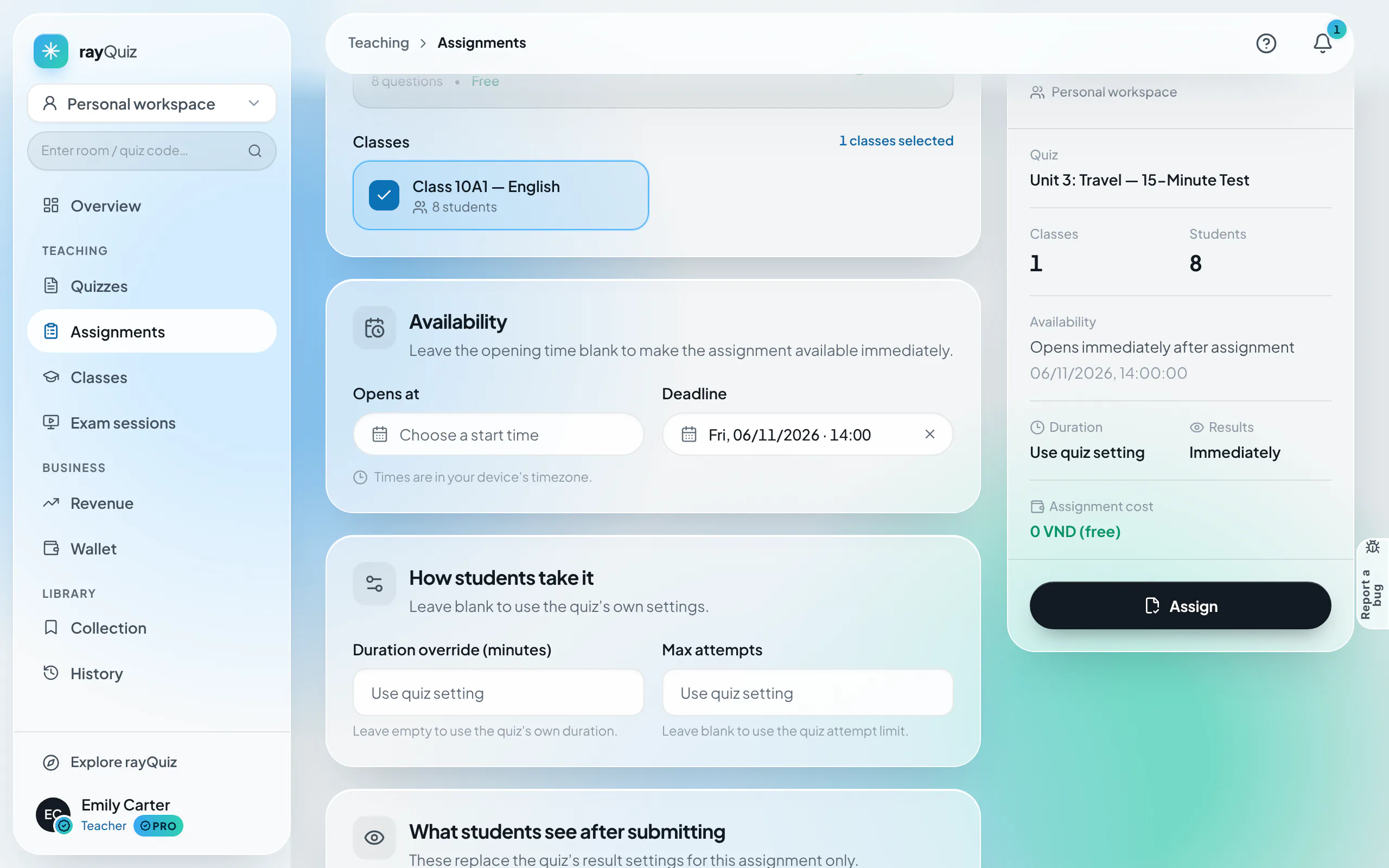
Configure scheduling, attempt caps, and disclosure policies
Under "Availability", specify start dates and strict submission deadlines. Customize duration limits and maximum attempt allowances. In the disclosure section, choose when answer keys unlock (immediately or post-deadline).
- 6
Deploy assignment and monitor live submission progress
Select "Assign". The assignment dashboard immediately activates live tracking: Unstarted, In progress, Submitted, and overall Completion Rate. Students receive notifications under "My work".
Frequently asked questions
- Can a student enroll in multiple classroom cohorts concurrently?
- Yes. Students can belong to multiple classes across subjects, with all tasks consolidated neatly under their personal "My work" dashboard.
- How does assigned homework differ from proctored exams?
- Homework permits asynchronous completion across an extended multi-day window. Proctored exams occur synchronously at a designated time, with waiting lobbies and anti-cheating active.