Run exams
Create open exam rooms for mock testing and placement diagnostics
Launch code-accessible exam rooms with custom testing windows for external candidates without managing student rosters.
Open exam rooms offer the ideal solution for campus-wide mock exams, placement diagnostics, or admissions evaluations where candidates have not yet been assigned to designated classrooms.
3 min · 3 steps
- 1
Launch a new open exam room
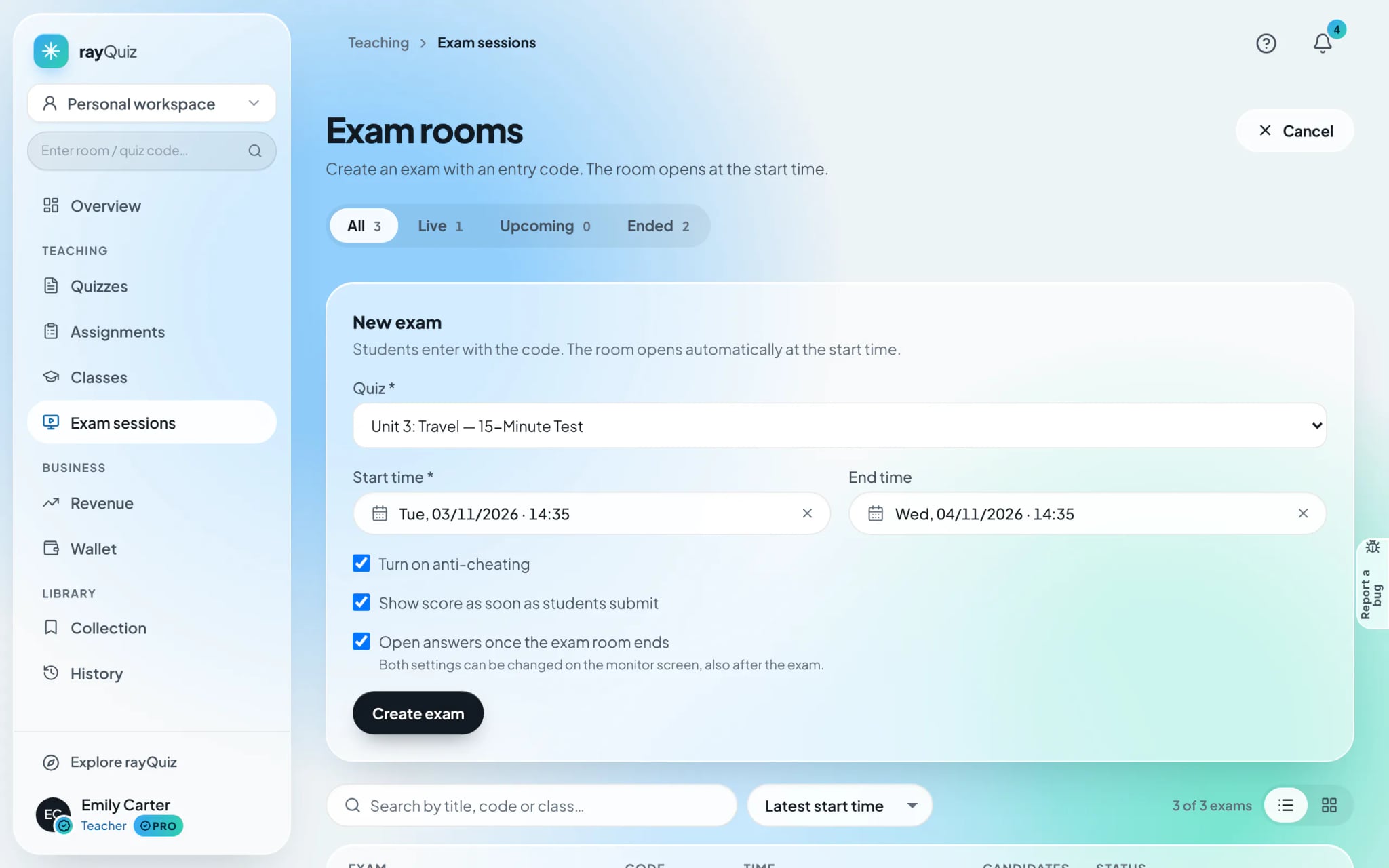
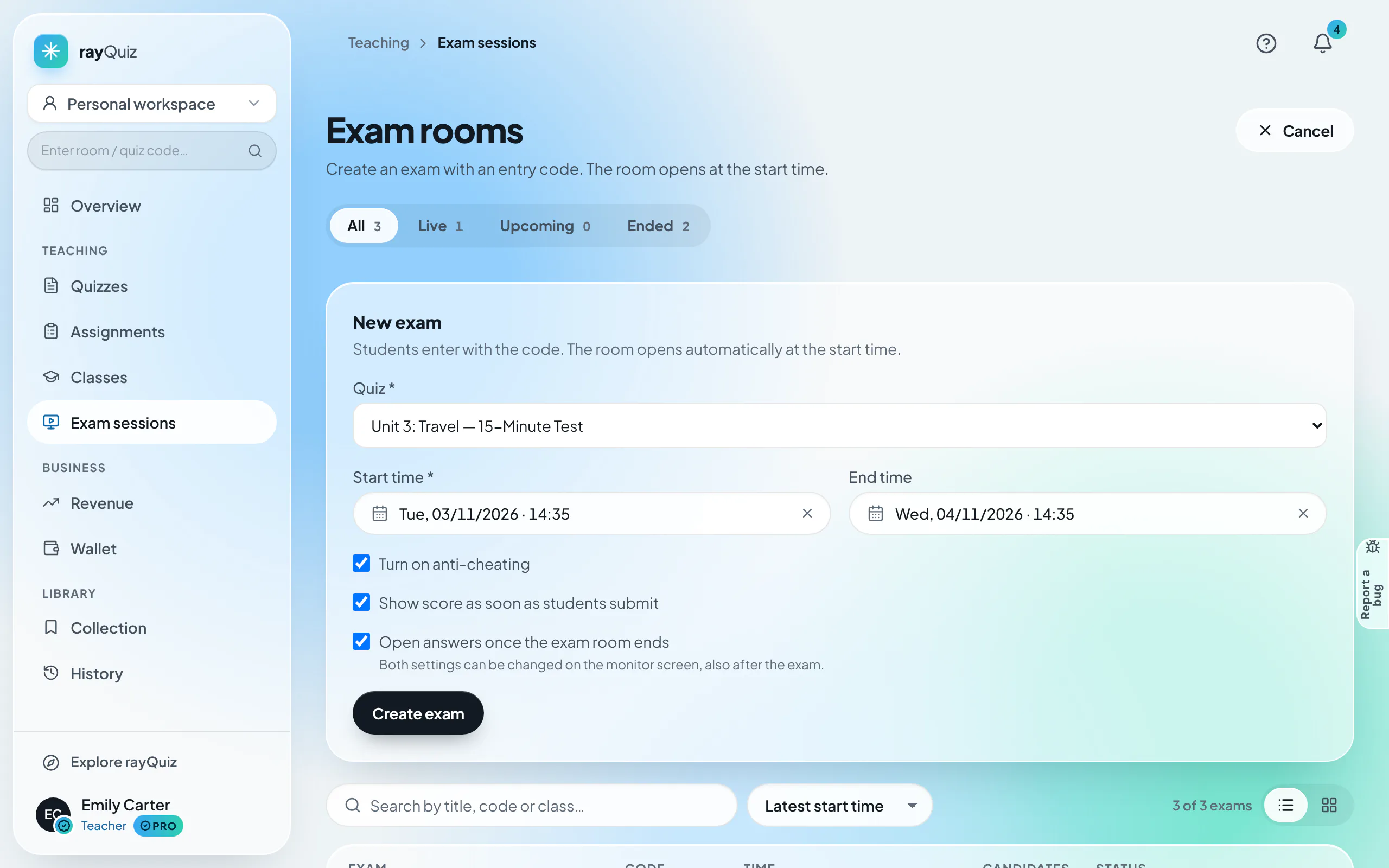
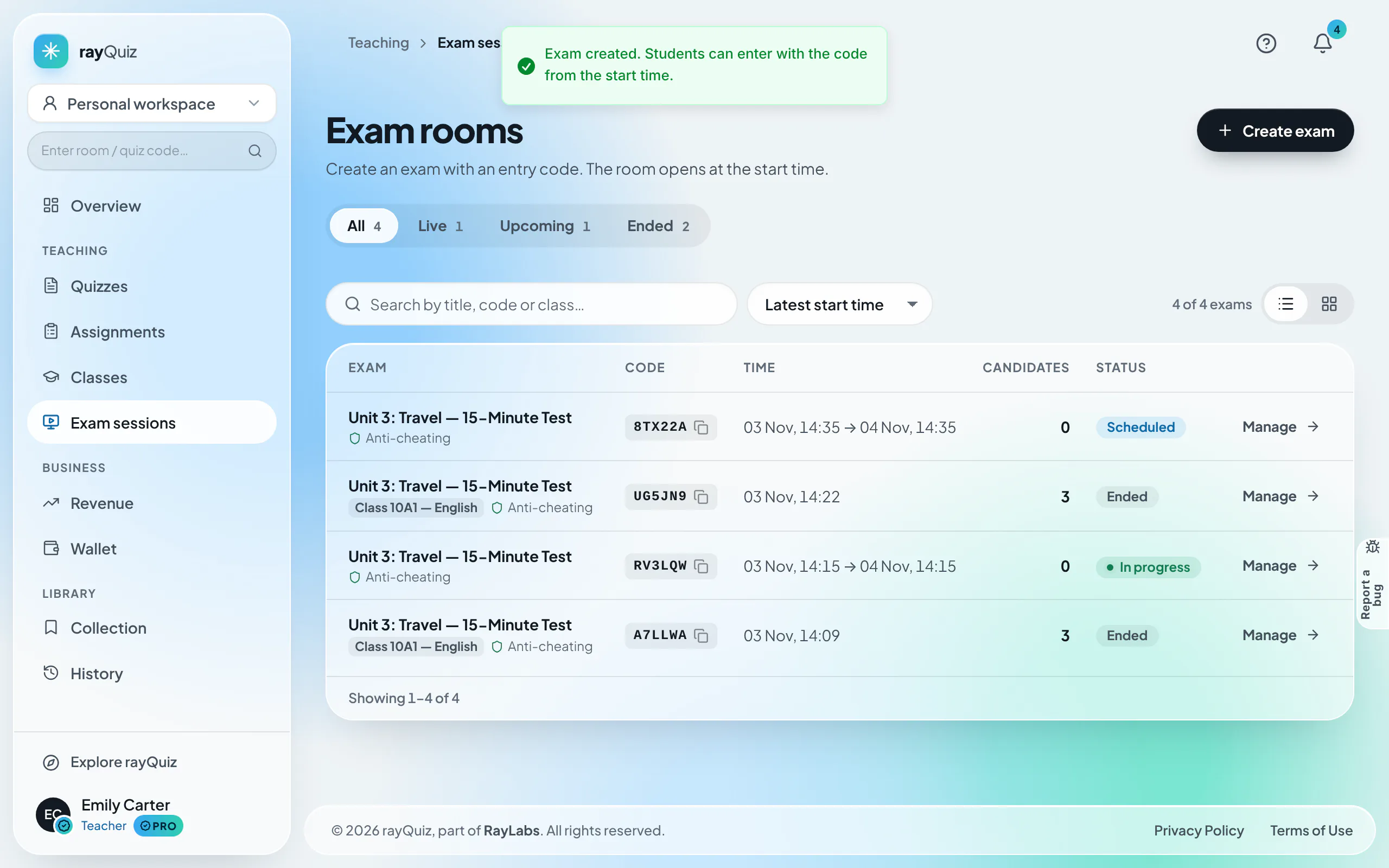
Navigate to "Exam sessions" on the sidebar and select "Create exam". Select the quiz from your library, define start and optional conclusion timestamps, enable anti-cheating, and confirm.
- 2
Manage active rooms and distribute the 6-character room code
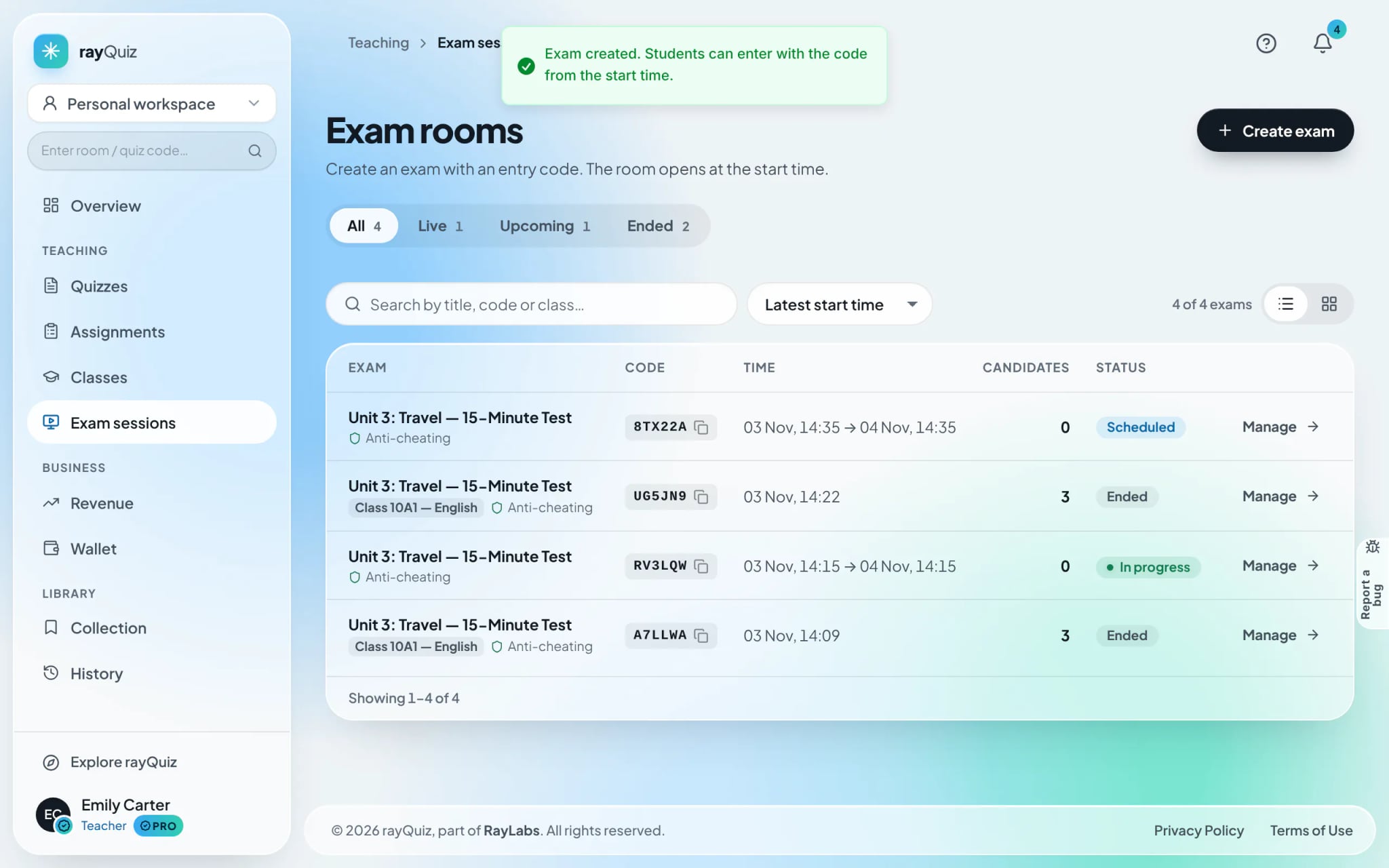
The directory catalogues active rooms: Exam title, 6-character room code, scheduling windows, and candidate counts. Click the copy icon alongside any room code to distribute it to candidates.
- 3
Activate the waiting lobby and monitor candidates
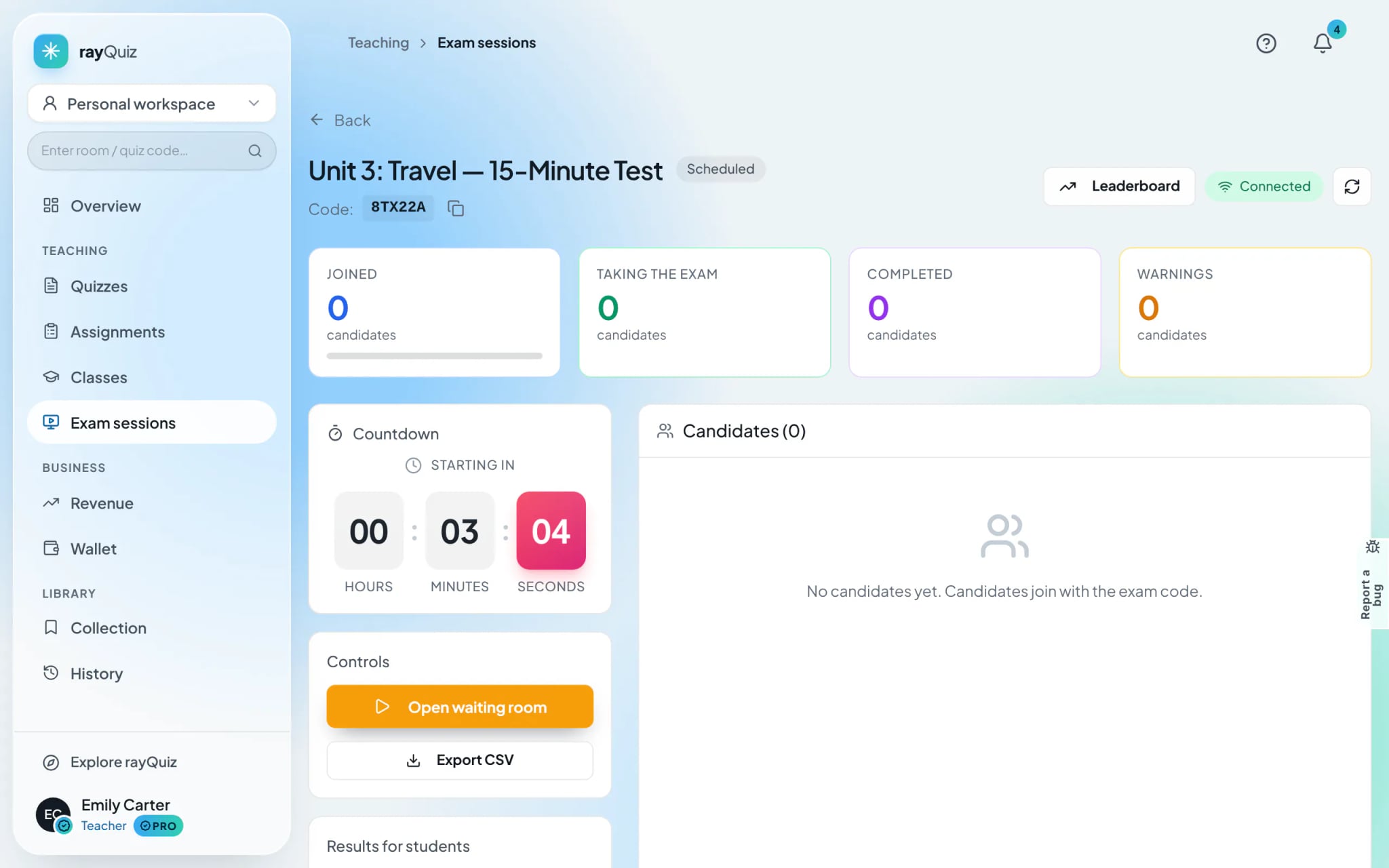
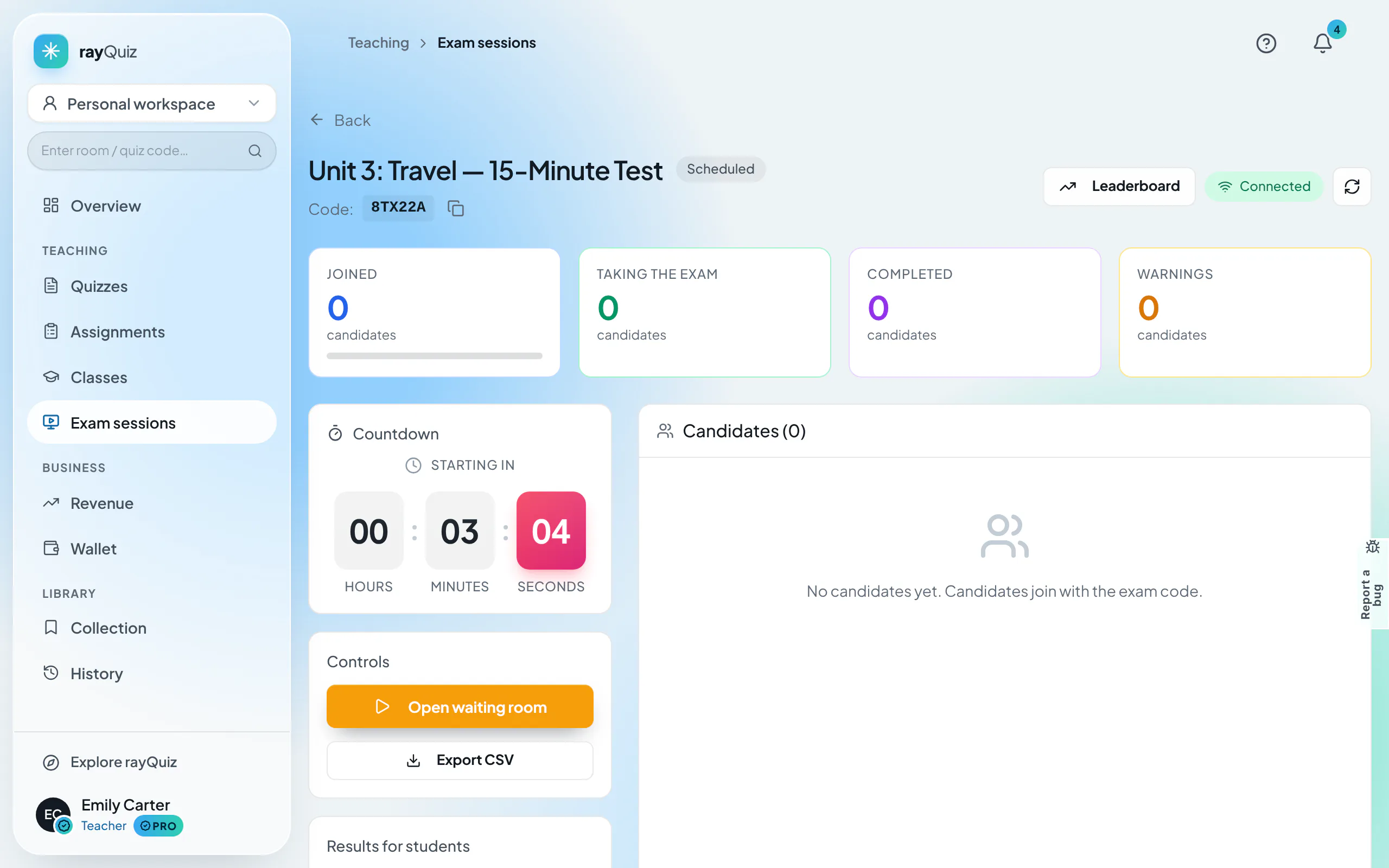
Click "Manage" on the target room row. Select "Open lobby" to admit candidates into the waiting lobby. Proctoring, termination, and grade export workflows match standardized class exams.
Frequently asked questions
- Do candidates require an authenticated account to join open exam rooms?
- Yes. Candidates must authenticate with a rayQuiz account (ensuring verified grade attribution) and input the 6-character code on the exam code screen.