Classes and homework
Review results, question-level analytics, and export CSV gradebooks
Track individual student scores, audit question difficulty rates, inspect class score distributions, export CSVs, and run AI evaluations.
rayQuiz reporting delivers deep pedagogical insights beyond raw marks: pinpoint confusing questions, detect curriculum comprehension gaps, and surface struggling learners requiring tailored remediation.
4 min · 5 steps
- 1
Inspect assignment overview analytics
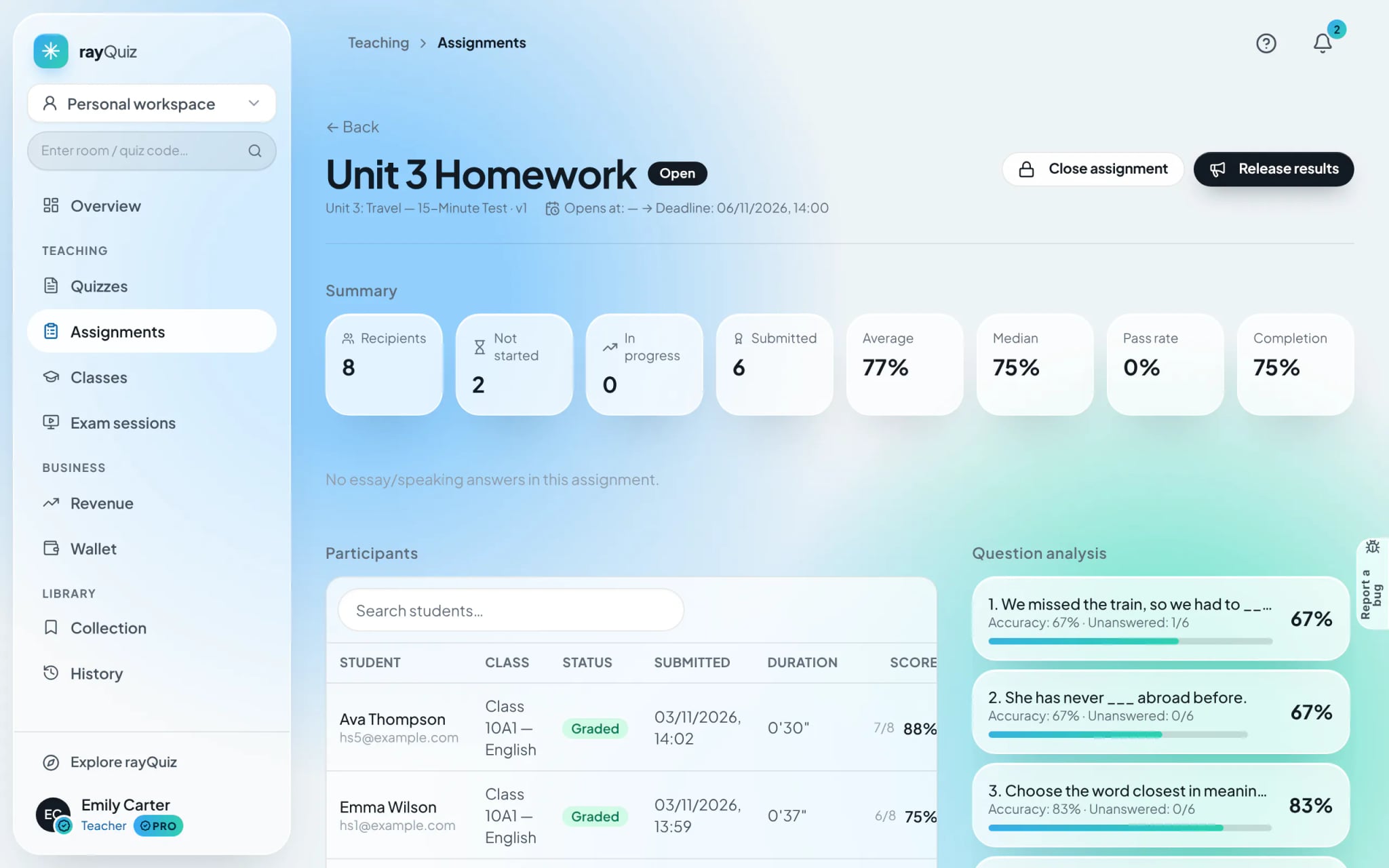
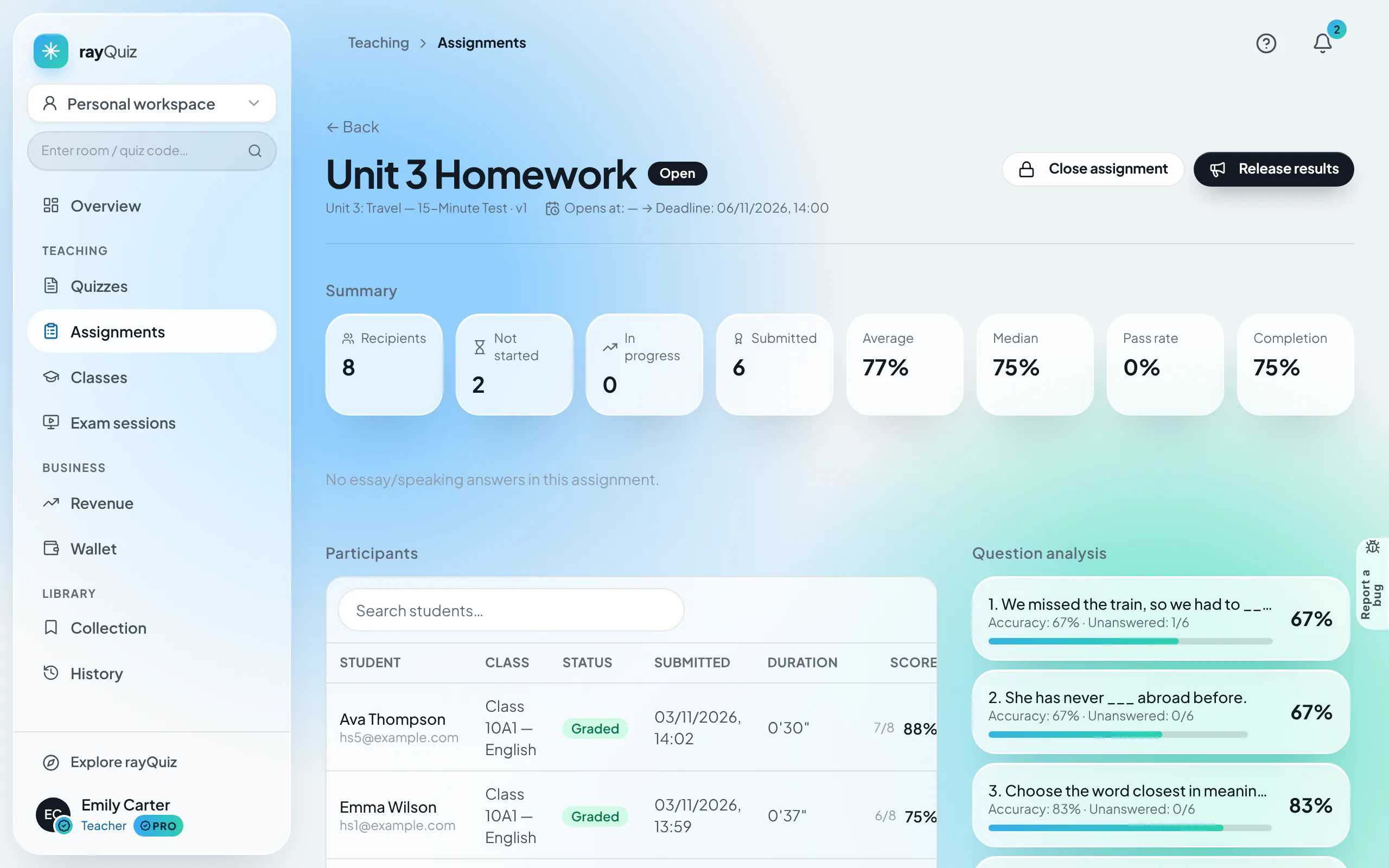
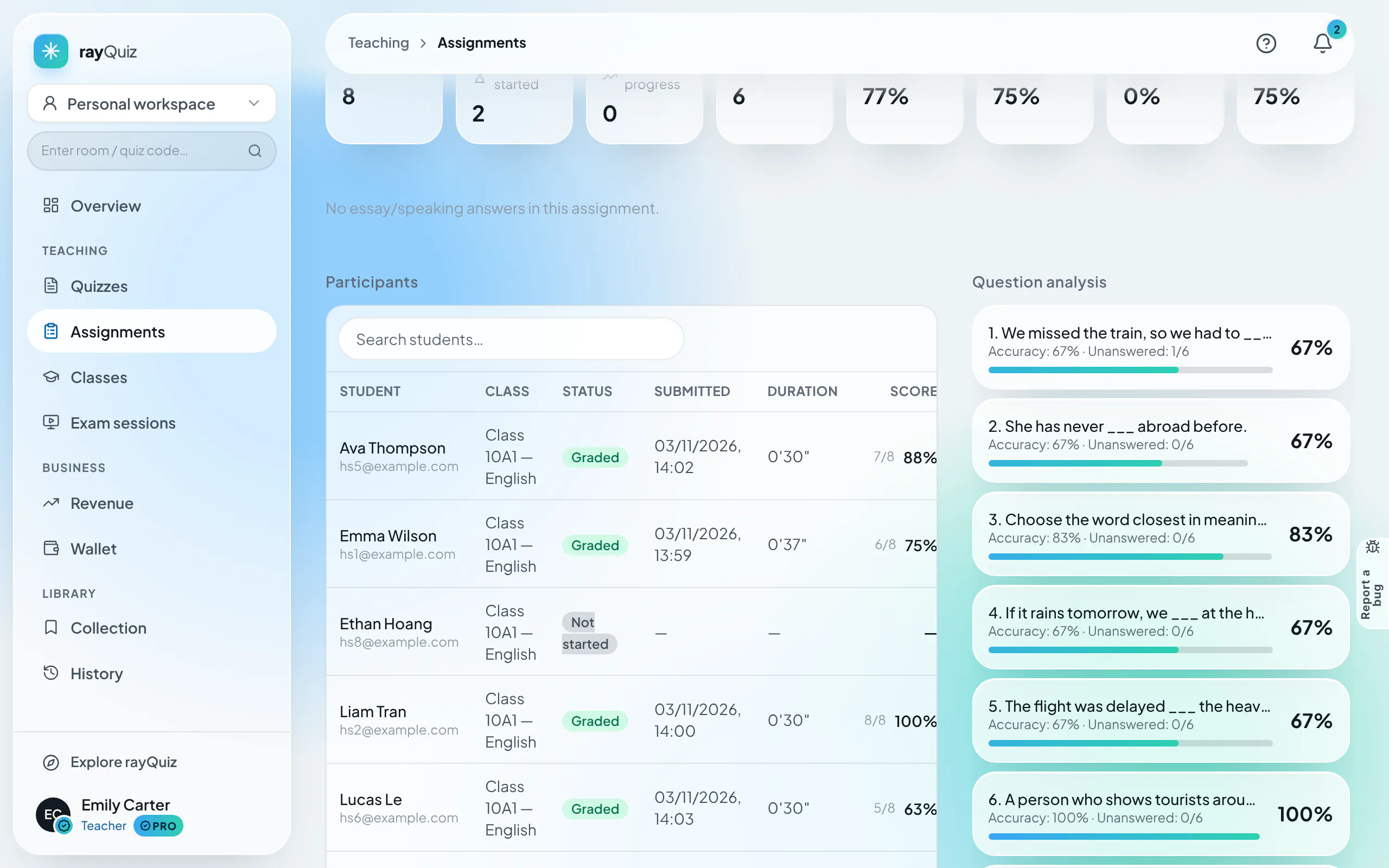
Under "Assignments", open the desired task. The dashboard reveals aggregate indicators: Mean Score, Median, Pass Rate, and Completion Percentage. The roster table catalogues individual submission timestamps, duration, and final marks.
- 2
Analyze item-level difficulty and question correct rates
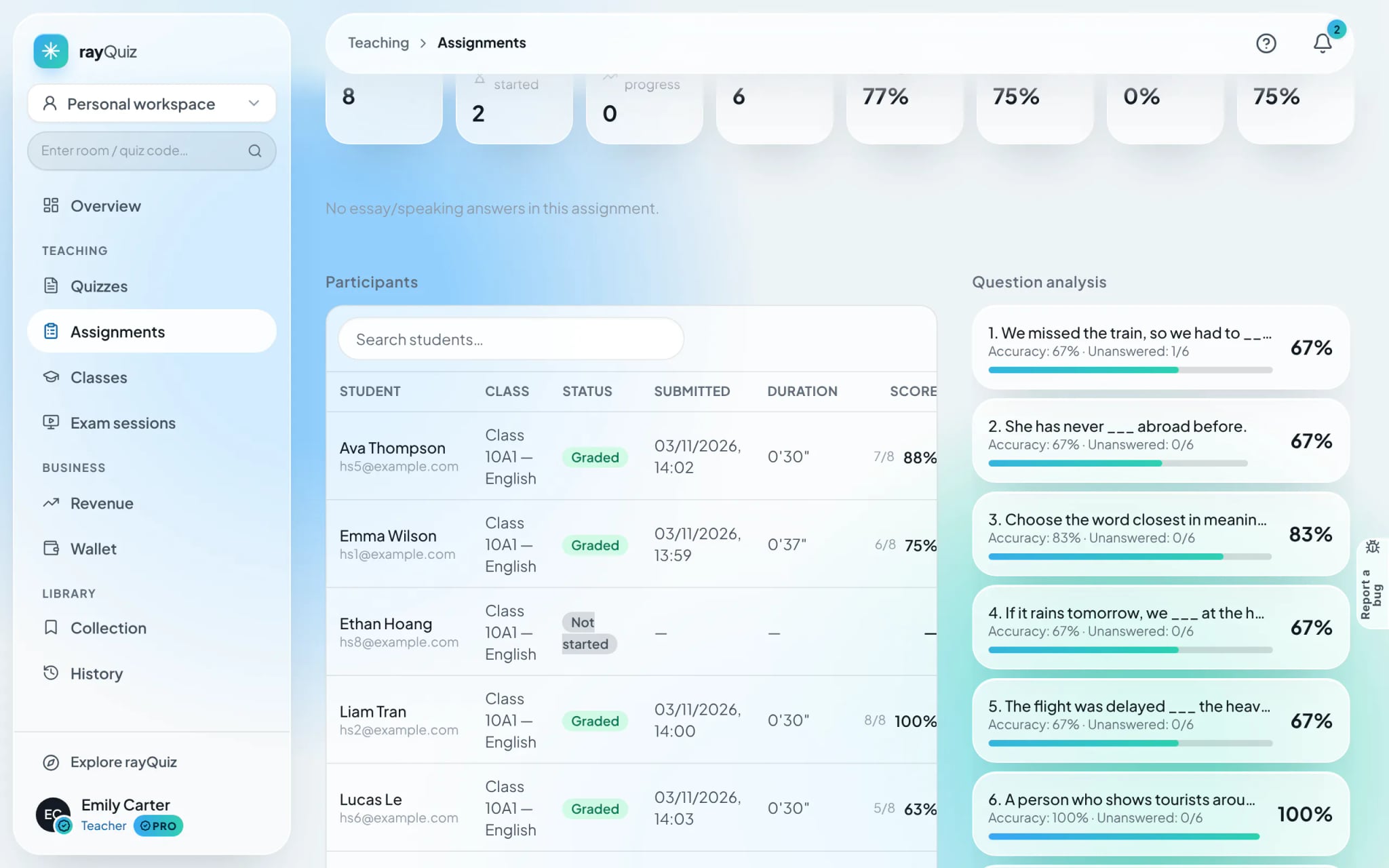
Switch to the "Question analysis" tab to view percentage correct rates and blank counts for every item in the exam. Questions showing abnormal failure rates are flagged to guide targeted classroom reteaching.
Tip: If an assignment was configured to withhold scores, click "Release results" to unlock scores and explanations to students.
- 3
Review cohort score distributions and longitudinal trends
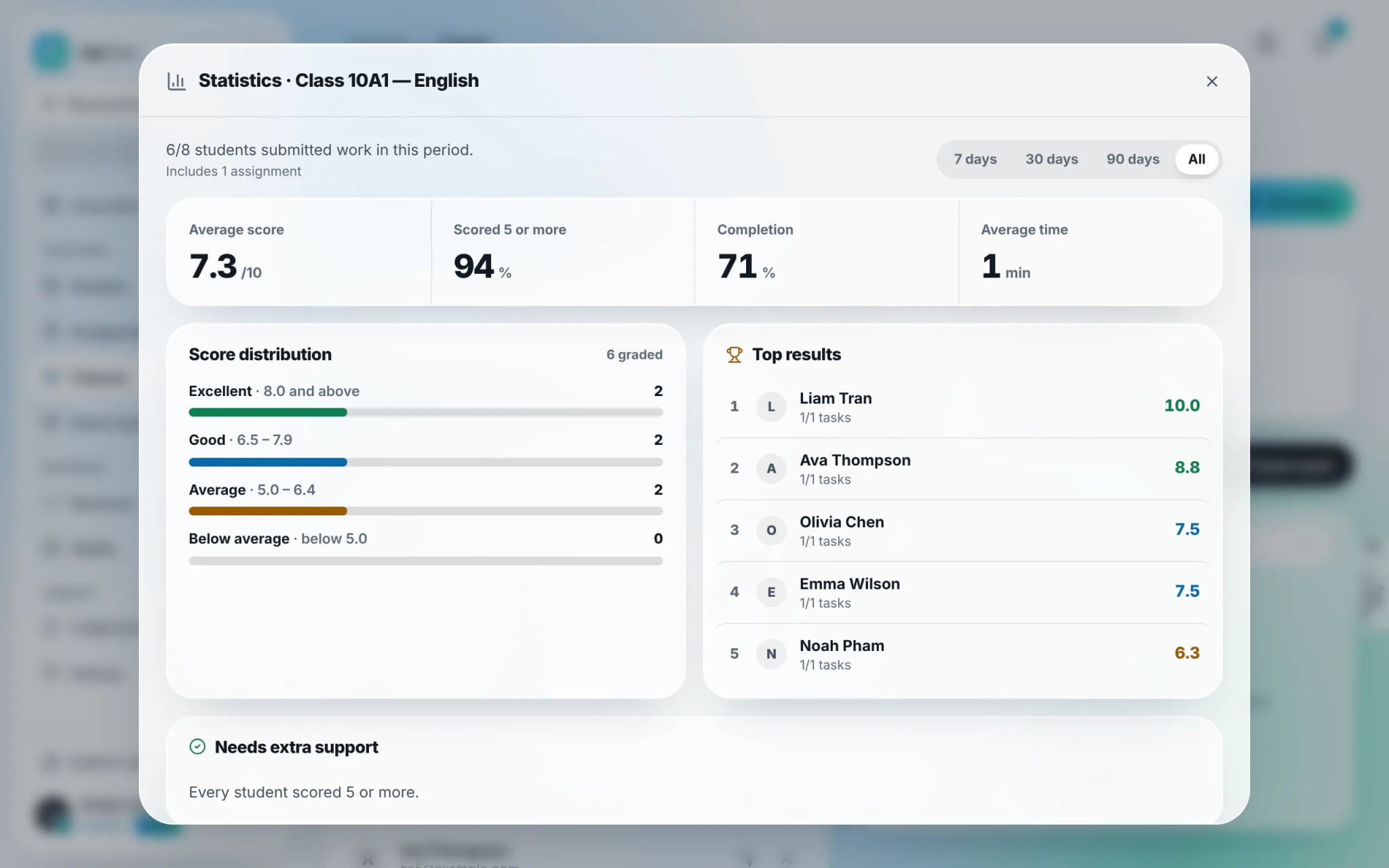
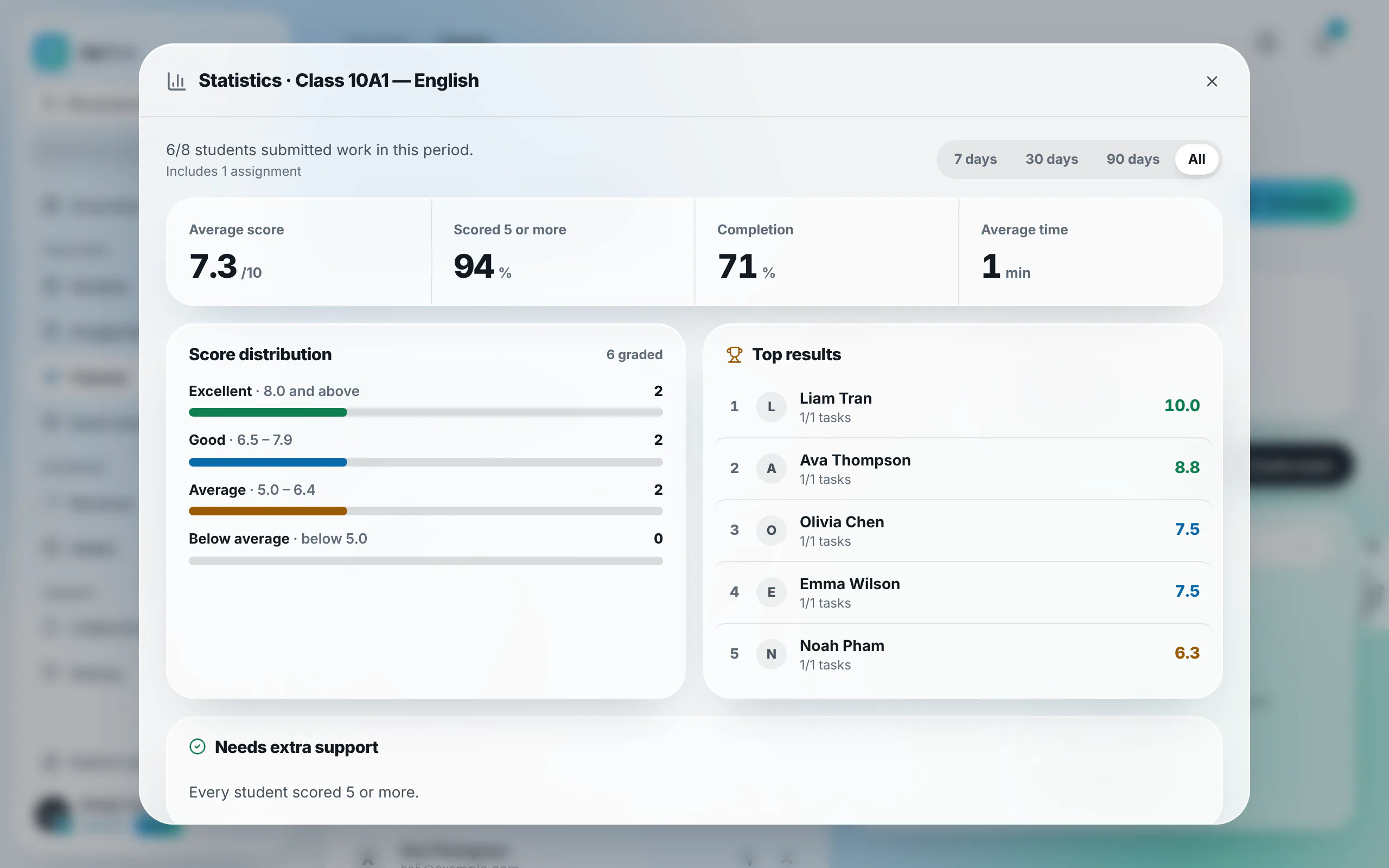
On the classroom hub, click "Statistics". rayQuiz graphs 4-tier score distributions (Advanced, Proficient, Basic, Below Basic) and automatically segregates top achievers from learners requiring additional support.
- 4
Export grade reports to CSV / Excel
Click "Export results", select the assessments and student cohorts to include, and select "Export CSV". The exported file opens seamlessly in Microsoft Excel and Google Sheets, detailing student names, attempts, scores, and completion dates.

- 5
Generate pedagogical feedback with automated AI reviews
Click "AI review" on your class page and select an evaluation timeframe. The AI engine audits historical grade patterns to deliver: an overarching cohort assessment, identified concept misconceptions, and tailored instructional strategies.



Frequently asked questions
- When students are granted multiple retakes, which score is exported?
- By default, rayQuiz records the highest attained score across all completed attempts into the exportable CSV gradebook.