Create tests
Build IELTS listening gap-fills (Notes & Form Completion) with auto-marking
Draft note passages with embedded answer keys; the engine converts each blank into an independently marked question item.
Note, form, and table completion are core task types in IELTS Listening and Reading. rayQuiz supports native gap-fill authoring, grading every blank as an independently scored question.
4 min · 5 steps
- 1
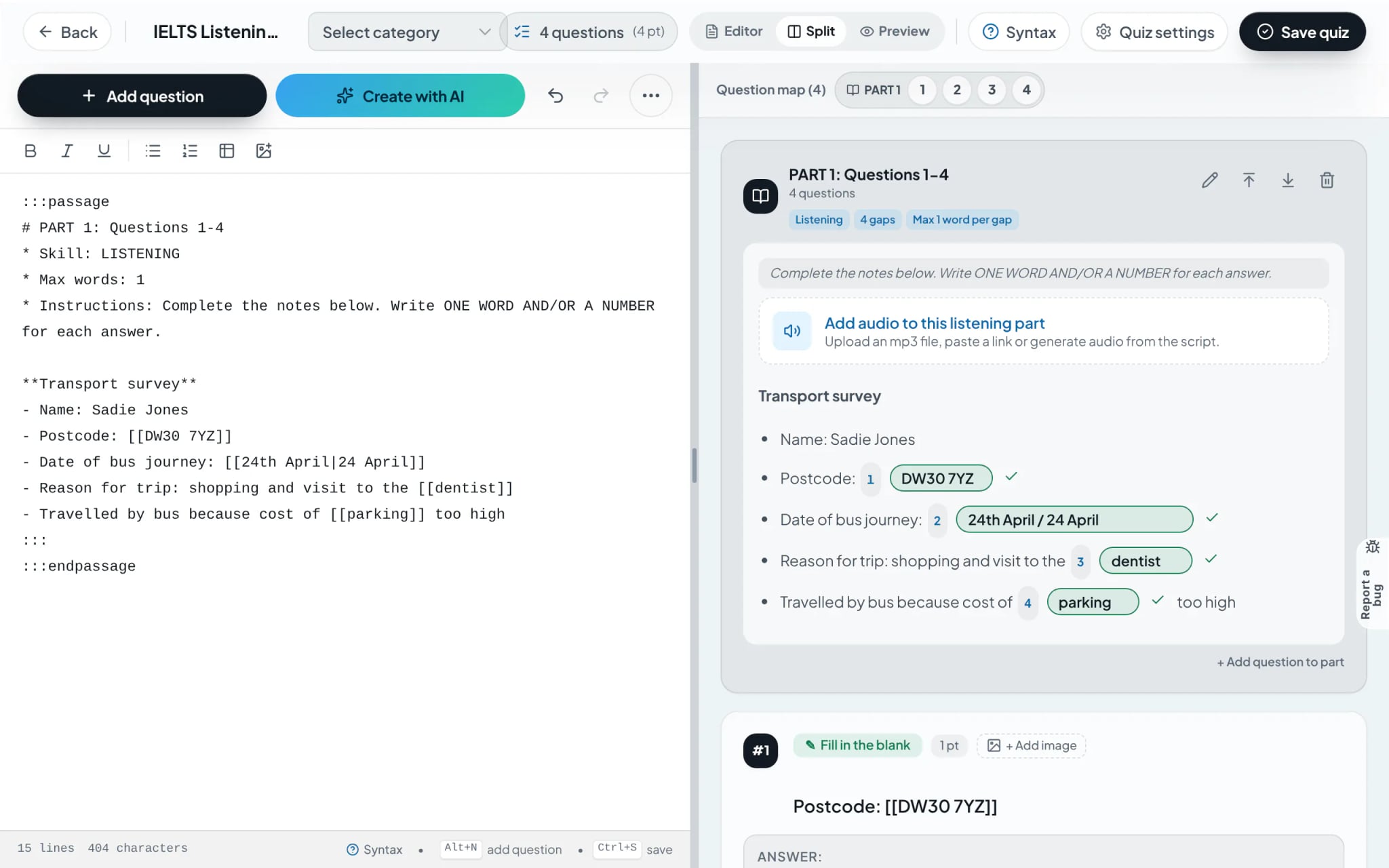
Draft note passages with keys in double brackets [[ ]]
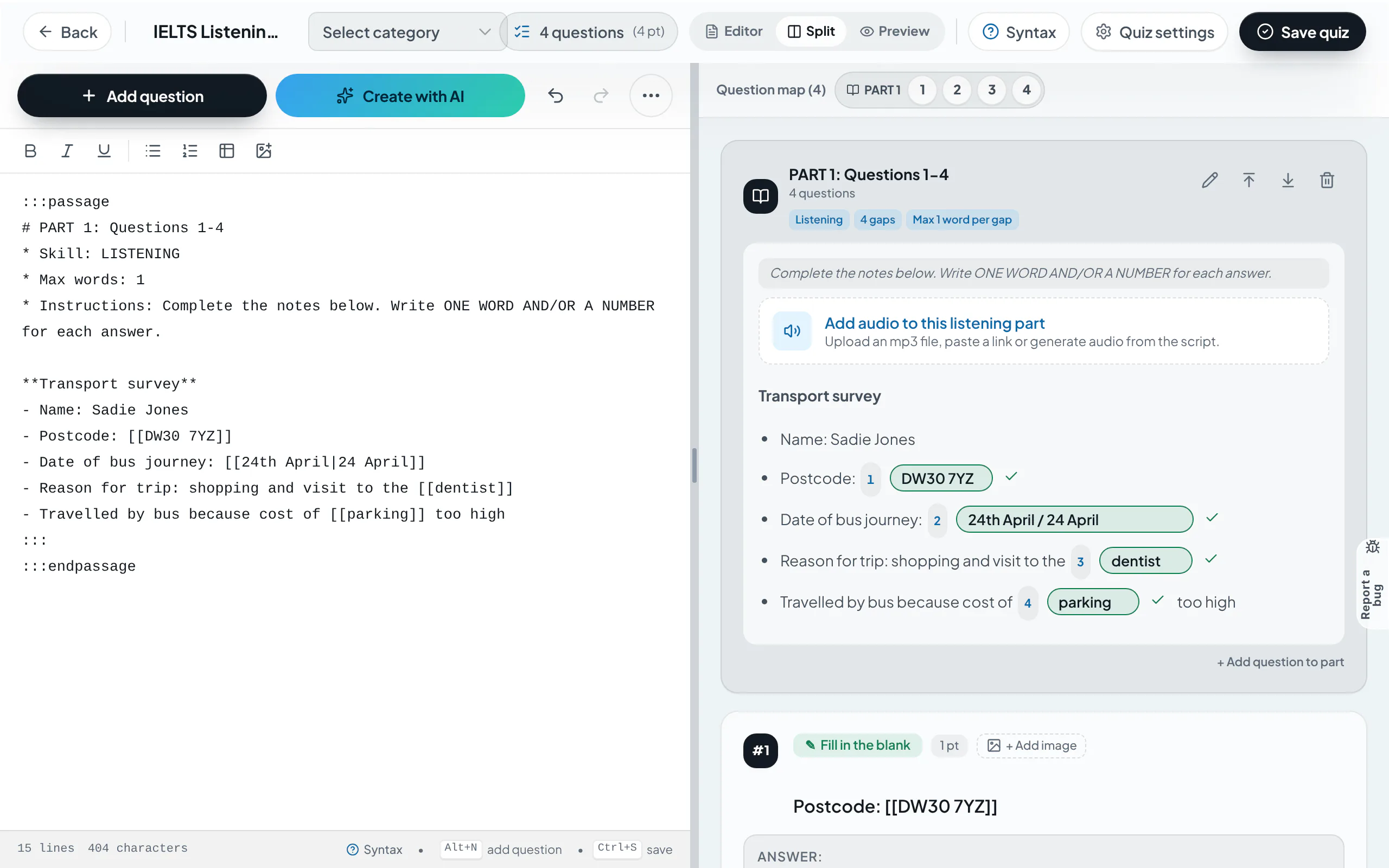
Initiate the passage using the ":::passage" directive, paste the note text, and enclose target keys inside double brackets [[ ]]. Declare "* Skill: LISTENING" and specify the audio resource path to establish a listening section.
:::passage
* Skill: LISTENING
* Audio: https://example.com/audio.mp3
STUDENT ACCOMMODATION FORM
- Name: [[John Smith]]
- Room type: [[Single]]
- Arrival date: [[24th April|24 April]]
:::
Tip: When multiple correct variations are acceptable, separate entries with a pipe symbol | (e.g. [[24th April|24 April]]).
- 2
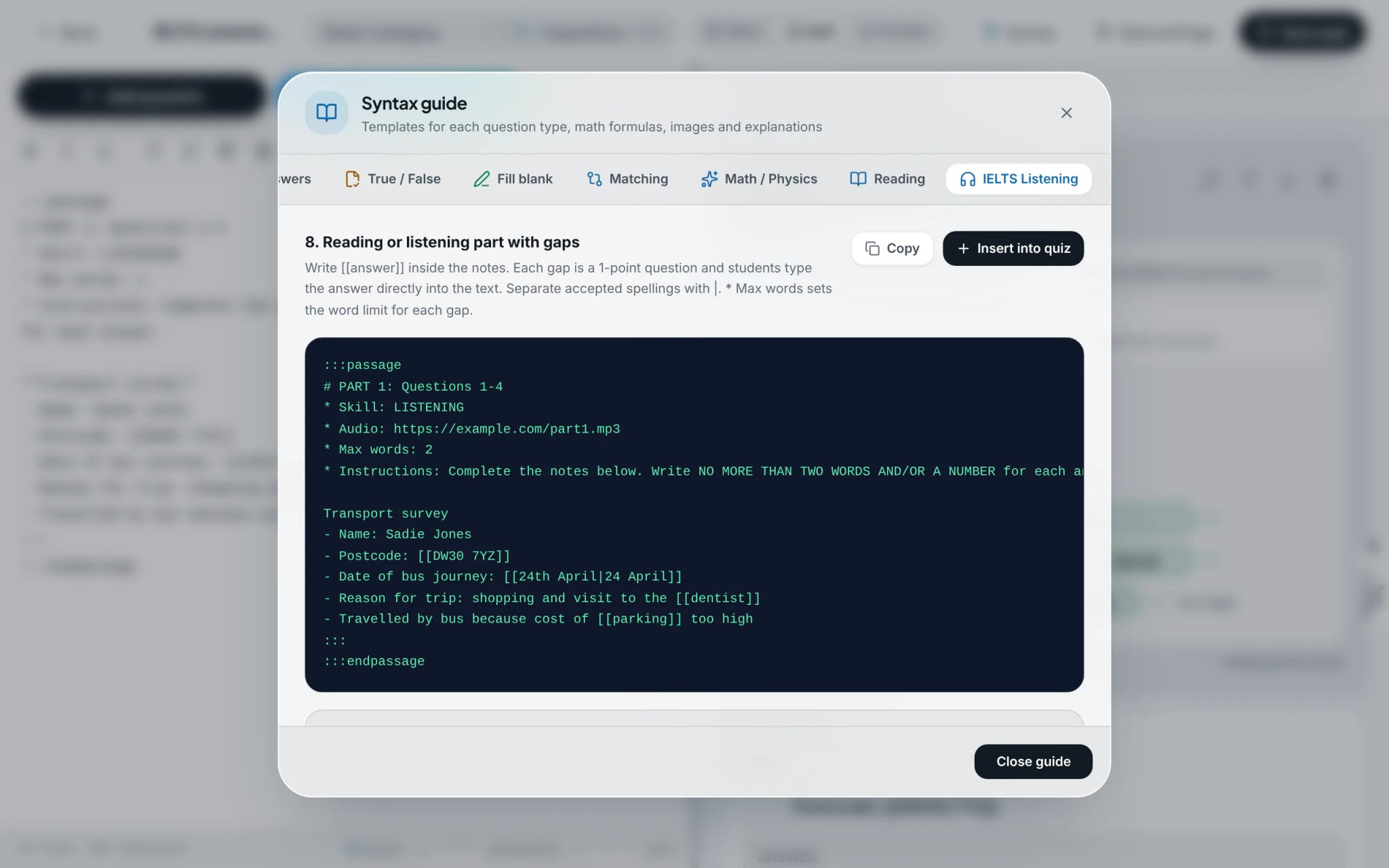
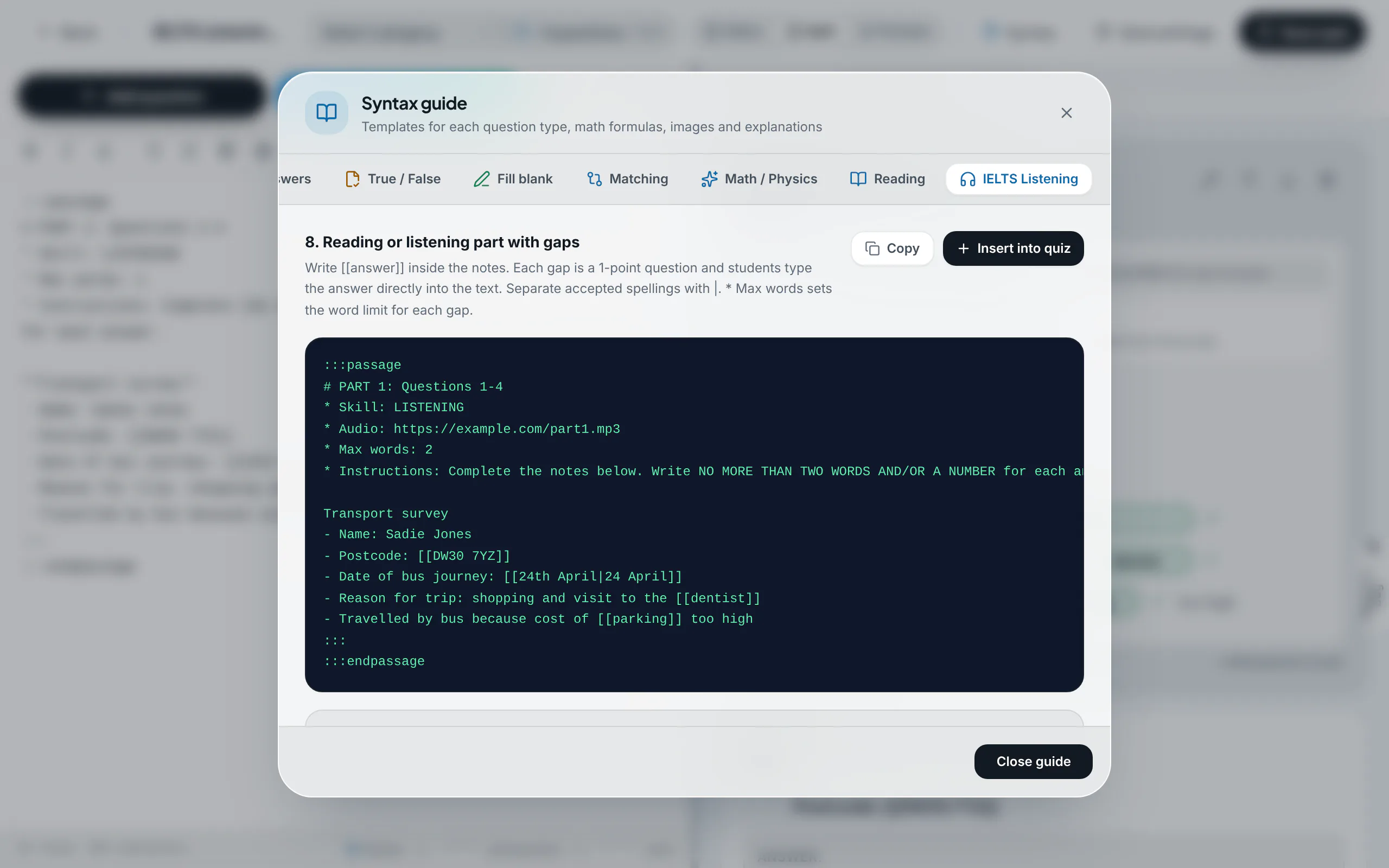
Insert pre-configured gap-fill templates
Open "Syntax" and select the "IELTS Listening" tab. The library provides standardized Notes completion snippets; select "Insert into quiz" to inject the template directly.
- 3
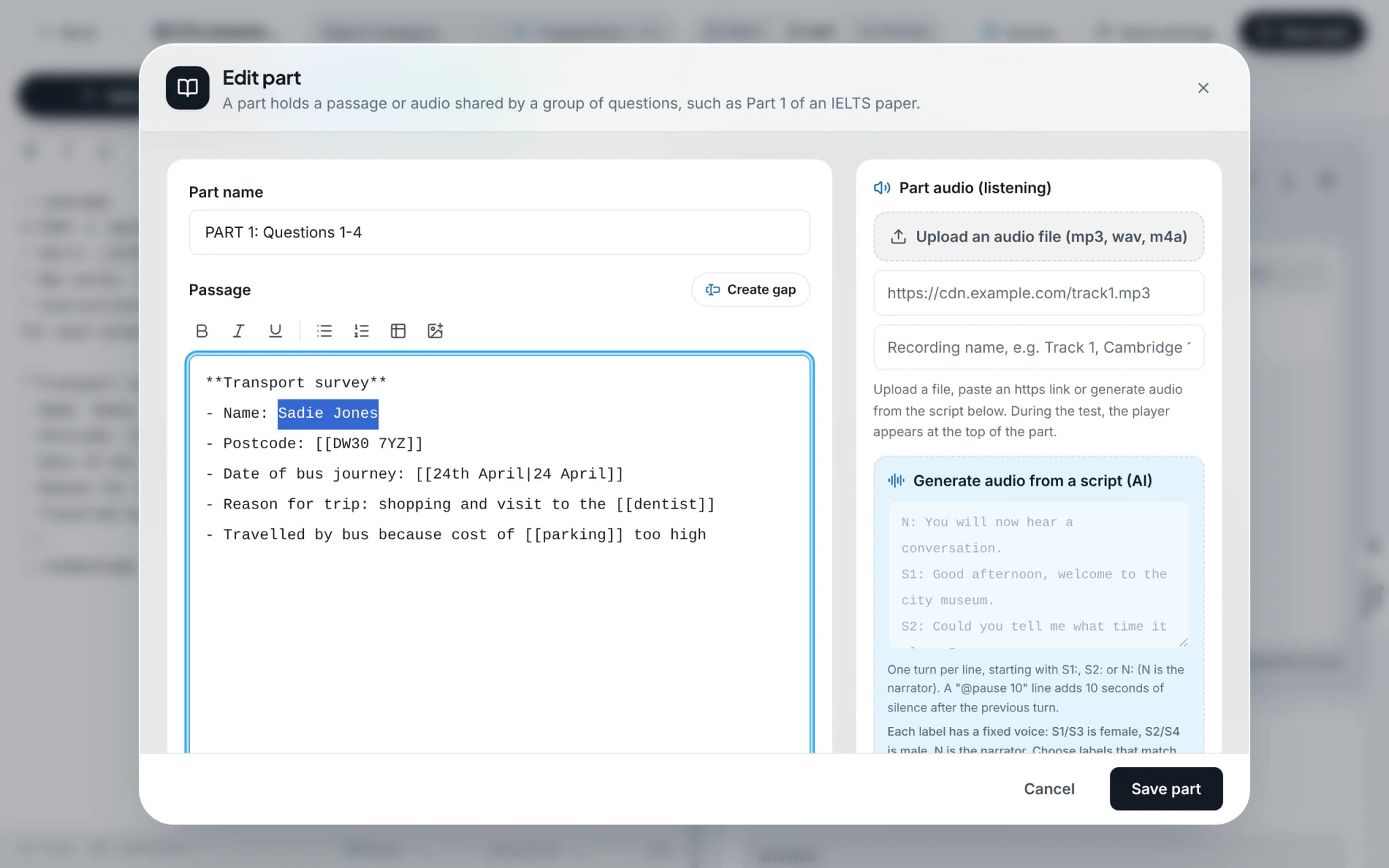
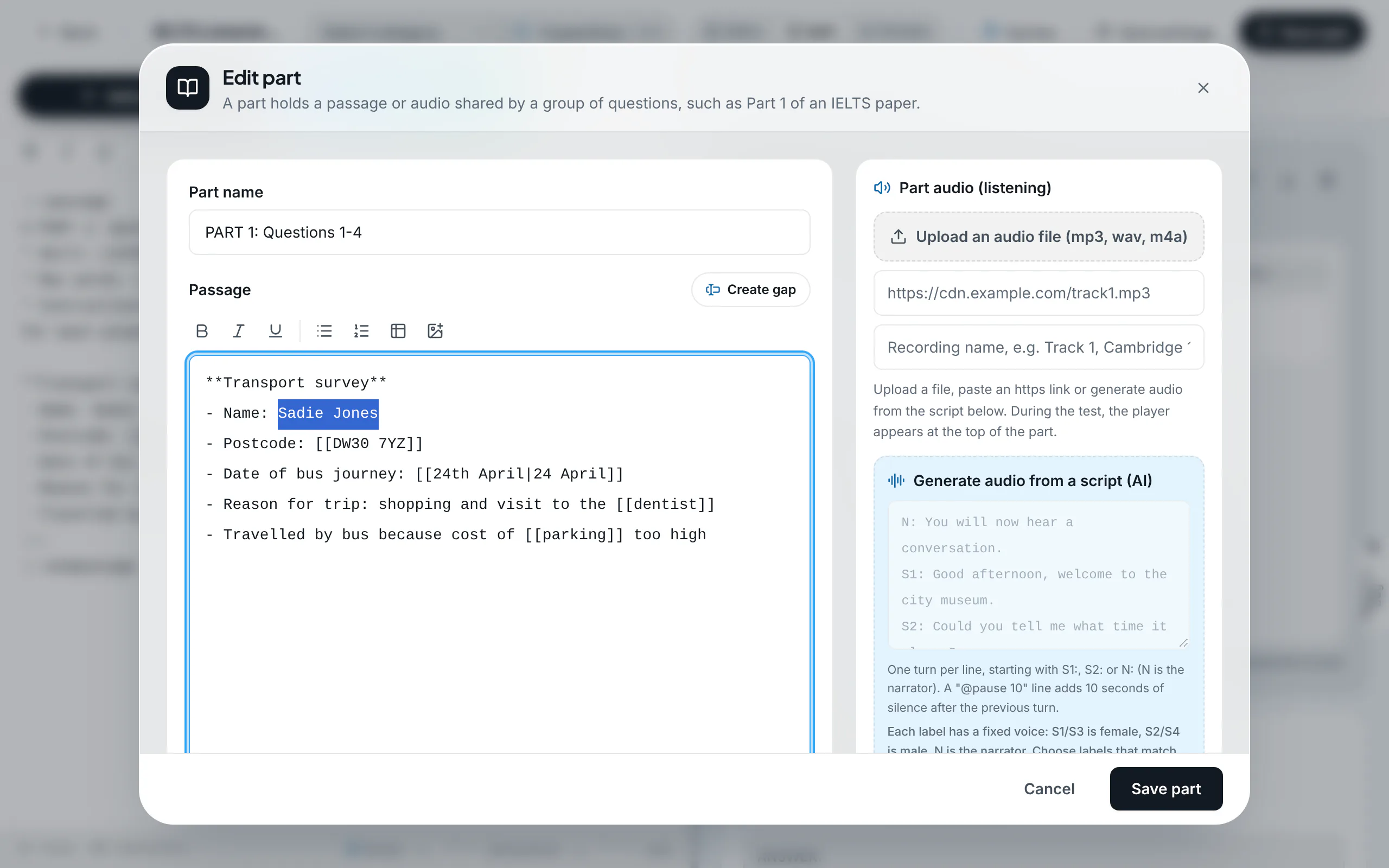
Create blanks visually via text selection
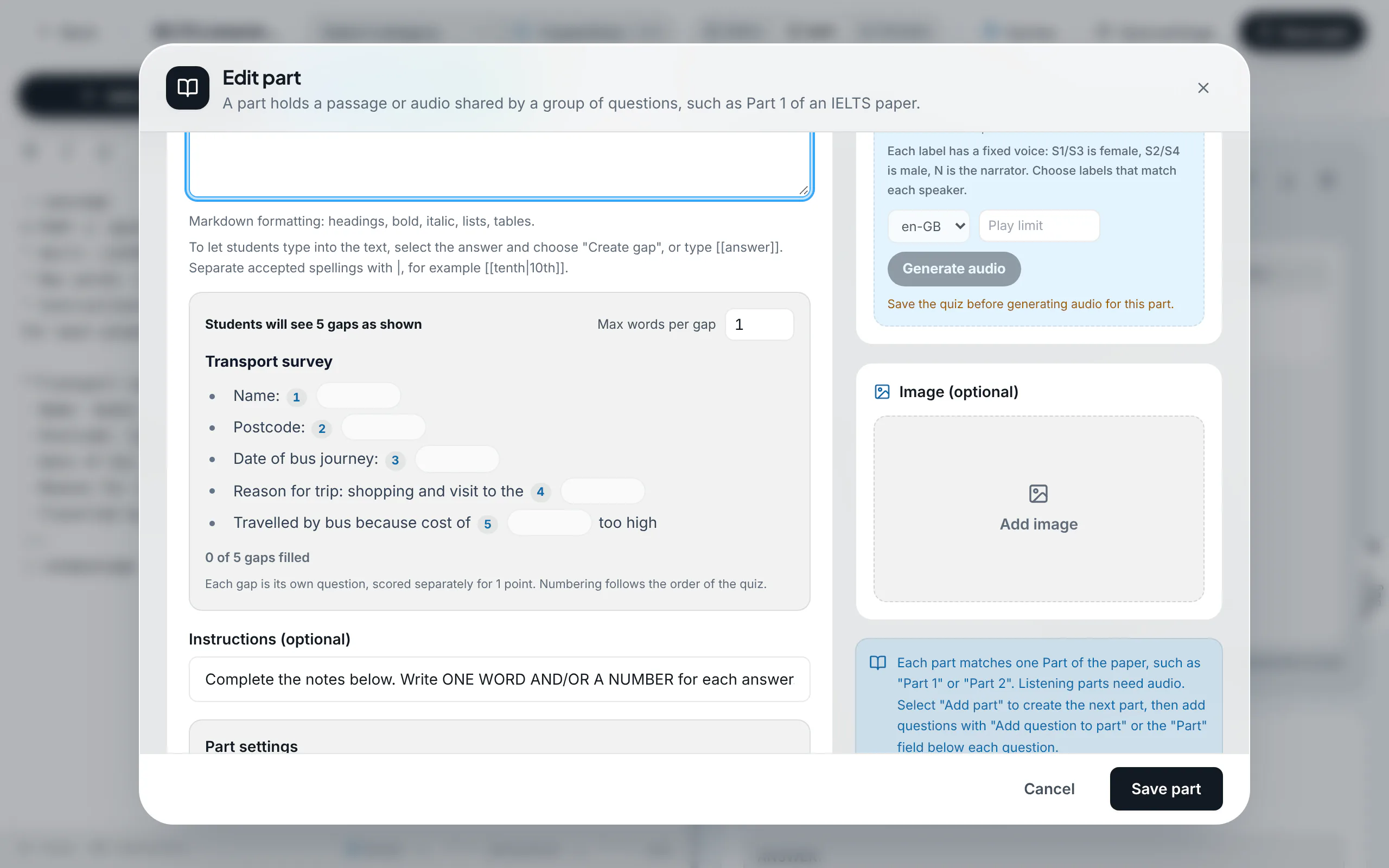
Click the edit icon on the passage card to launch the visual editor. Highlight target words with the cursor and select "Create gap". Configure the "Max words per gap" parameter (e.g. 1 for "ONE WORD ONLY").
- 4
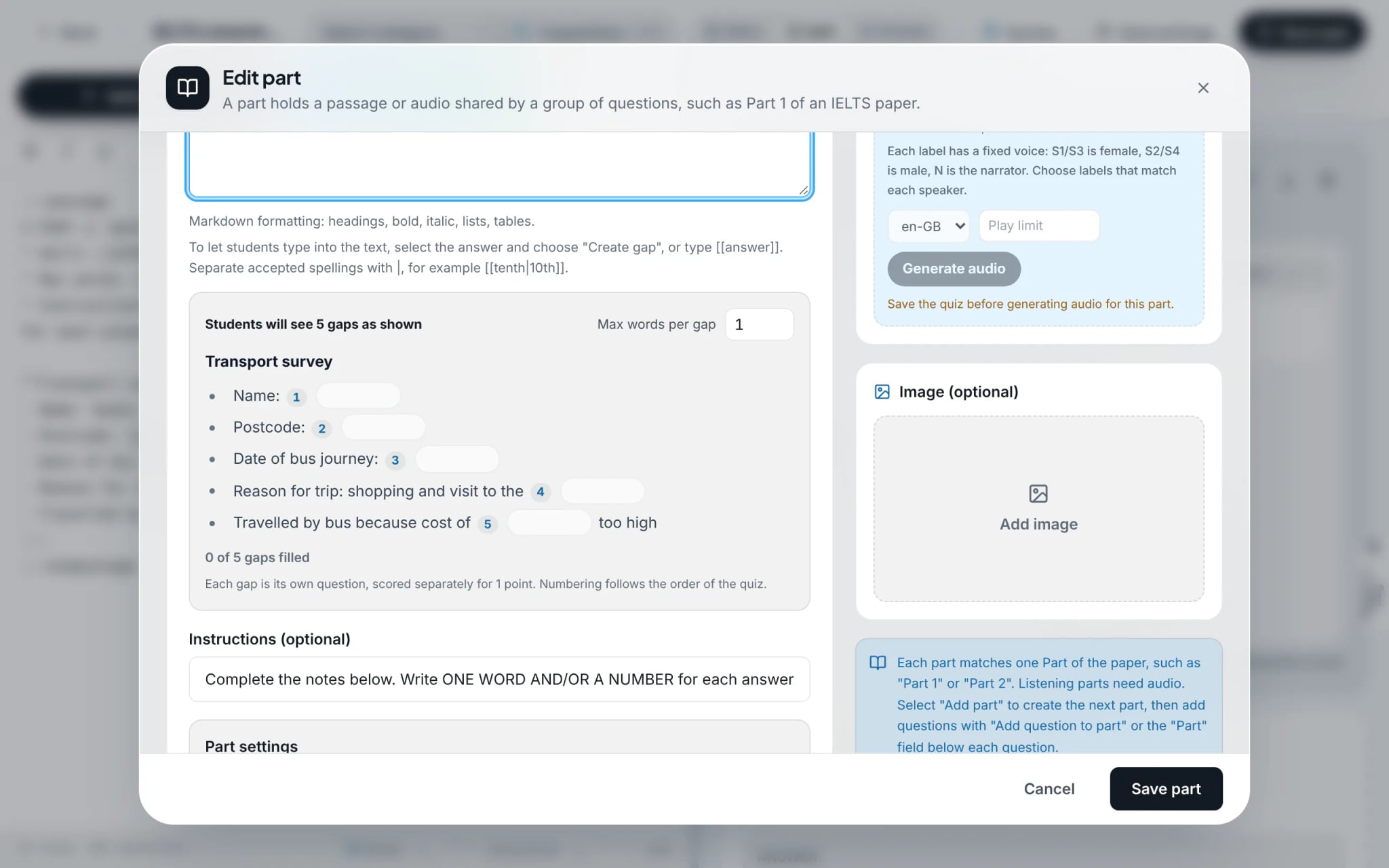
Audit the interactive candidate preview
The preview footer reflects the exact candidate test screen. Each blank is dynamically stamped with its official test item number.
- 5
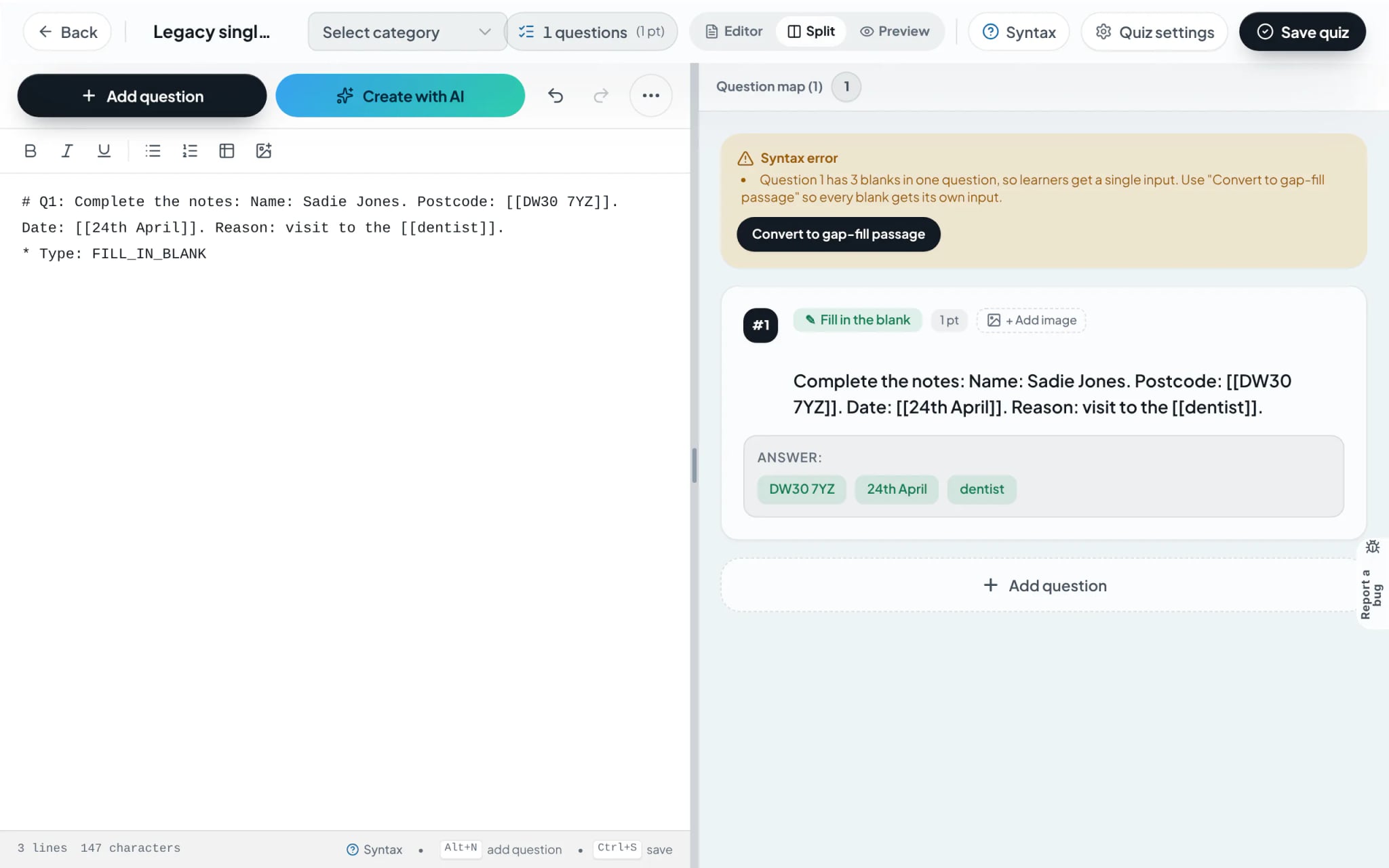
Convert legacy multi-blank questions
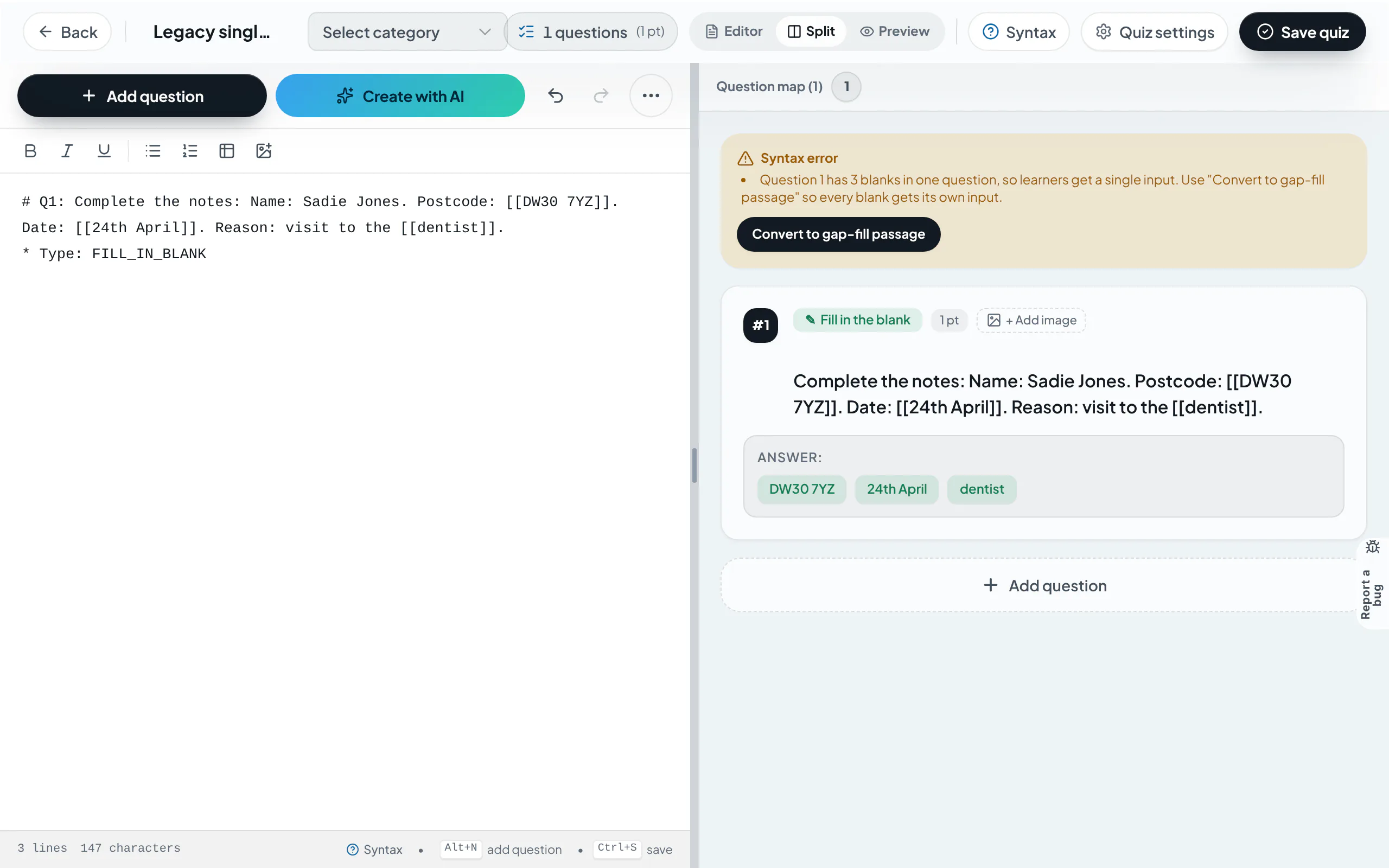
When legacy questions contain multiple [[ ]] tags, the editor surfaces an alert with "Convert to gap-fill passage". One click segregates blanks into standalone 1-point question items.
Frequently asked questions
- Does automatic marking penalize capitalization or trailing whitespace?
- No. The grading algorithm normalizes responses, ignoring casing differences and accidental whitespace to evaluate lexical spelling objectively.