Website integrations
WordPress integration: sell packages on your website, open rayQuiz classes automatically
Connect WooCommerce or a membership plugin so that buyers are enrolled in a class and receive its examinations automatically.
Your WordPress website keeps selling packages and taking payments while rayQuiz runs the examinations. The integration is included with Center and Center Pro; teacher accounts and organizations on other plans send the request form at the end of this page and rayQuiz support enables it manually, with a 48-hour trial. No custom WordPress plugin is required.
6 min · 4 steps
- 1
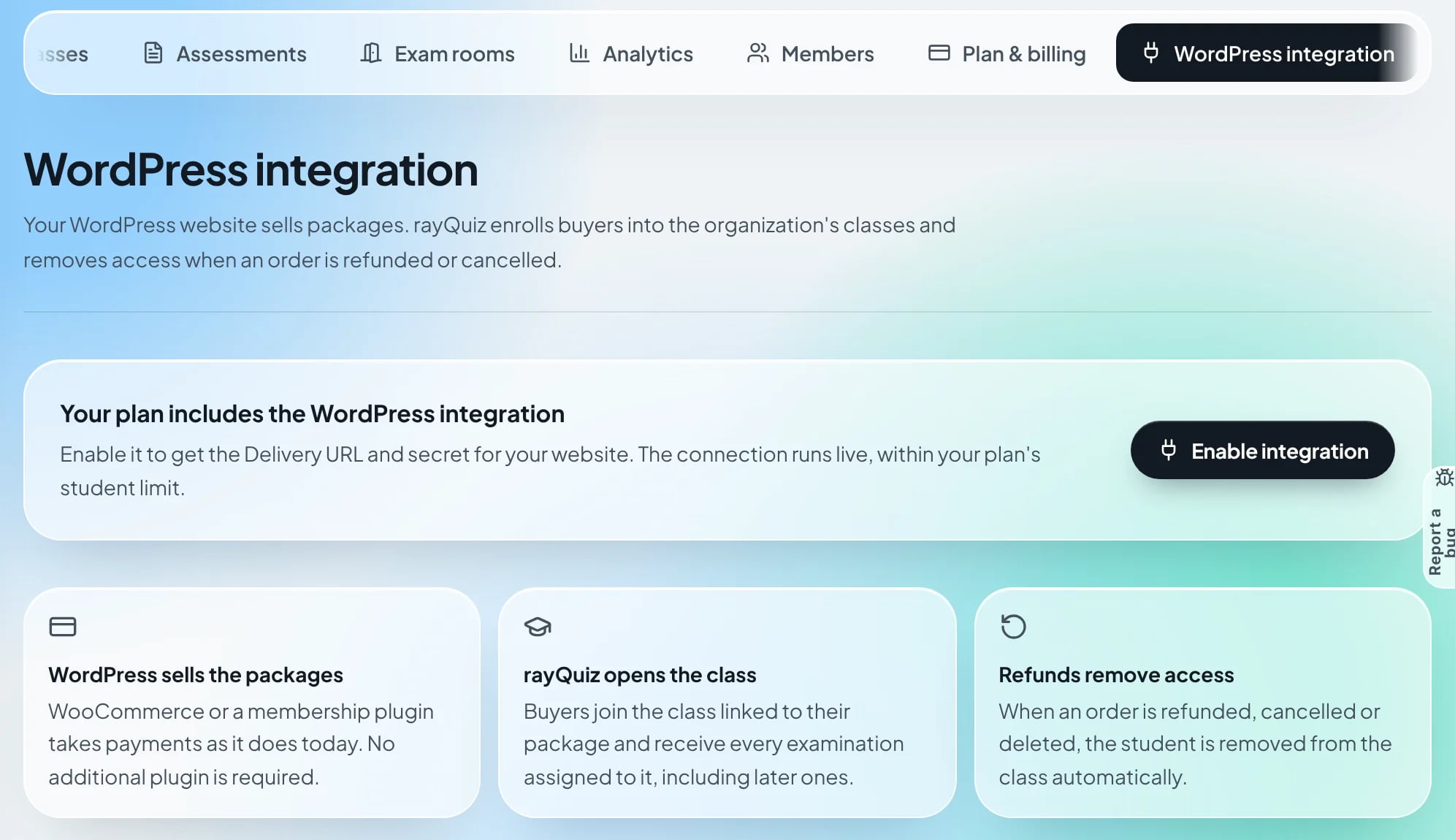
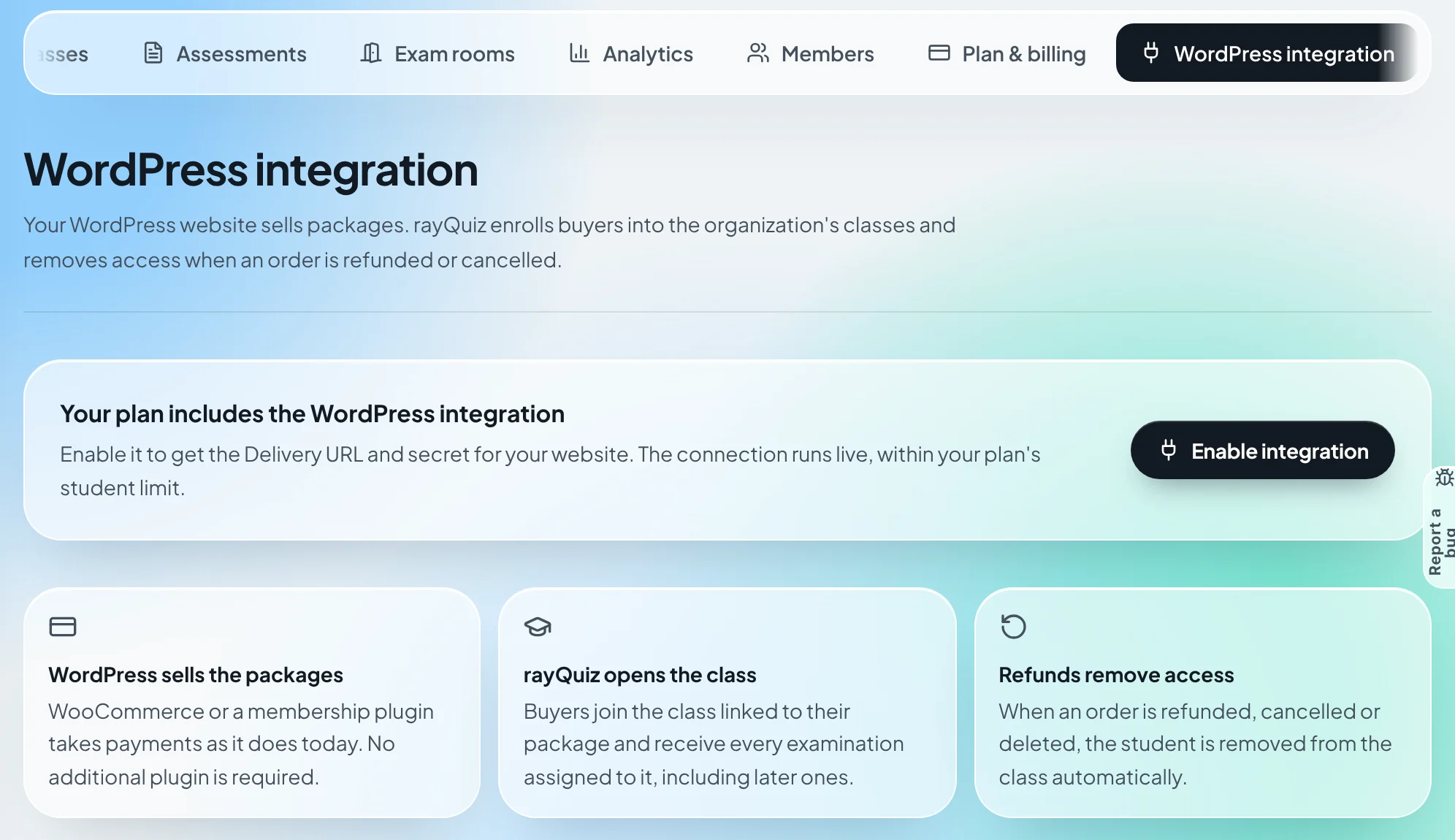
Enable the integration for your organization
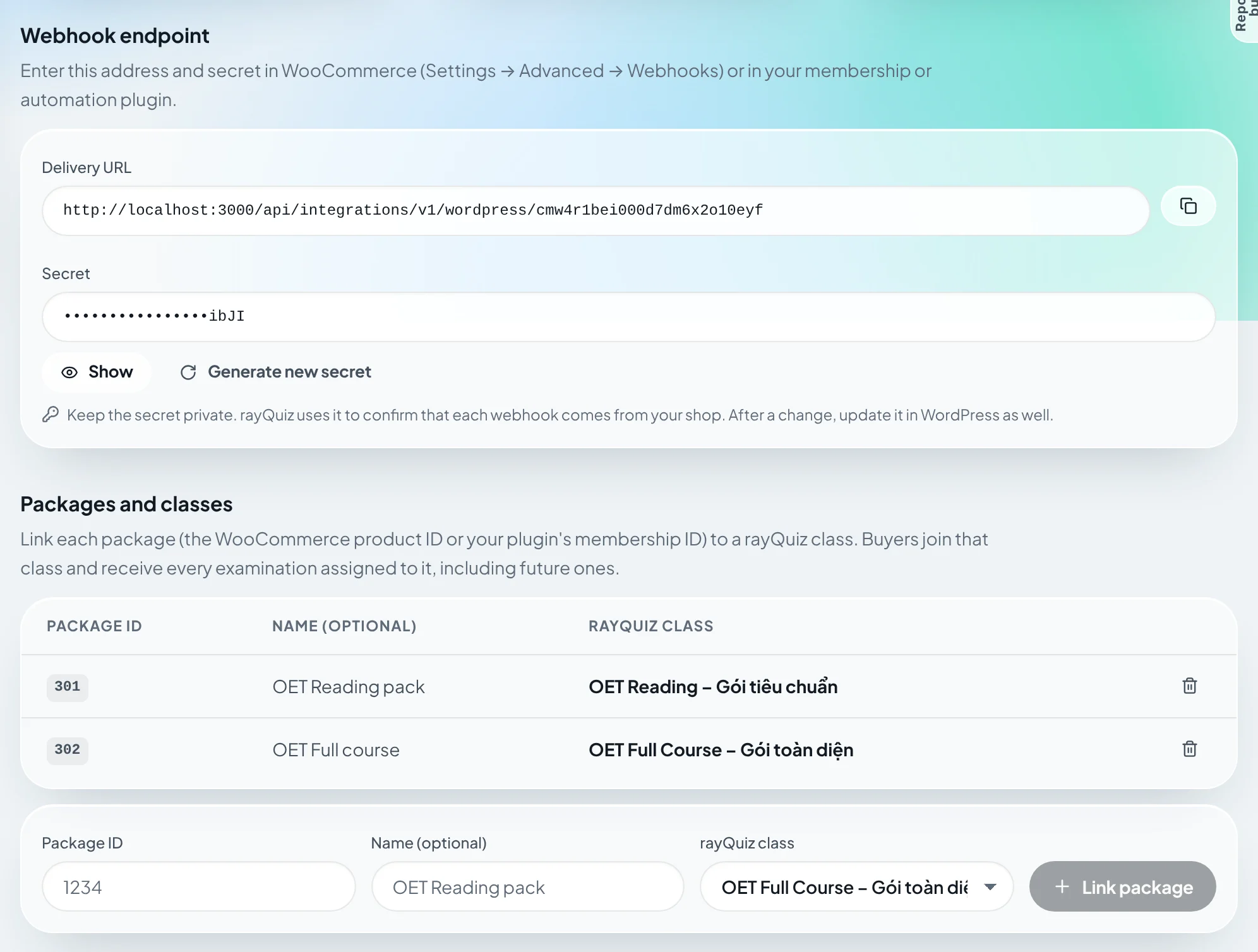
In the organization workspace, open the "WordPress integration" tab. On an active Center or Center Pro plan, an owner or administrator selects "Enable integration" to get the Delivery URL and secret. The connection runs live within the plan’s student limit. Organizations on a trial or the free tier, and teachers using a personal account, send the request at the end of this page; once enabled, the "WordPress integration" page in the menu shows everything described below.
- 2
Link each package to a class
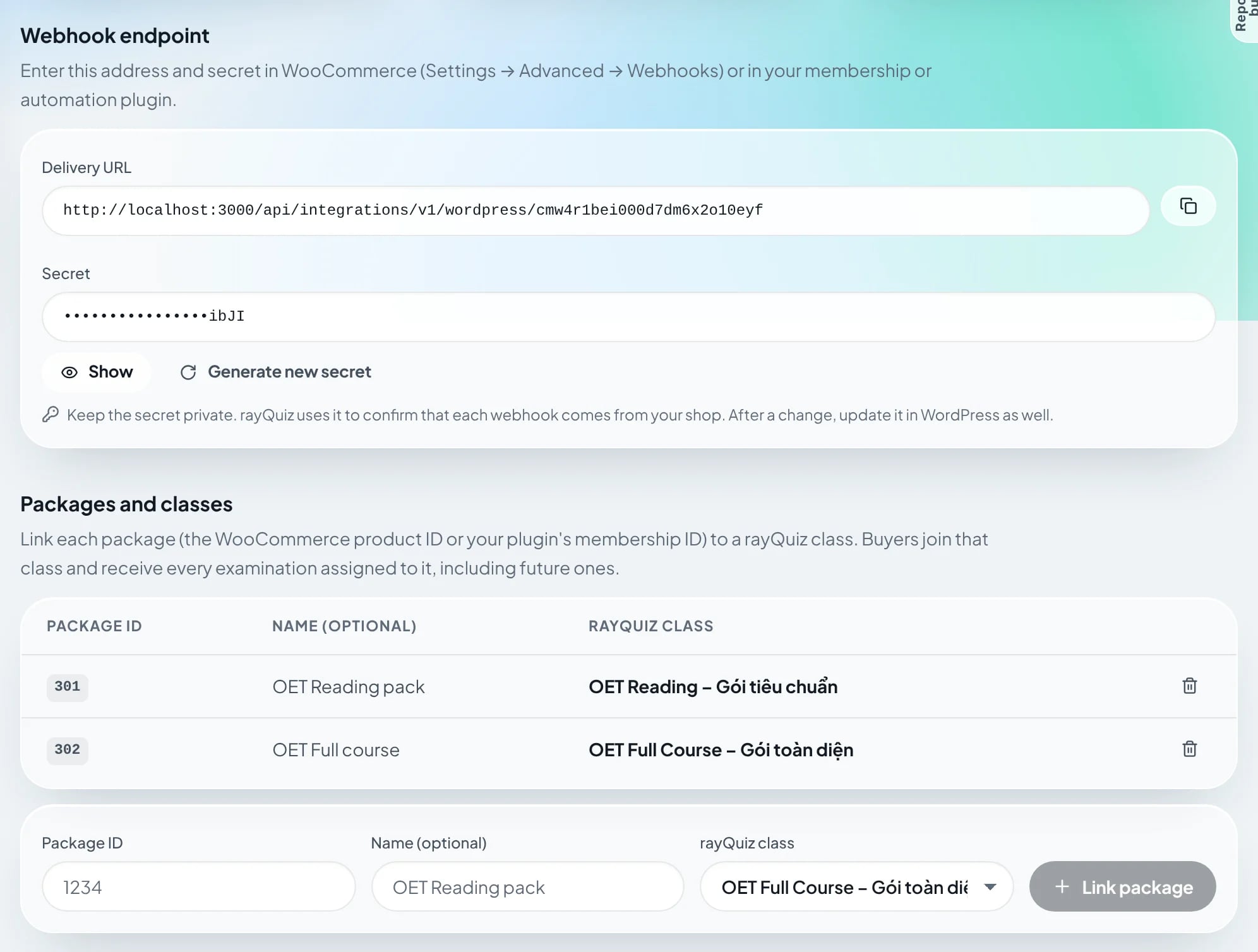
Under "Packages and classes", enter the package ID (the WooCommerce product ID or the membership plugin’s level ID), give it a recognizable name and choose the rayQuiz class the package opens. Several packages can open the same class. Buyers receive every examination assigned to the class, including those assigned before the purchase and every later one, so teachers manage examinations in rayQuiz only.
Tip: In WooCommerce, the product ID appears under the product name when you hover over it in the Products list.
- 3
Add the webhooks in WooCommerce
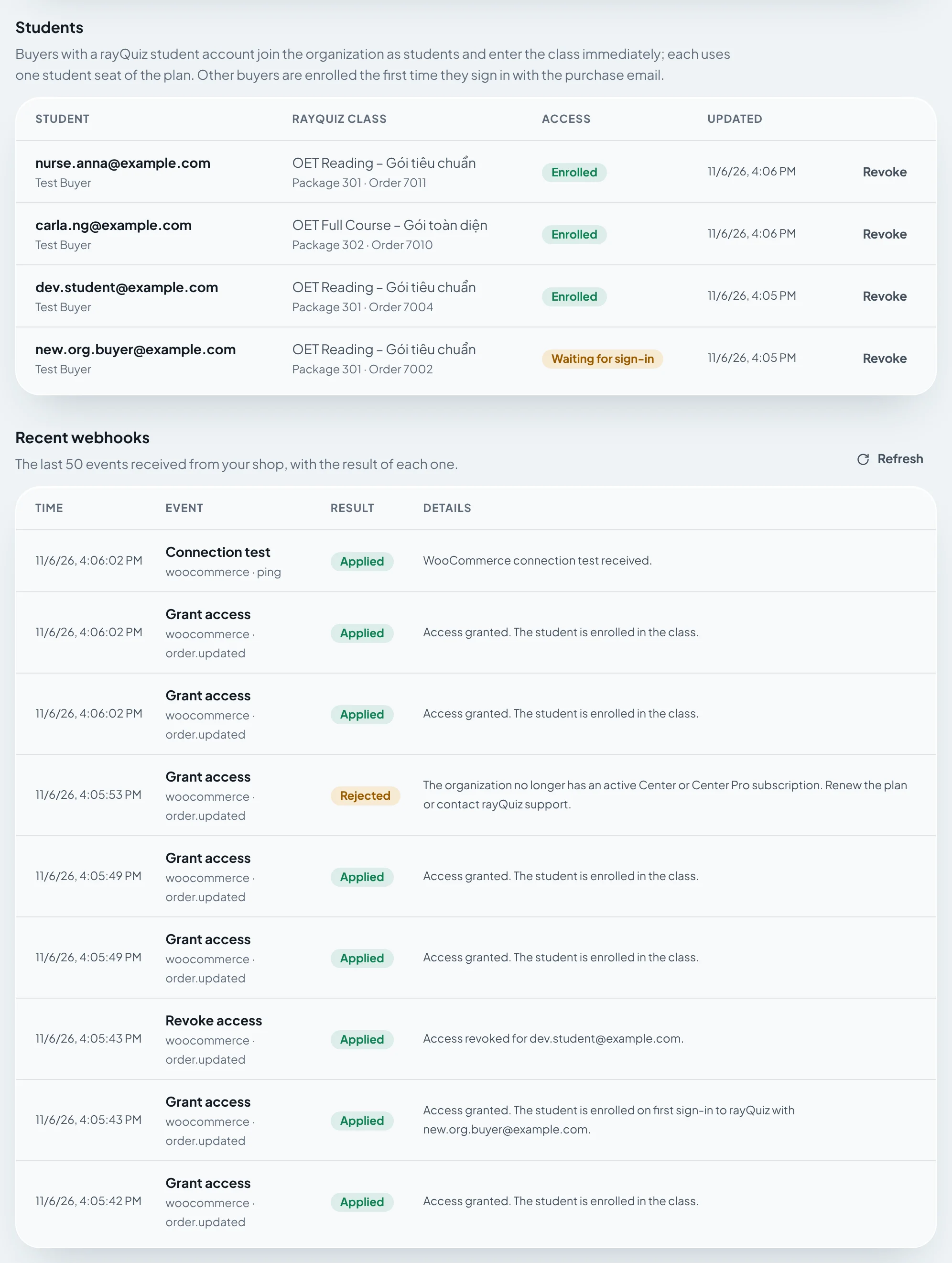
In WordPress, open WooCommerce → Settings → Advanced → Webhooks and add three webhooks with the same Delivery URL and secret, for the topics Order created, Order updated and Order deleted. When you save, WooCommerce sends a connection test that appears as "Connection test" under "Recent webhooks" in rayQuiz. Processing and Completed orders grant access; Refunded, Cancelled and Failed orders remove it.
Name:         rayQuiz access
Status:       Active
Topic:        Order created  (repeat for Order updated, Order deleted)
Delivery URL: <Delivery URL from the WordPress integration page>
Secret:       <Secret from the WordPress integration page>
API version:  WP REST API Integration v3
Tip: MemberPress, Paid Memberships Pro, WP Webhooks and Zapier also work: send JSON with an access.granted or access.revoked event to the same Delivery URL.
- 4
Follow students and webhooks
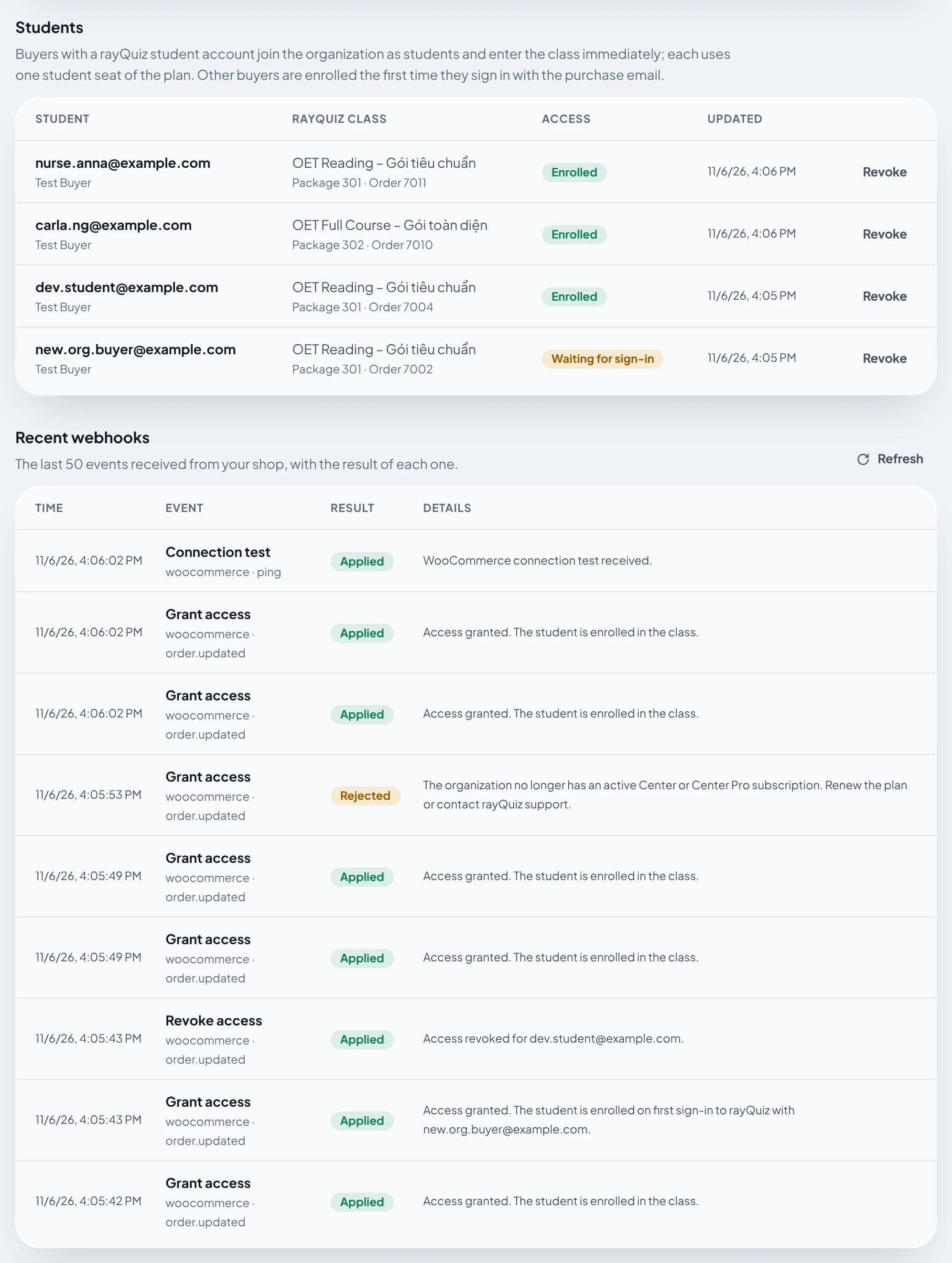
"Students" lists each buyer with the status "Enrolled", "Waiting for sign-in" (with the reason, for example an unverified email) or "Revoked". Buyers without an account are enrolled the first time they sign in to rayQuiz with the purchase email, with Google or with a verified email. "Recent webhooks" shows the last 50 notifications and the result of each.
Frequently asked questions
- Do examinations assigned after the purchase reach the student automatically?
- Yes. Students in the class receive every examination already assigned and every one assigned later. Nothing needs to change in WordPress.
- Do WordPress buyers use the organization’s student seats?
- Yes. Each buyer joins the organization as a student and uses one seat of the plan. When the order is refunded and the student is in no other class of the organization, the seat is freed.
- What happens when the Center plan ends?
- Students keep the access already granted. New webhooks are answered with PLAN_REQUIRED until the organization renews or rayQuiz support enables the integration manually.
Request the WordPress integration
Leave your details and rayQuiz support will contact you within 2 working days and enable a 48-hour trial on your account.