Create tests
Generate quizzes with AI from source documents and prompts
Automate assessment creation with AI: establish blueprints, extract questions from attached documents, and audit draft keys.
The AI generation engine automates item authoring from prompt specifications or attached curriculum documents (Word, PDF, images). Questions, answer keys, and solutions populate the split-screen editor for teacher verification before distribution.
4 min · 4 steps
- 1
Define assessment specifications and curriculum scope
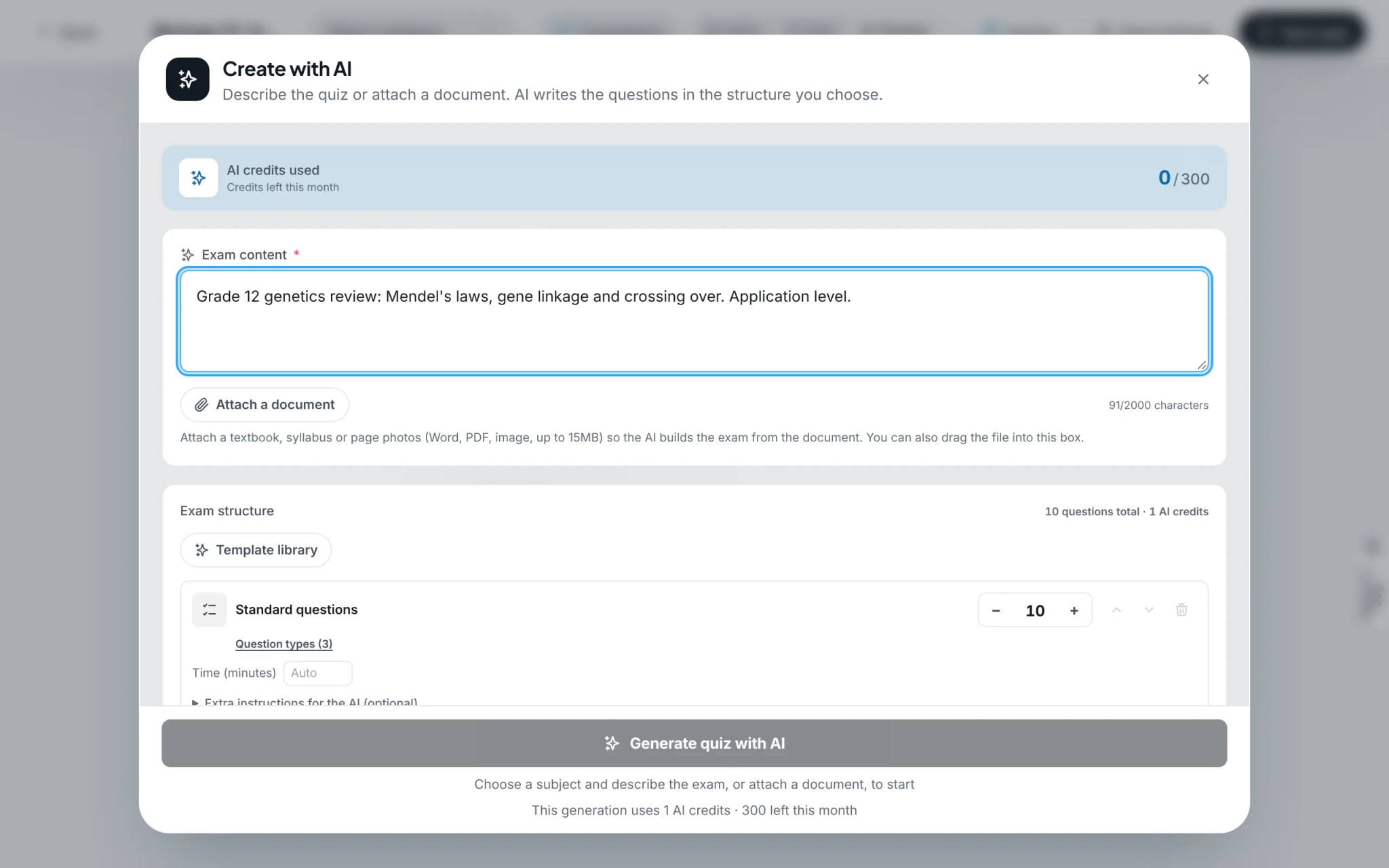
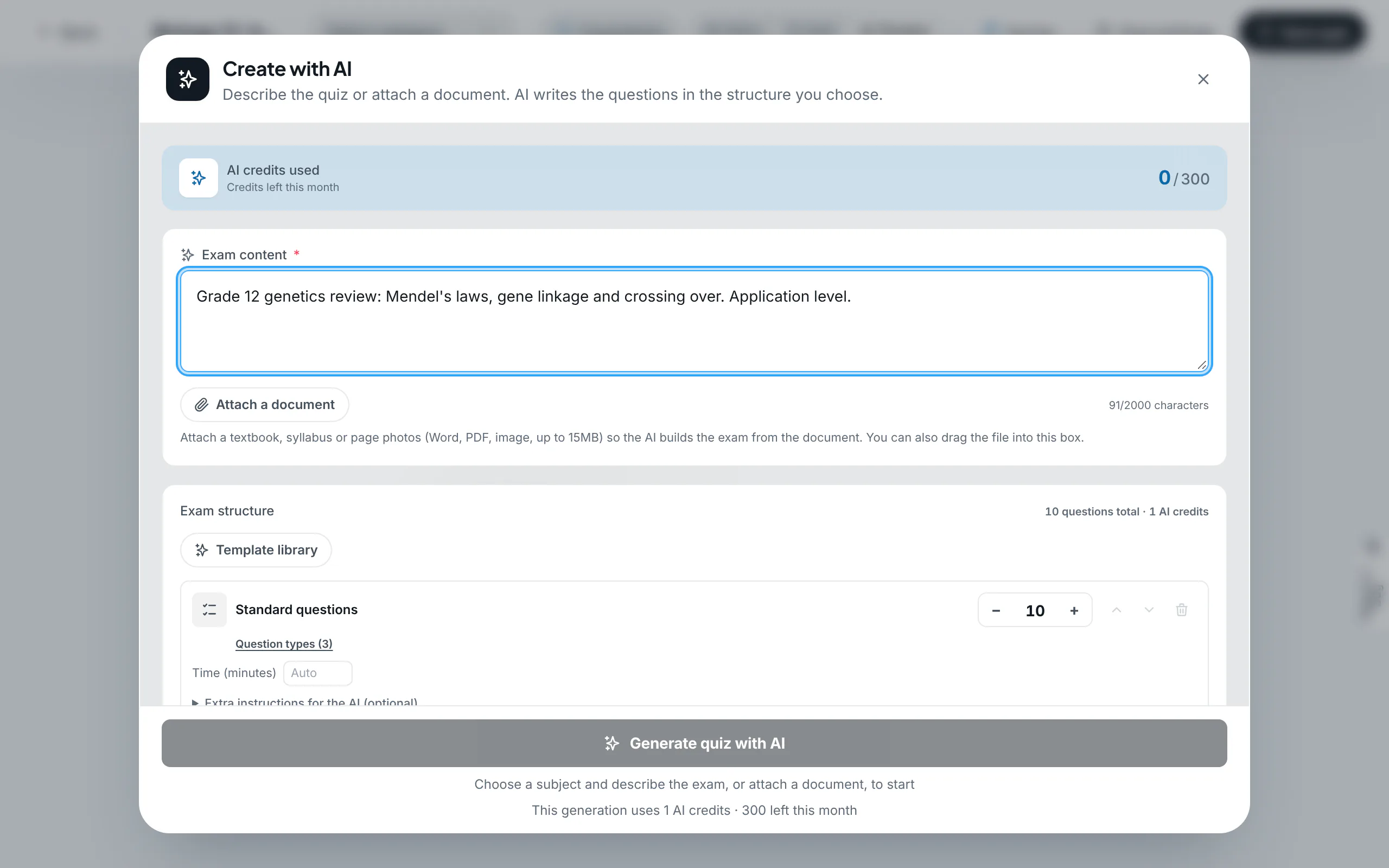
In the setup modal, choose "Create with AI". Within the "Exam content" prompt field (supporting up to 2,000 characters), input target specifications: academic subject, grade level, topic domain, cognitive complexity distribution, and specific requirements.
- 2
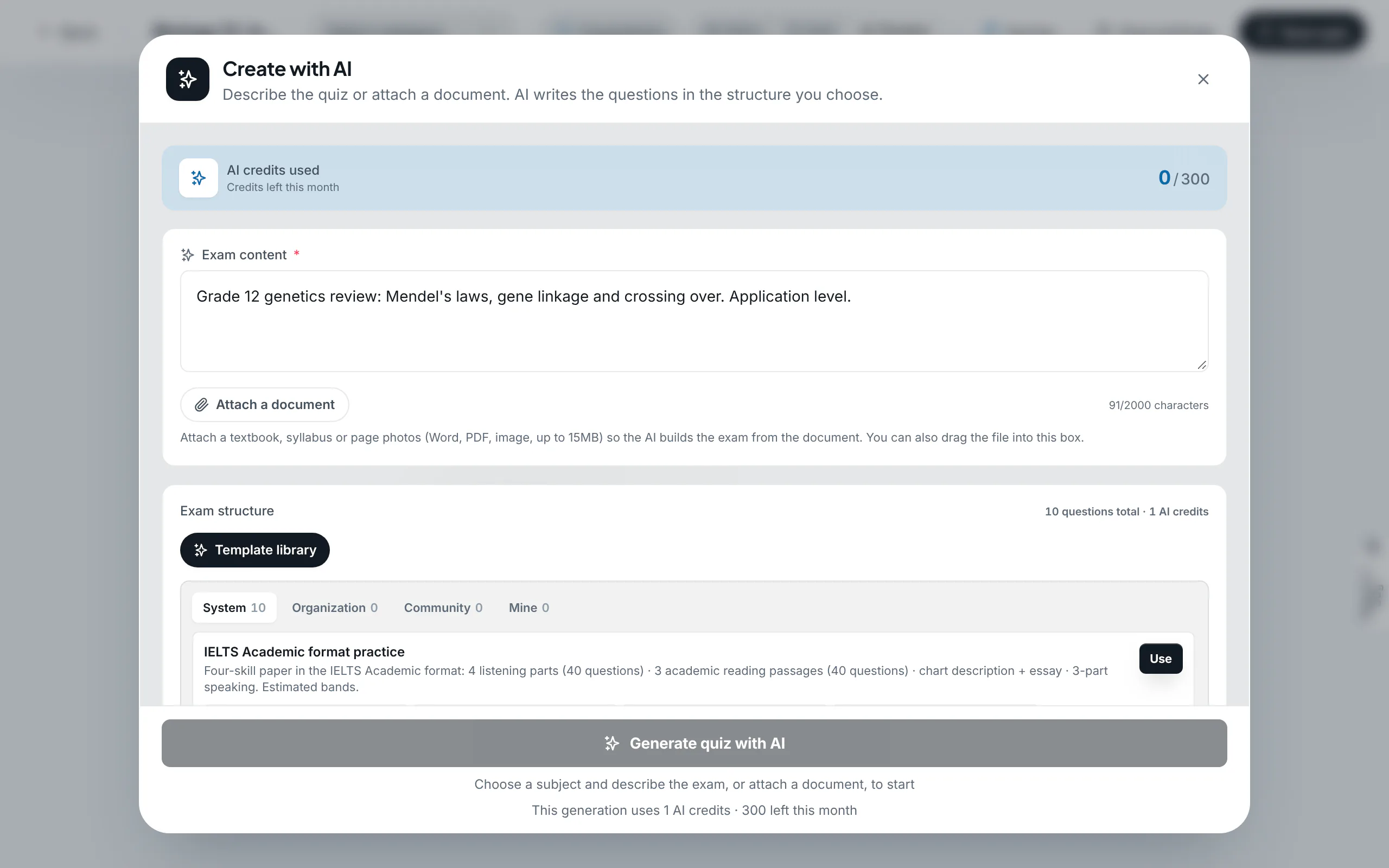
Select an exam blueprint from the template library
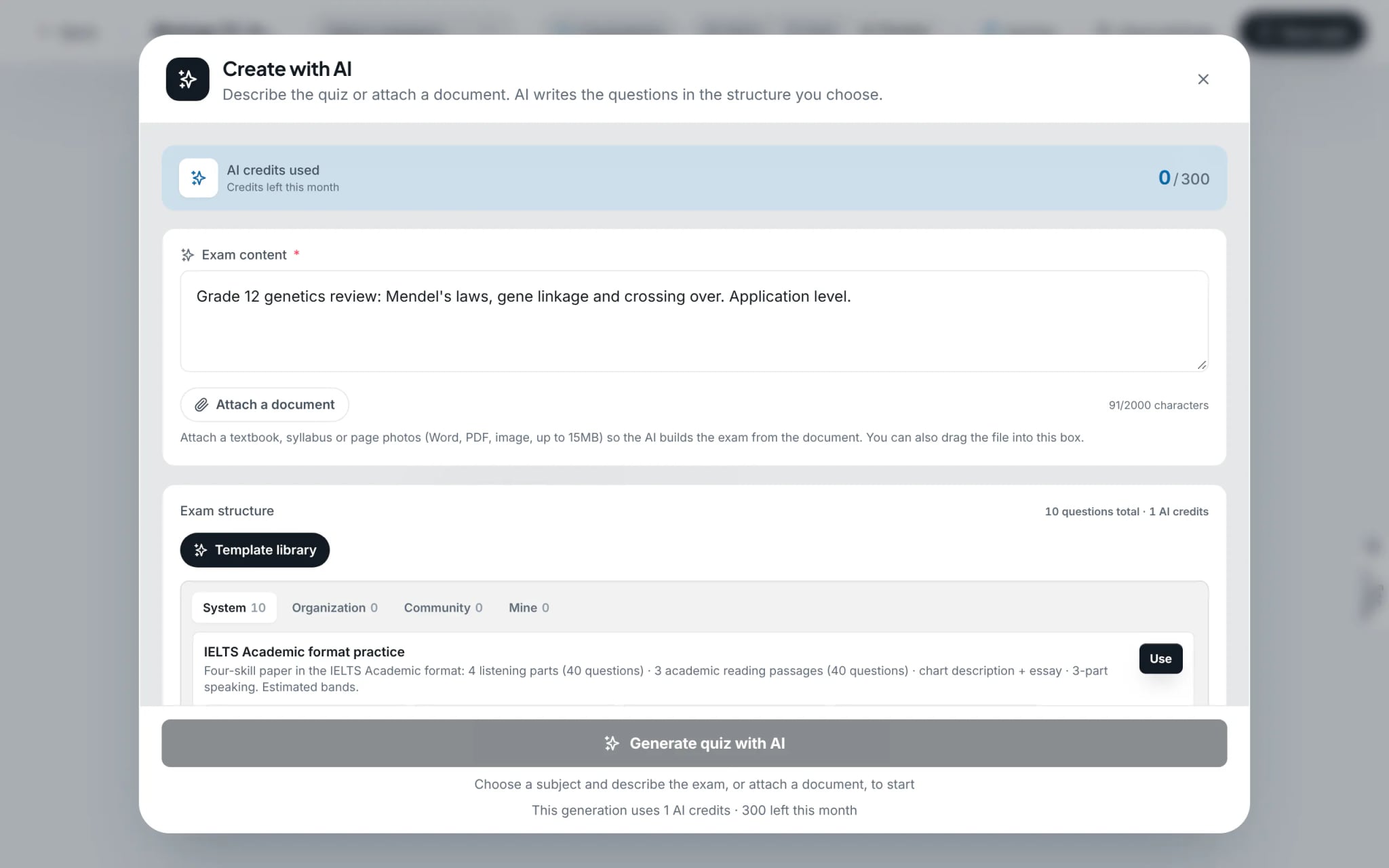
The "Exam structure" module defines sections, item types, and question distributions. Construct sections manually via "Add section", or deploy standardized blueprints from the "Template library" (e.g. IELTS Academic, VSTEP, or JLPT), then click "Use".
Tip: Selecting a standardized certificate blueprint pre-configures sequential test delivery and calibrated band score scales.
- 3
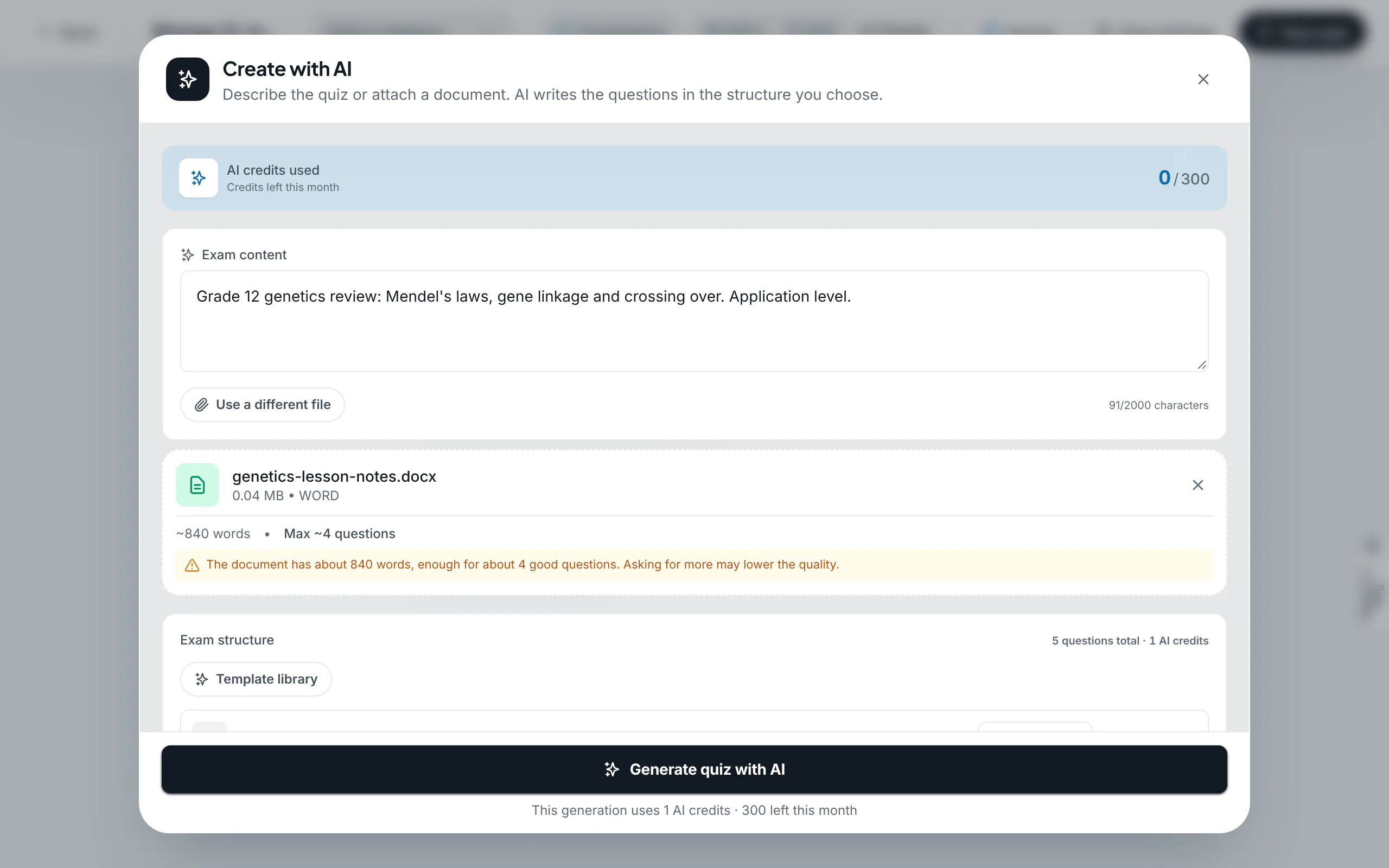
Attach source curriculum materials (Word, PDF, Images)
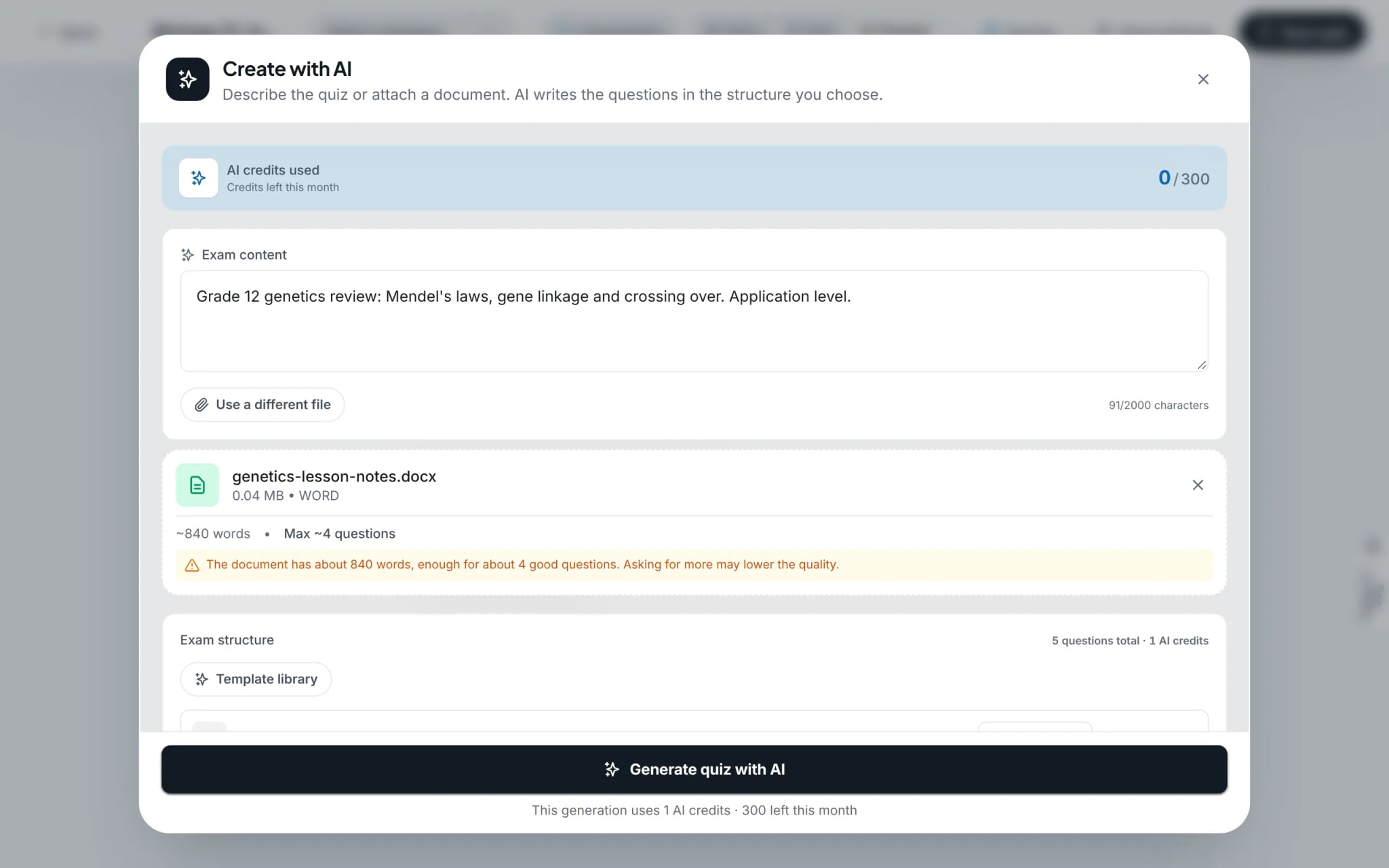
Select "Attach a document" to upload source texts (Word, PDF, image files up to 15 MB). The engine parses source content, calculates total word counts, and recommends an optimal question quota.
- 4
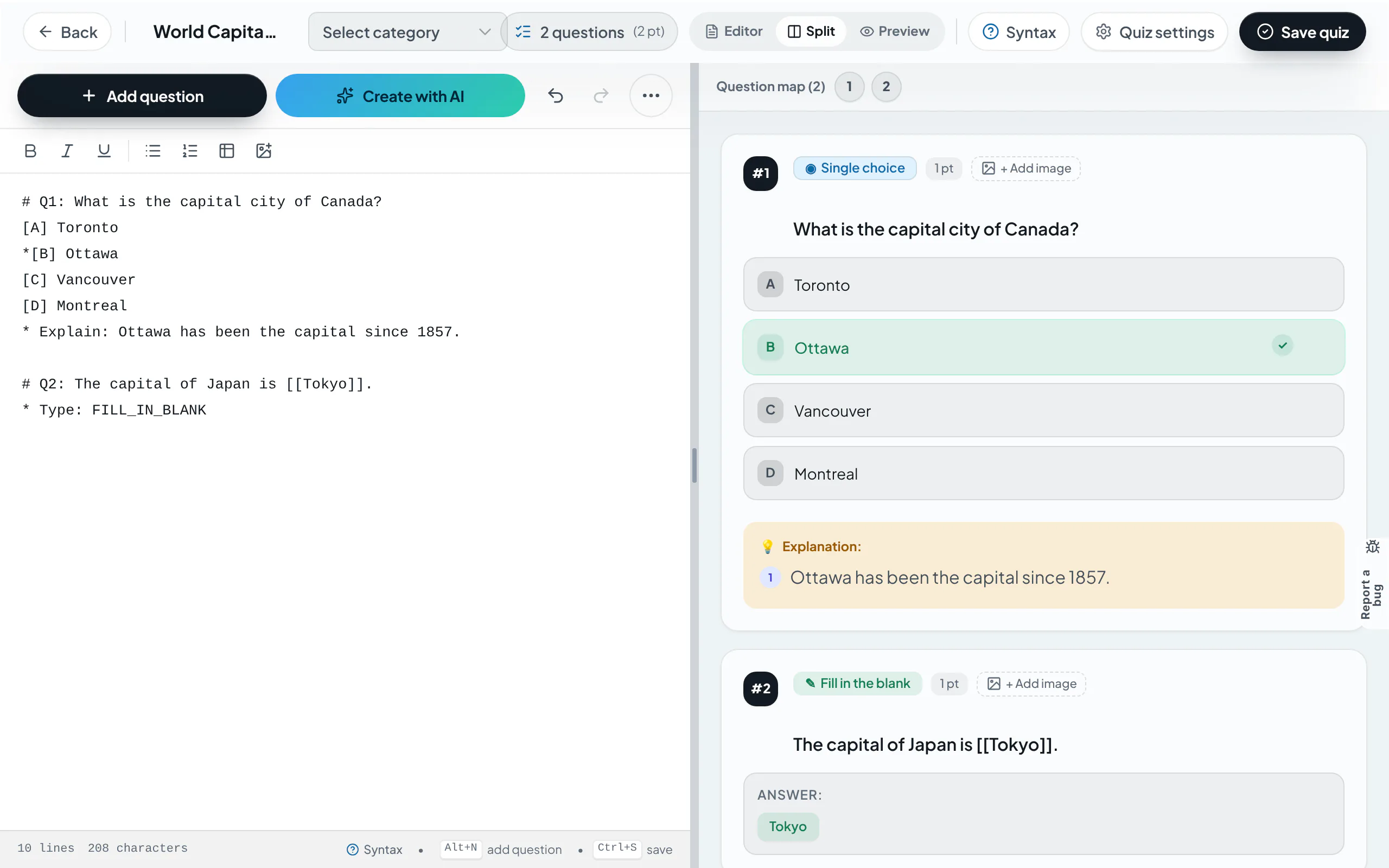
Generate and verify draft questions
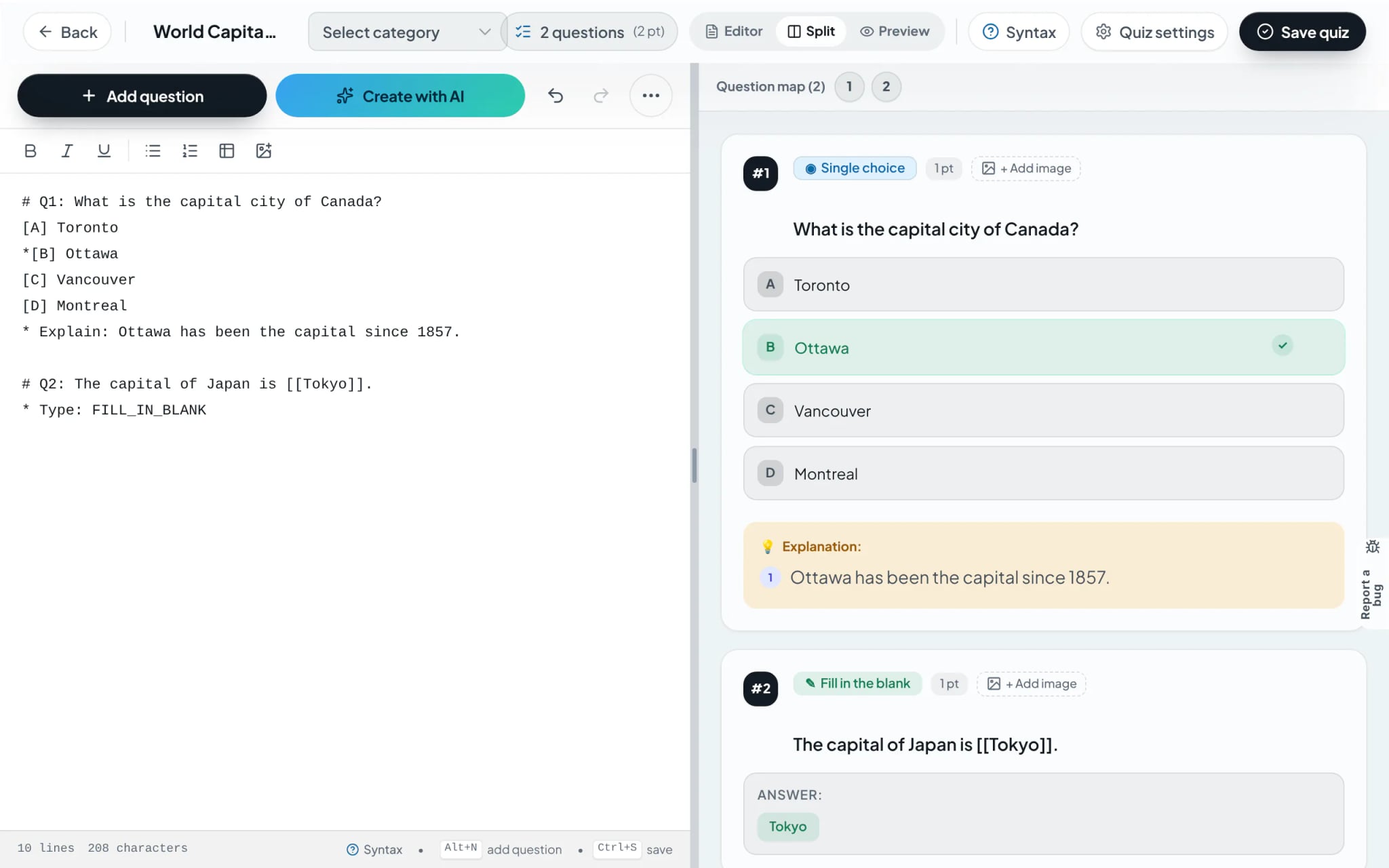
Select "Generate quiz with AI". Once processed, the draft loads inside the split-screen editor. Verify questions, confirm accuracy of keys and explanations, execute any revisions, and select "Save Quiz".
Tip: Generative AI serves as an authoring accelerator. Professional verification of answer keys and pedagogical accuracy remains essential prior to deployment.
Frequently asked questions
- How are credit costs determined for AI quiz generation?
- Credit costs scale based on source document volume and requested question counts, clearly previewed beneath the trigger button prior to execution.
- Which balance is billed when generating quizzes inside an organization?
- Users inside an institutional workspace can toggle whether credit consumption bills the organization’s pooled balance or their individual personal balance.