Proctored exams
Join a proctored exam with an access code
Enter the 6-character code, wait in the synchronized lobby and complete the test with anti-cheating enabled.
Proctored exams run synchronously for the entire class. The instructor opens the waiting room, and the assessment begins simultaneously for all students with anti-cheating controls active.
3 min · 4 steps
- 1
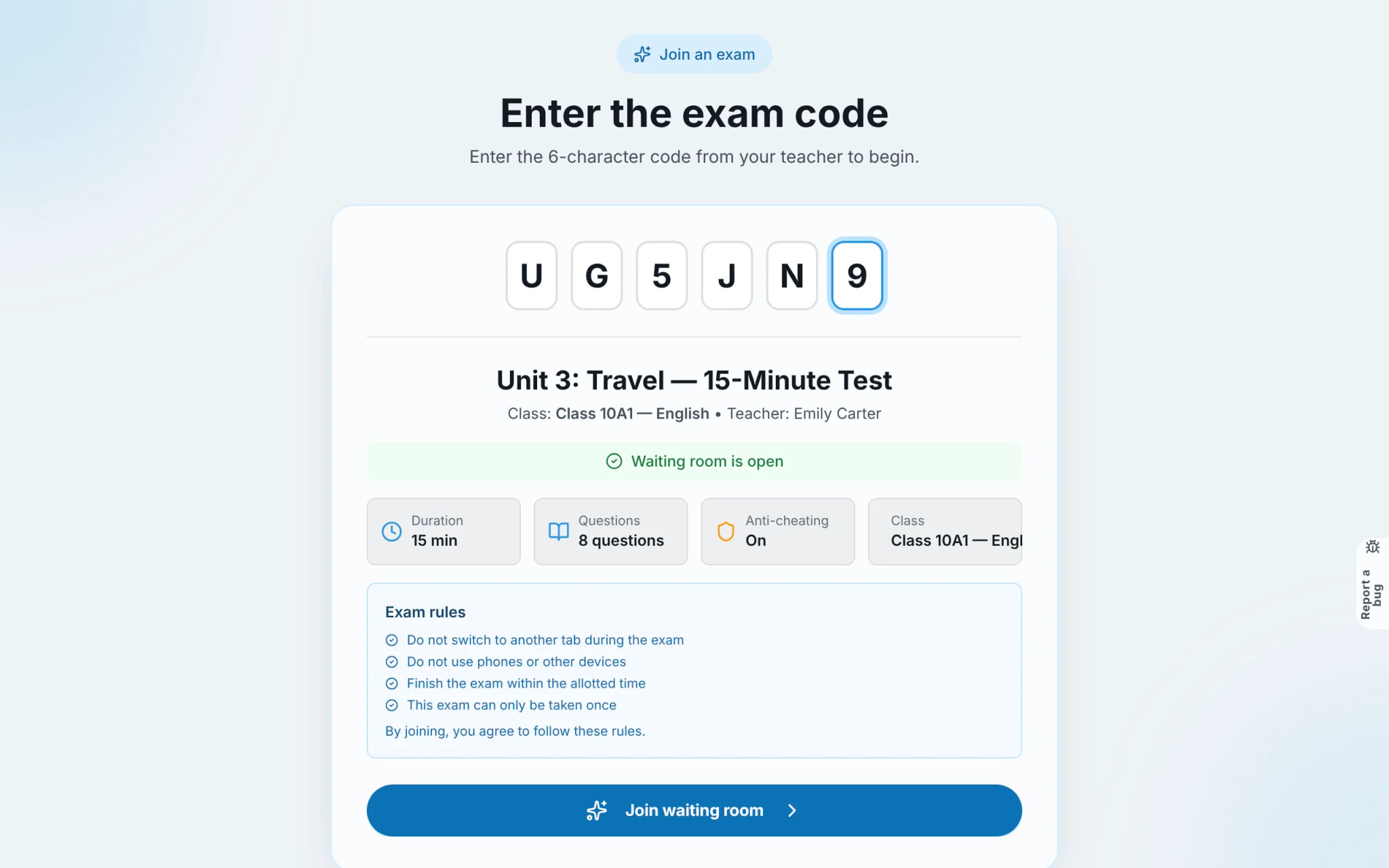
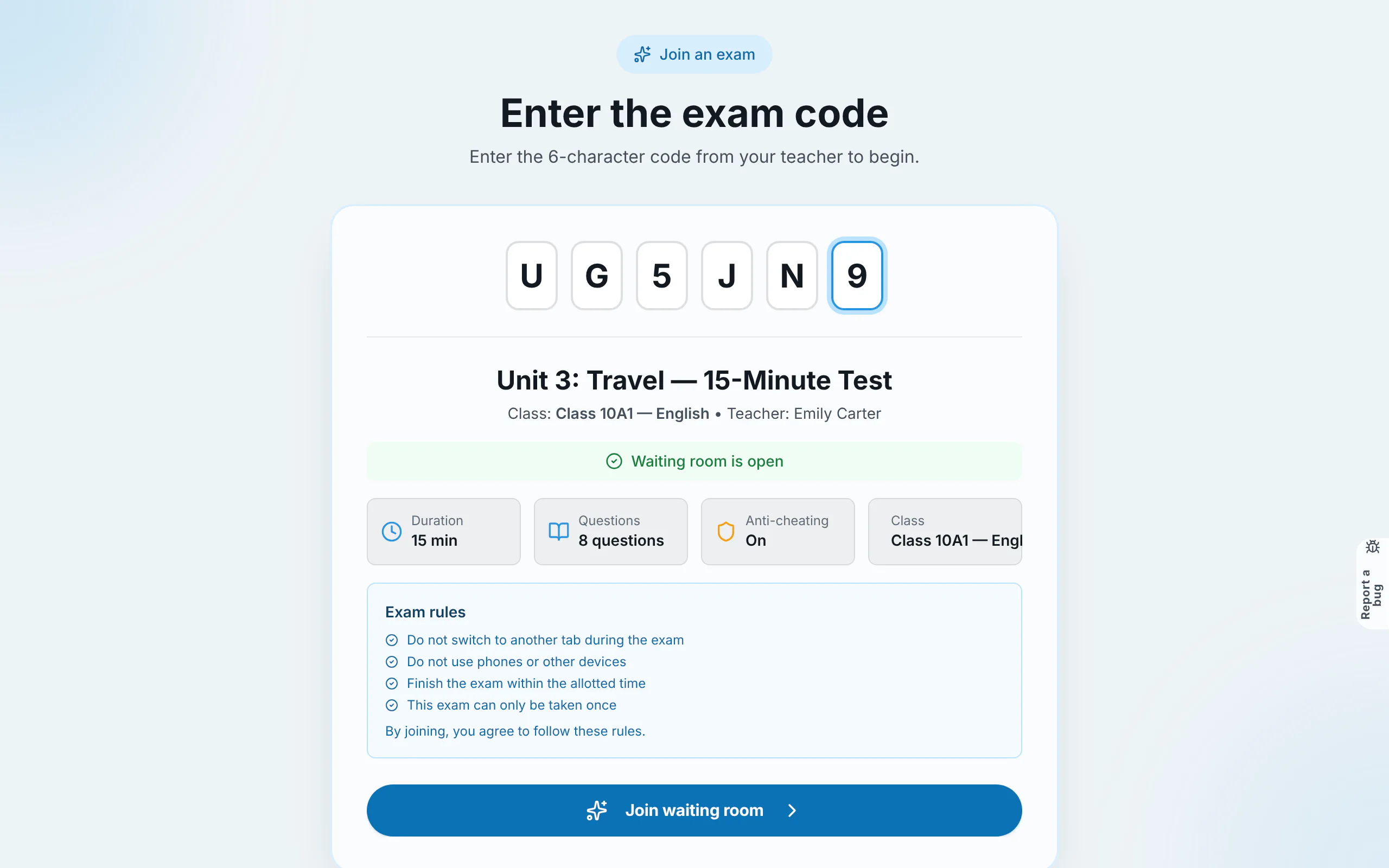
Enter the 6-character exam code
Navigate to the exam entry screen (click "Enter room / quiz code" under My work, or scan the QR code projected by your teacher). Type the 6-character code. The exam card displays duration, question count, and anti-cheating rules. Click "Join waiting room".
Tip: Arrive 5–10 minutes early to verify your network connection and ensure your device is adequately charged.
- 2
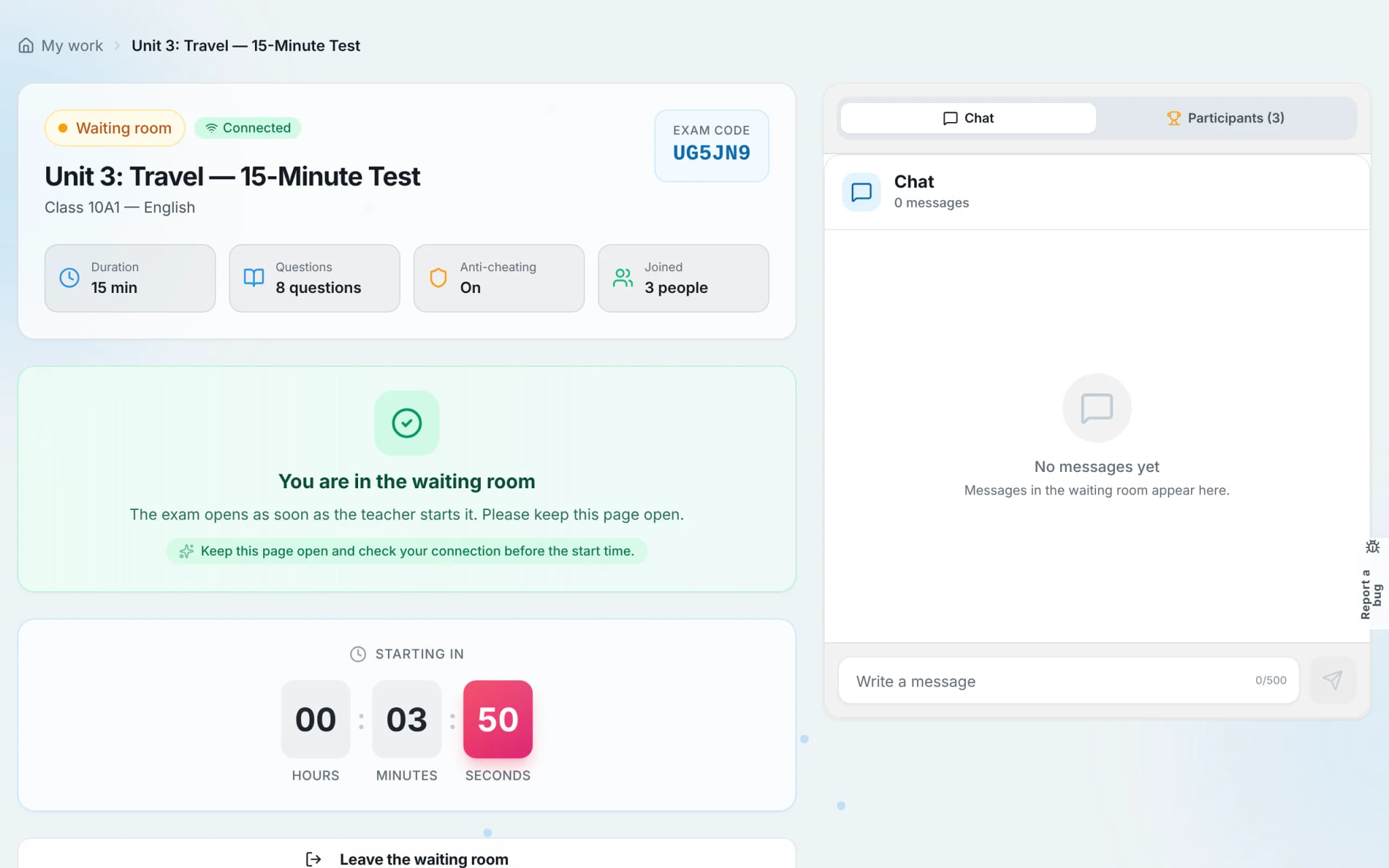
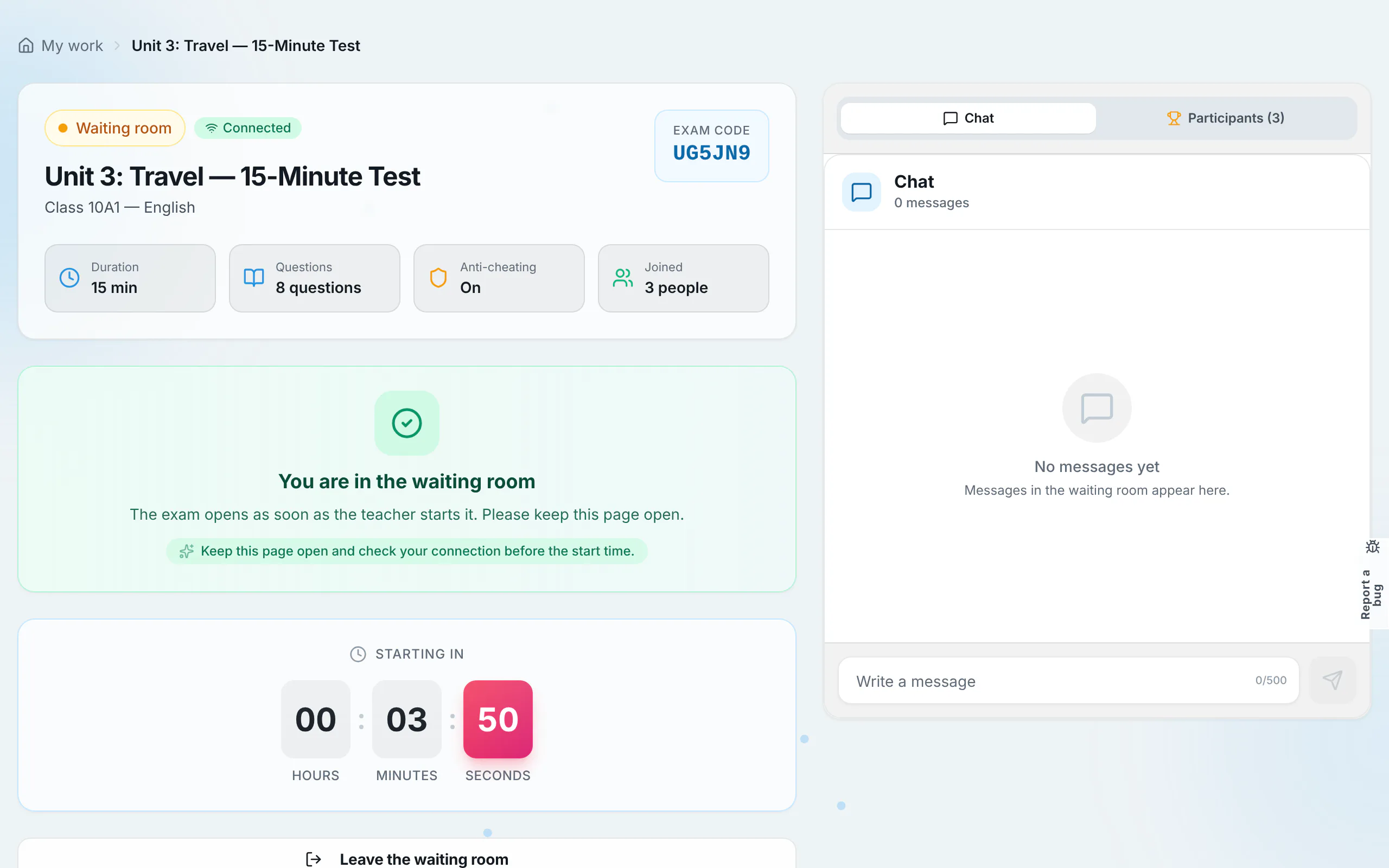
Wait in the synchronized waiting room
The waiting room displays a real-time countdown to test commencement. Do not refresh the page; rayQuiz transitions straight into the test environment the moment the timer hits zero. The live chat box displays real-time instructions from the proctor.
Tip: If late entry is disabled by your teacher, candidates arriving after the start time will be locked out automatically.
- 3
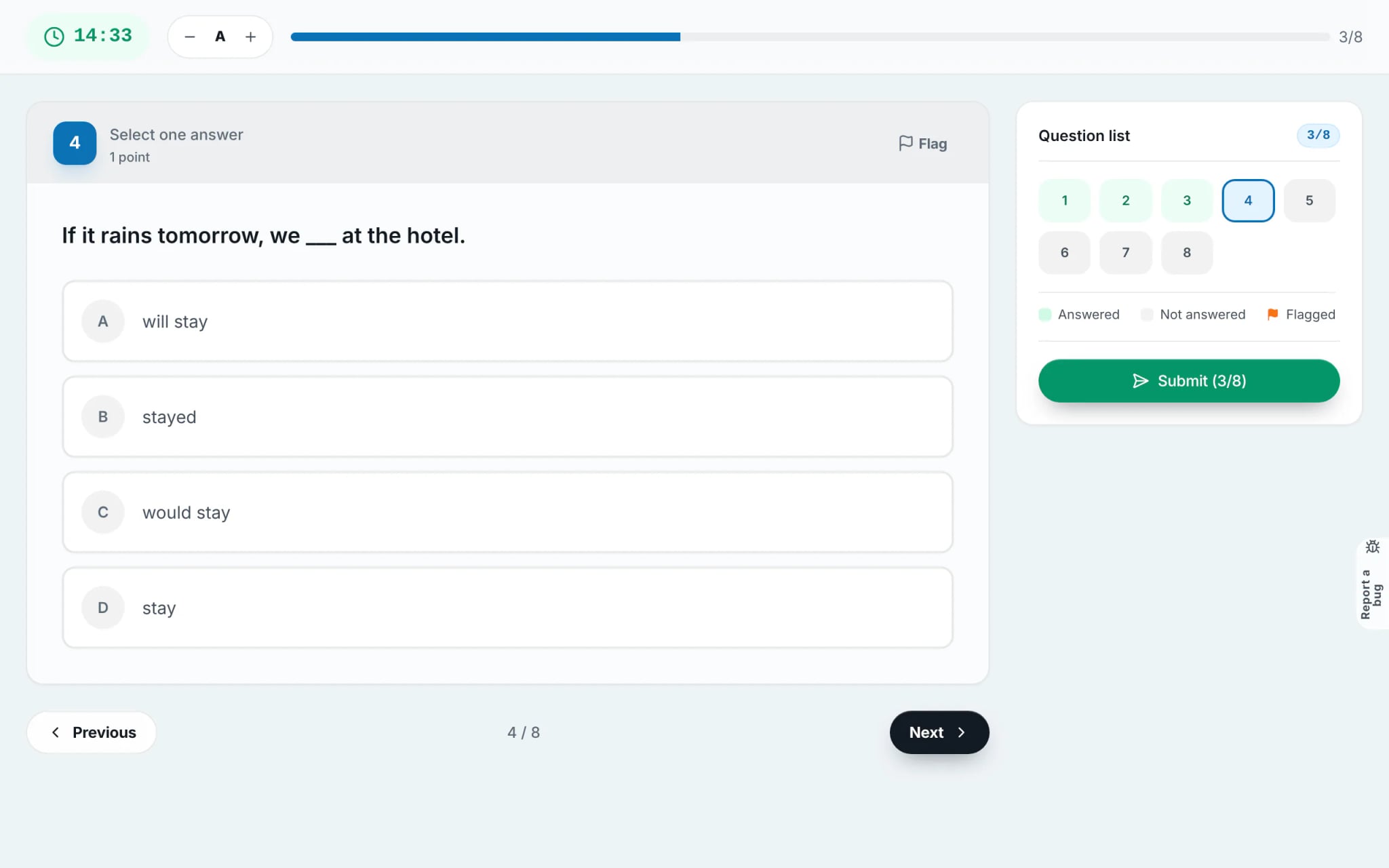
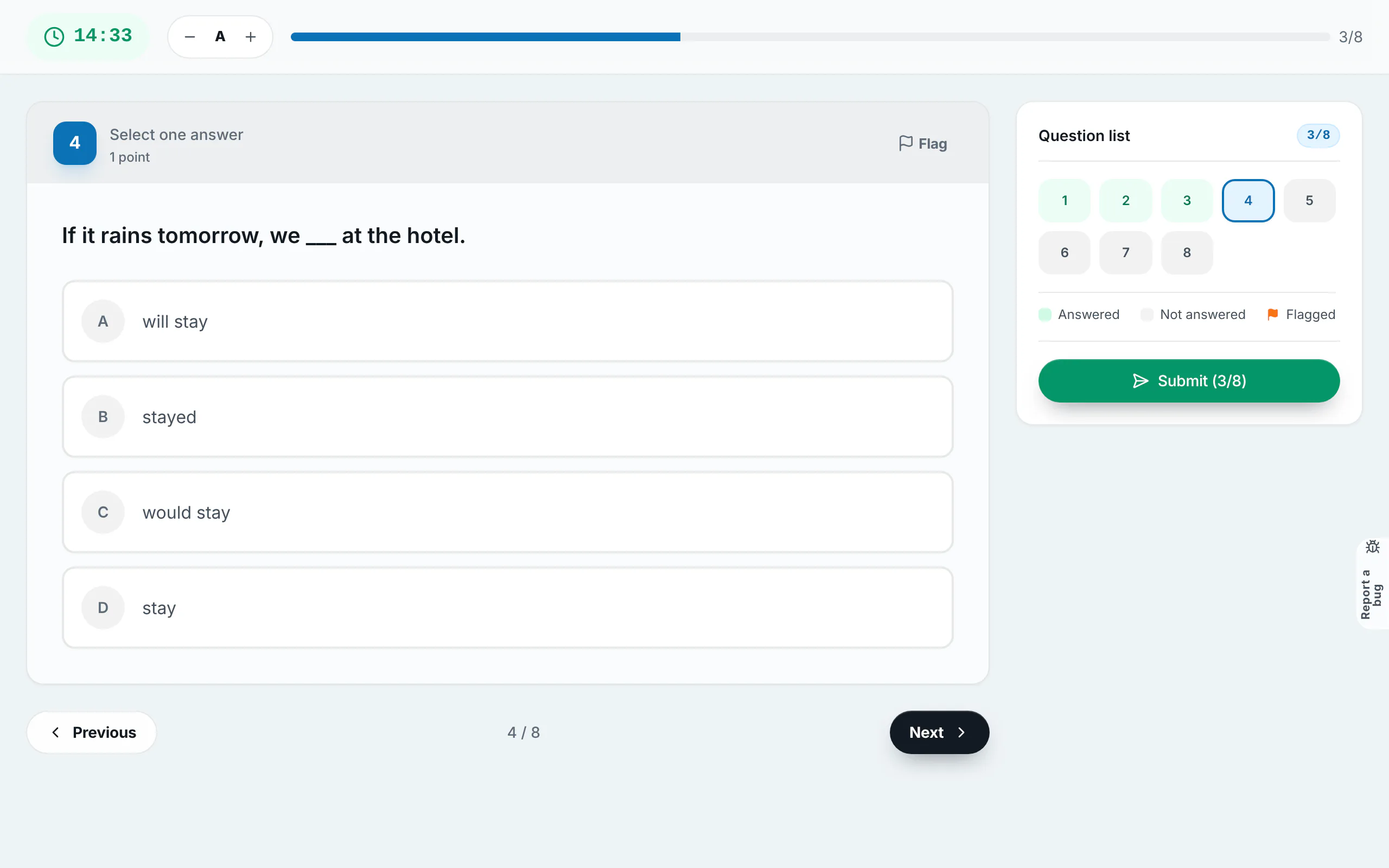
Take the test under anti-cheating proctoring
With anti-cheating active, you should maintain full-screen focus. Switching tabs, navigating away, taking screenshots, or minimising windows generates logged violation warnings visible live on the teacher’s monitor.
- 4
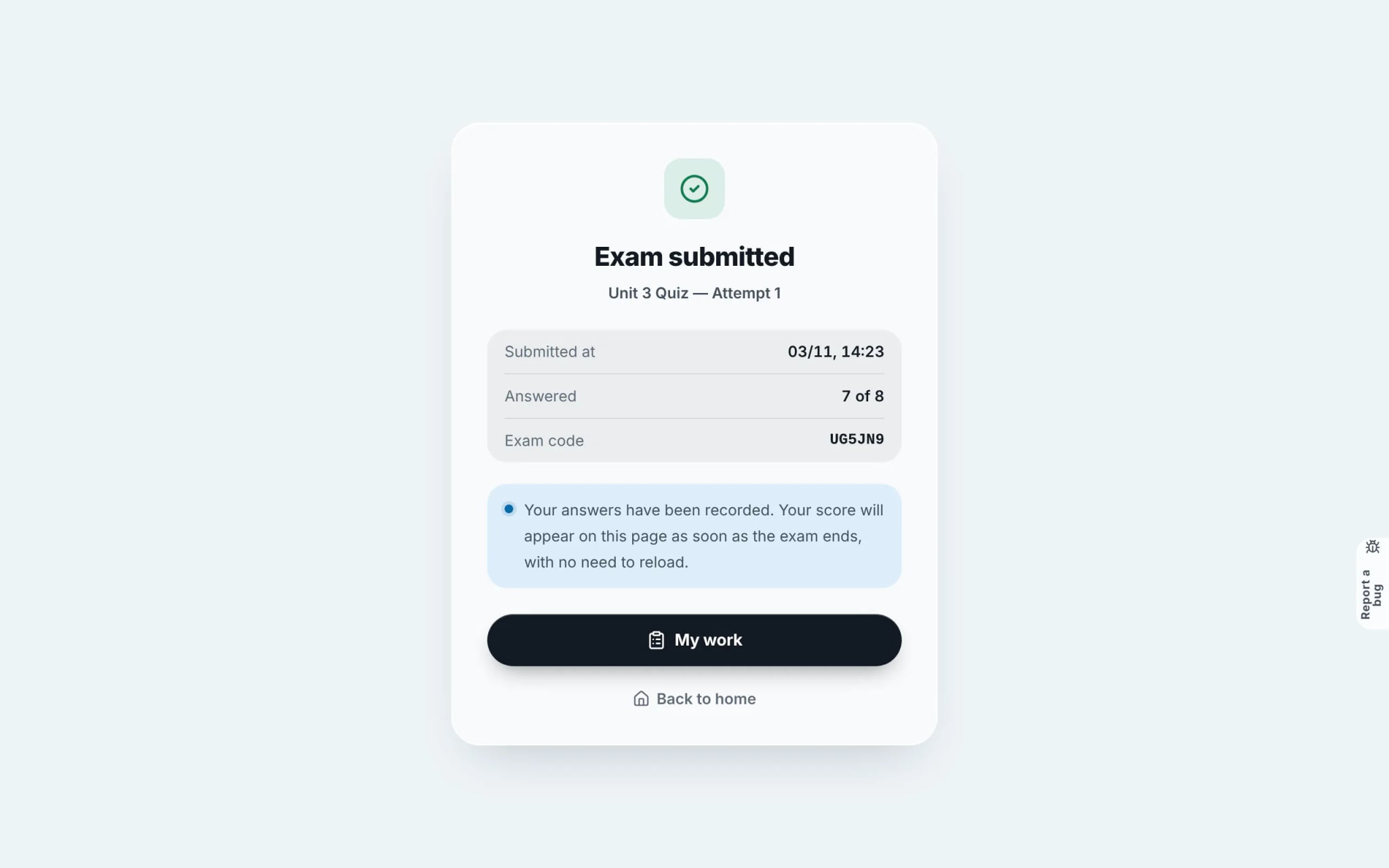
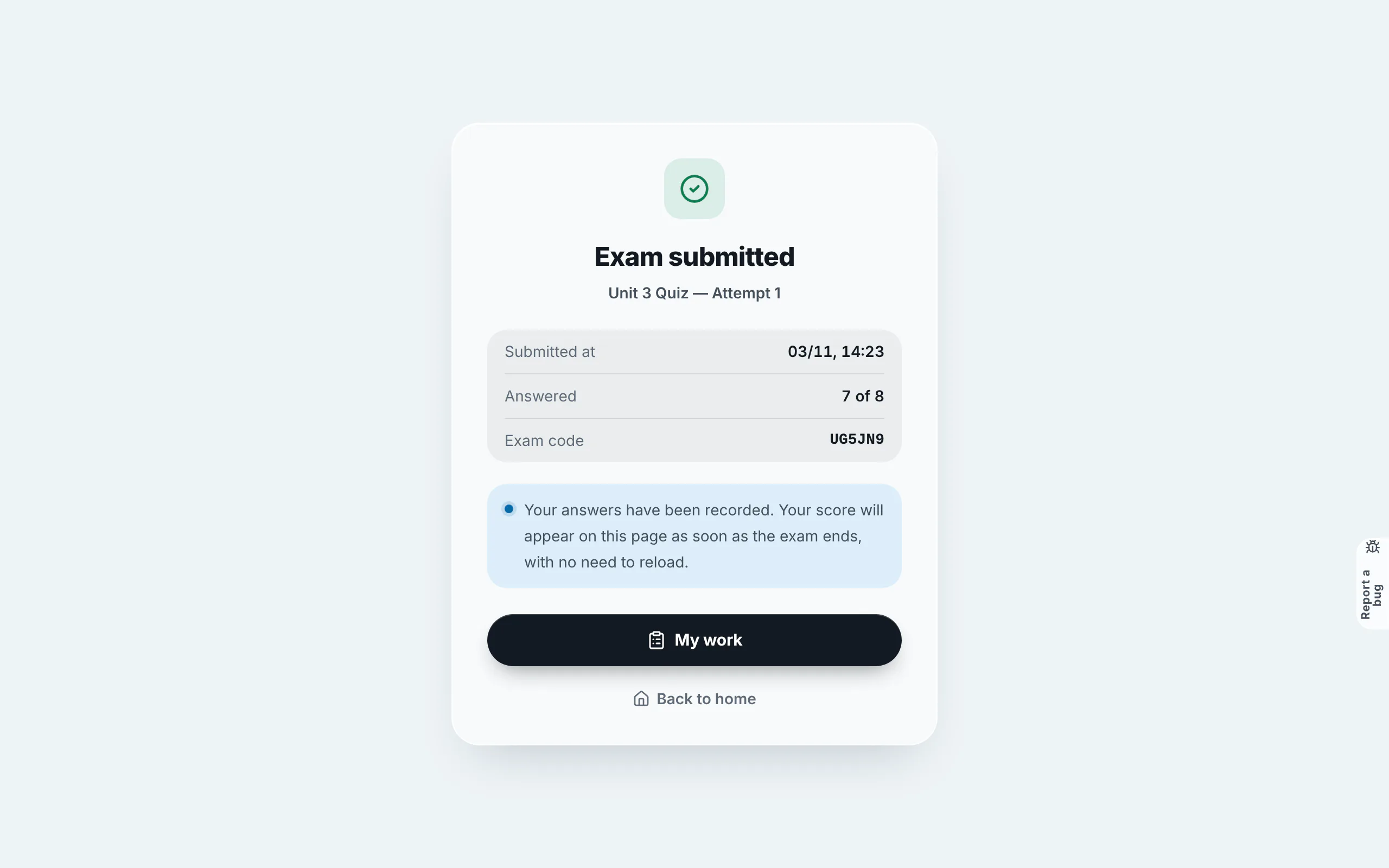
Submit your test securely
Select "Submit" and confirm your completion. Once submitted, answers cannot be modified. Scores appear instantly or upon official release by the teacher once all submissions conclude.
Frequently asked questions
- What happens if my Wi-Fi drops while the exam is underway?
- Do not panic. Your answers are saved continuously on our cloud servers. Re-open or reload the page as soon as internet connectivity is restored to resume work. Note that the official exam clock runs continuously.
- How does a class exam code differ from an open exam room code?
- Both are 6-character codes. A class exam code is restricted strictly to rostered members of that specific class, whereas an open exam room code can be accessed by any student holding the code.