Taking tests and exams
Students can take work on rayQuiz in three ways: from a link the teacher shares, as homework assigned in a class, or in a proctored exam. Every attempt is marked automatically and comes with a results page for review.
Ways in
| Way in | Account needed | Where to find it |
|---|---|---|
| A link or QR code from the teacher | No, guests can take the test | Open the link directly |
| Assigned homework | Yes | "My work" and the class page |
| Proctored exam or exam room | Yes | Enter the exam code and wait in the waiting room until the start time |
While taking the test
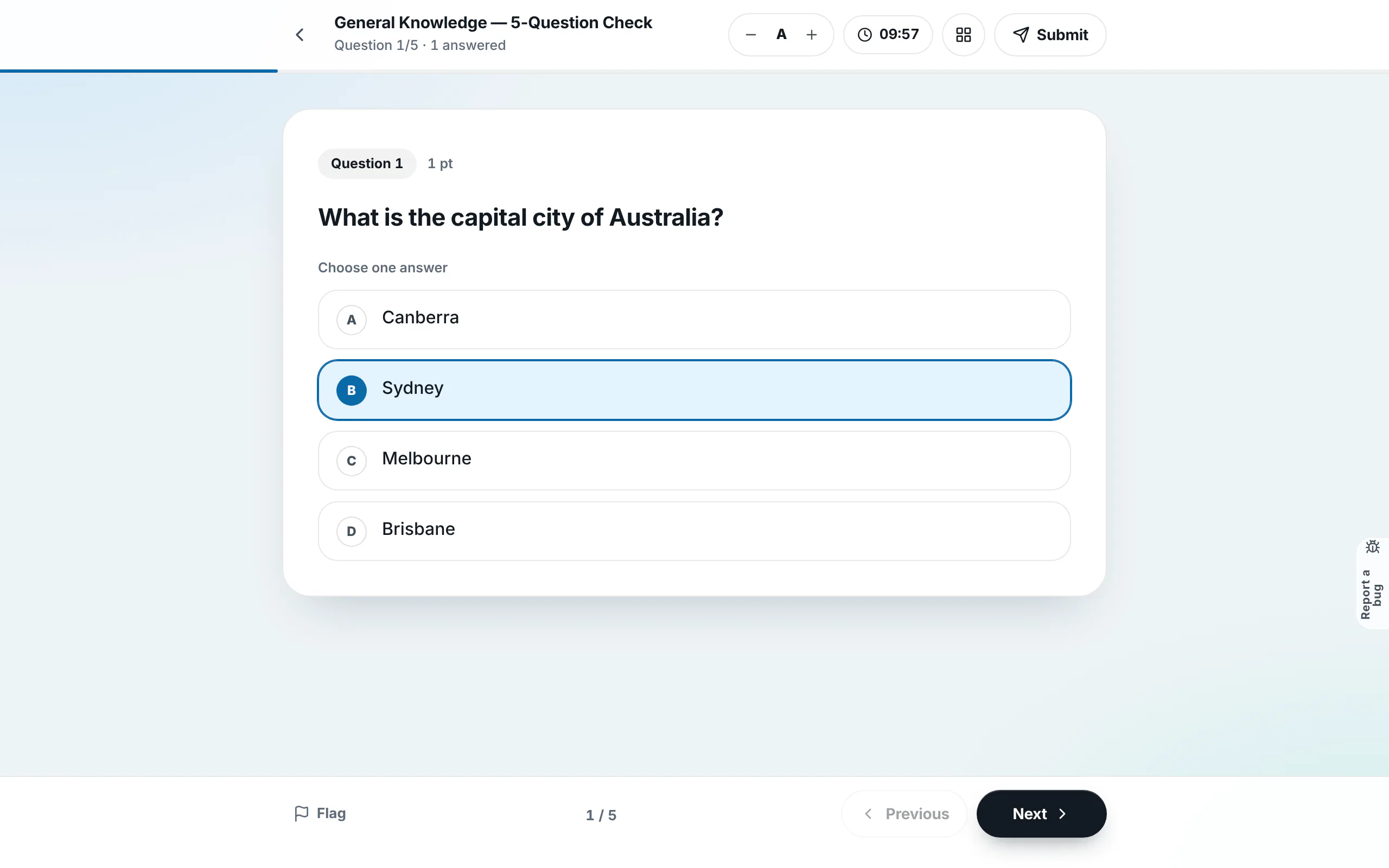
- Display mode: "One at a time" shows a single question per screen; "All questions" puts the whole test on one page.
- Timer and text size: the top bar shows the time left and the A− and A+ buttons.
- Flags: flag any question you want to return to.
- Question list: the grid icon opens the list, with Unanswered and Flagged filters.
- Reading tests: the passage stays on the left and the questions on the right; on phones the passage sits on top and a divider adjusts the split.
- Autosave: homework saves continuously, so you can come back and continue before the deadline.
Submitting
Select Submit. If any question is blank, rayQuiz shows how many and which ones so you can go back or submit anyway. When time runs out, the attempt is submitted automatically.
Reviewing results
The results page shows your score, correct and incorrect answers and the time taken. The "Incorrect" tab collects the questions to review with your answer, the correct answer and the explanation. Practise wrong answers starts a round with only the questions you missed. Your teacher decides when scores and answers appear; for proctored exams, answers open only after the exam has ended.
Proctored exams
A proctored exam may require full screen and record when you switch to another tab. Prepare your device and a stable connection, enter the waiting room before the start time and stay on the exam screen until you submit.
Step-by-step guides with screenshots
- Take an online quiz and review your results
- Join a class and complete assigned homework
- Join a proctored exam with a code
- Take an IELTS or VSTEP reading test part by part
- Complete an IELTS listening gap-fill
Last updated: 08/11/2026