IELTS and VSTEP tests
Complete an IELTS listening gap-fill (Notes & Form Completion)
Listen to the audio, type answers directly into each note gap, and press Enter to cycle to the next blank.
Note, form, and table completion are signature formats of IELTS Listening Sections 1 & 4. rayQuiz streamlines keyboard navigation so you never fall behind the audio stream.
2 min · 3 steps
- 1
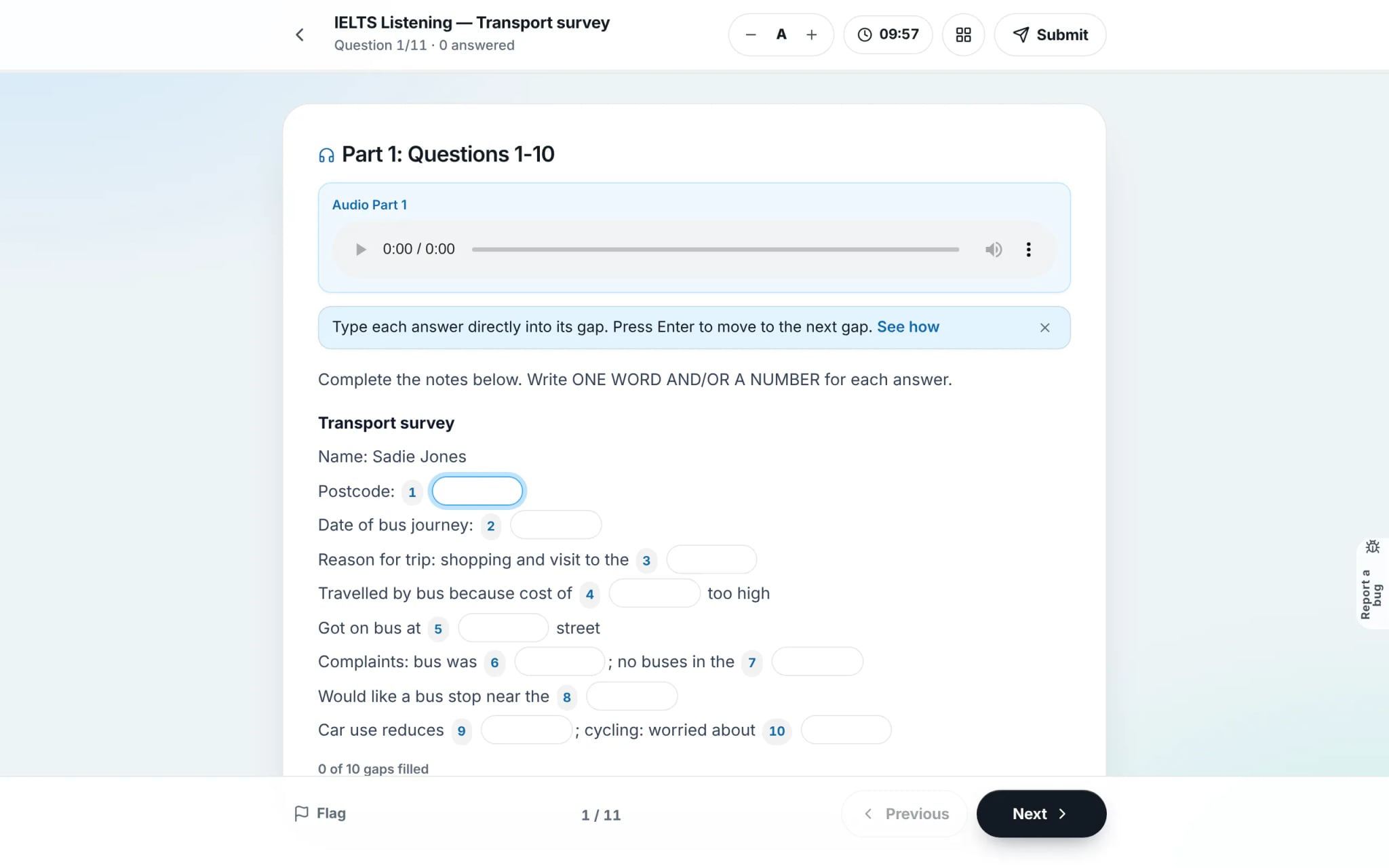
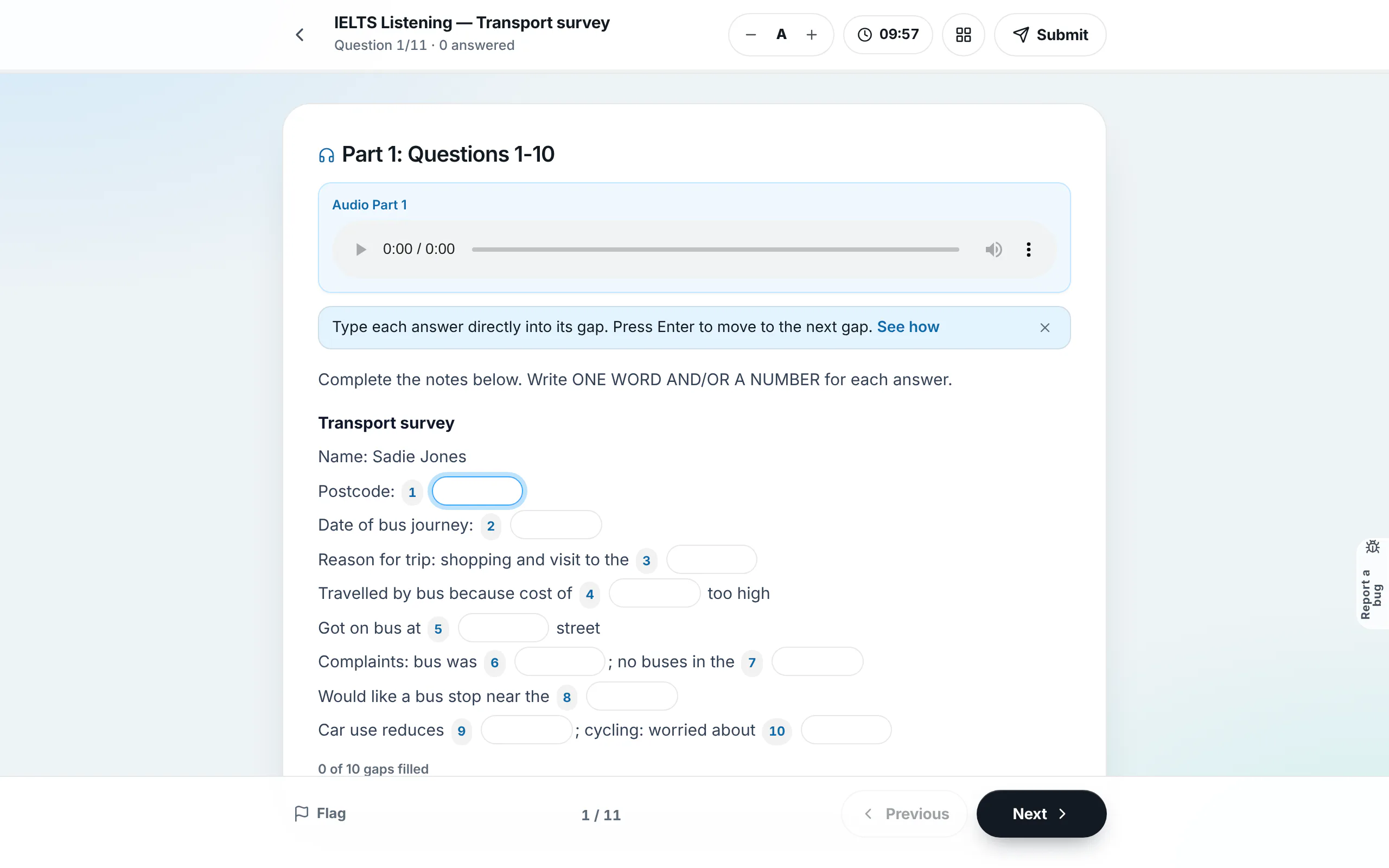
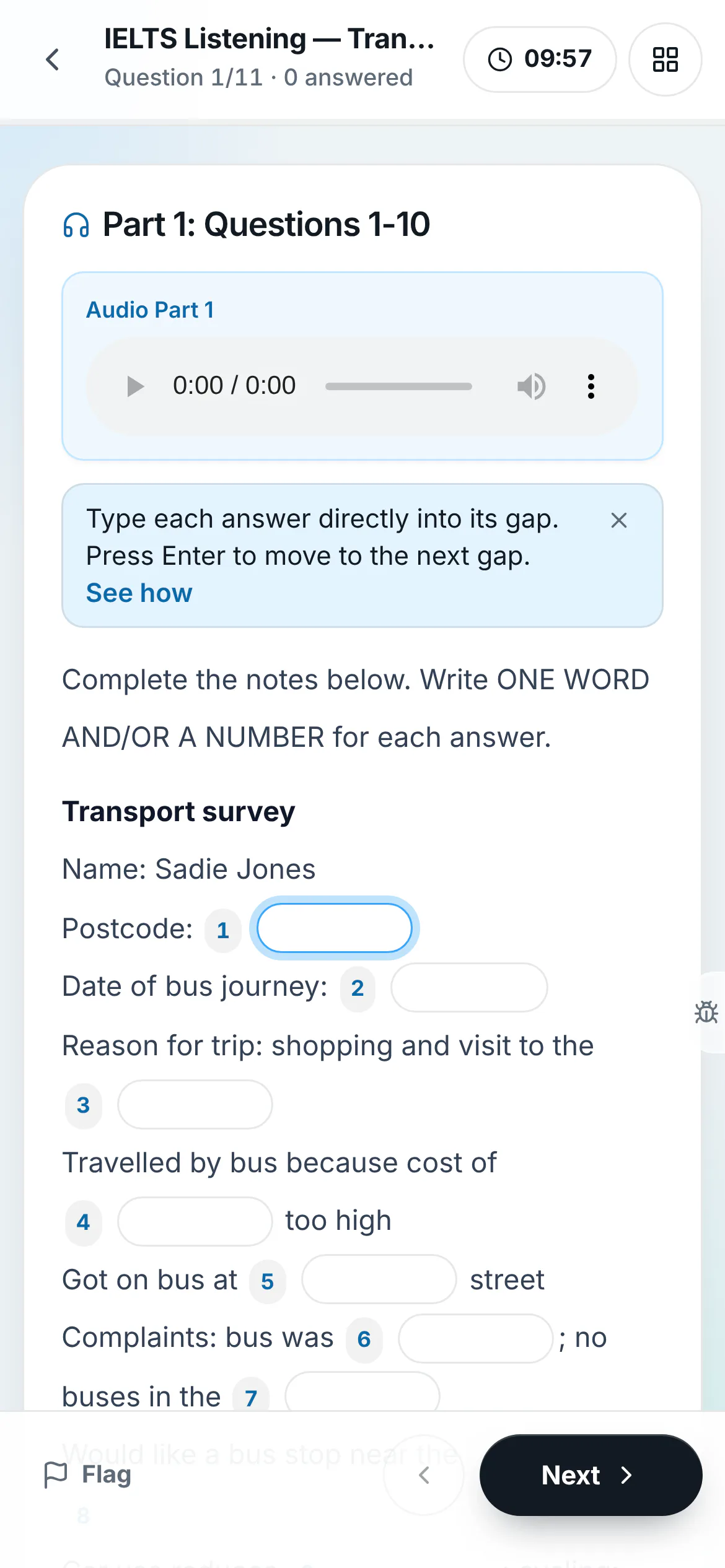
Start audio playback and scan notes beforehand
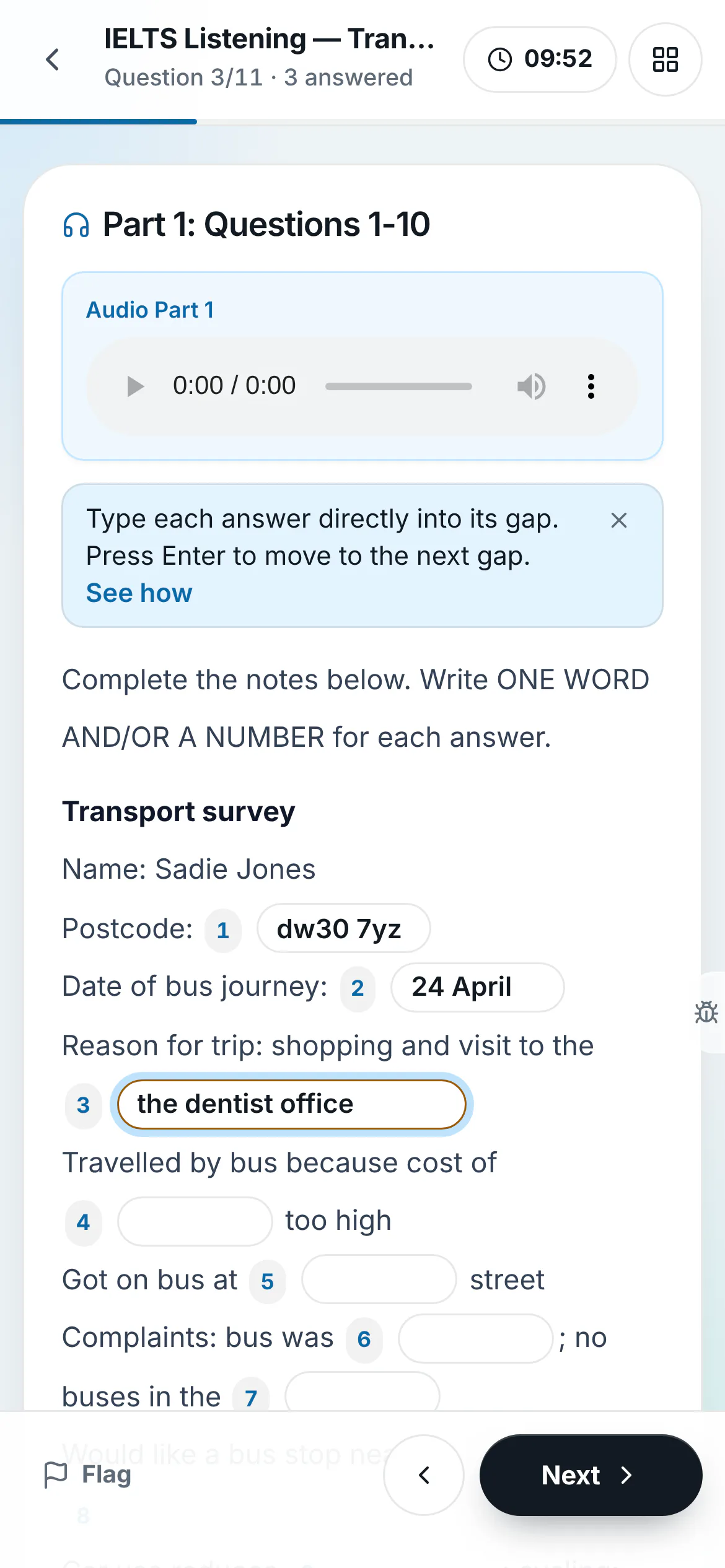
The sticky audio player remains pinned at the top while you scroll through the notes. Each blank is labelled with its question number. Preview surrounding text to predict whether a date, name, or number is required.
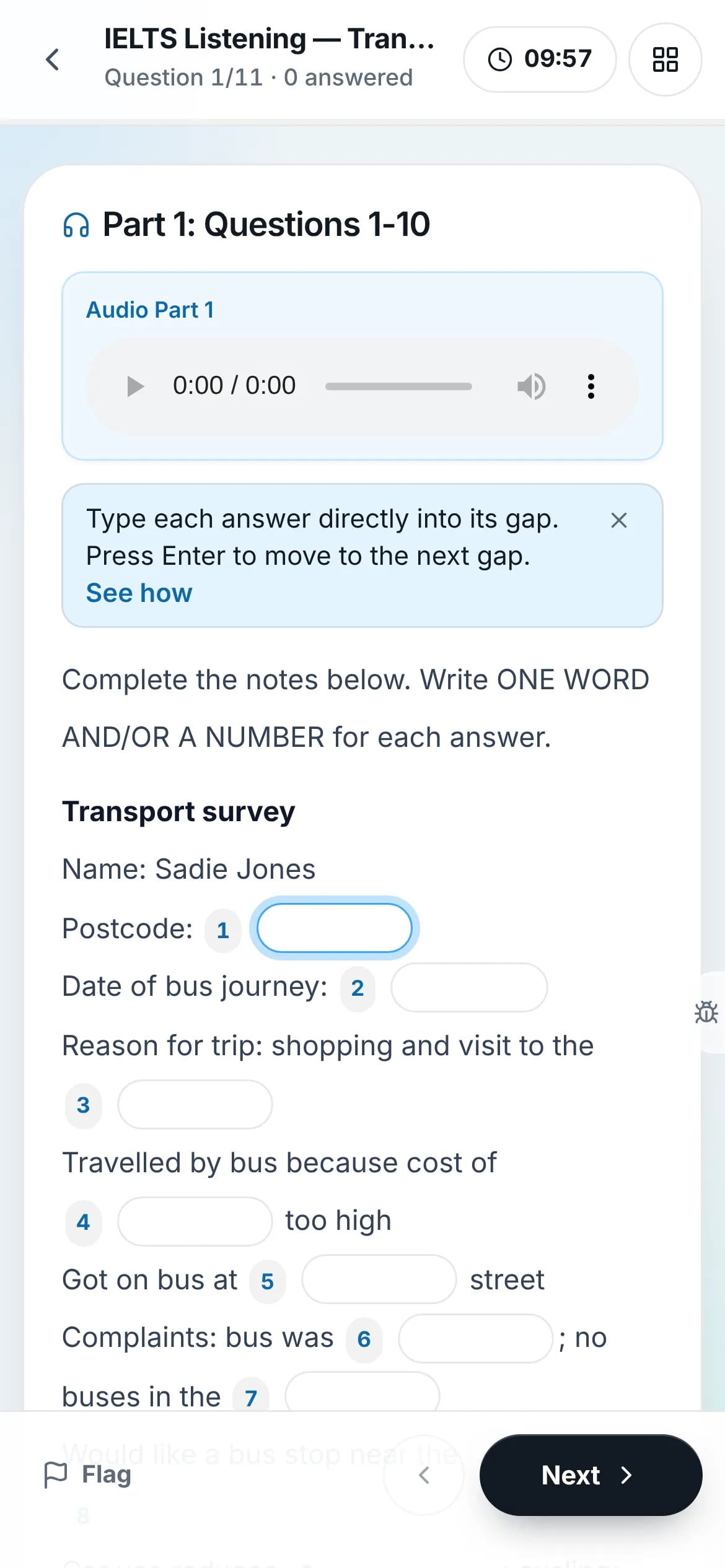
On a phone - 2
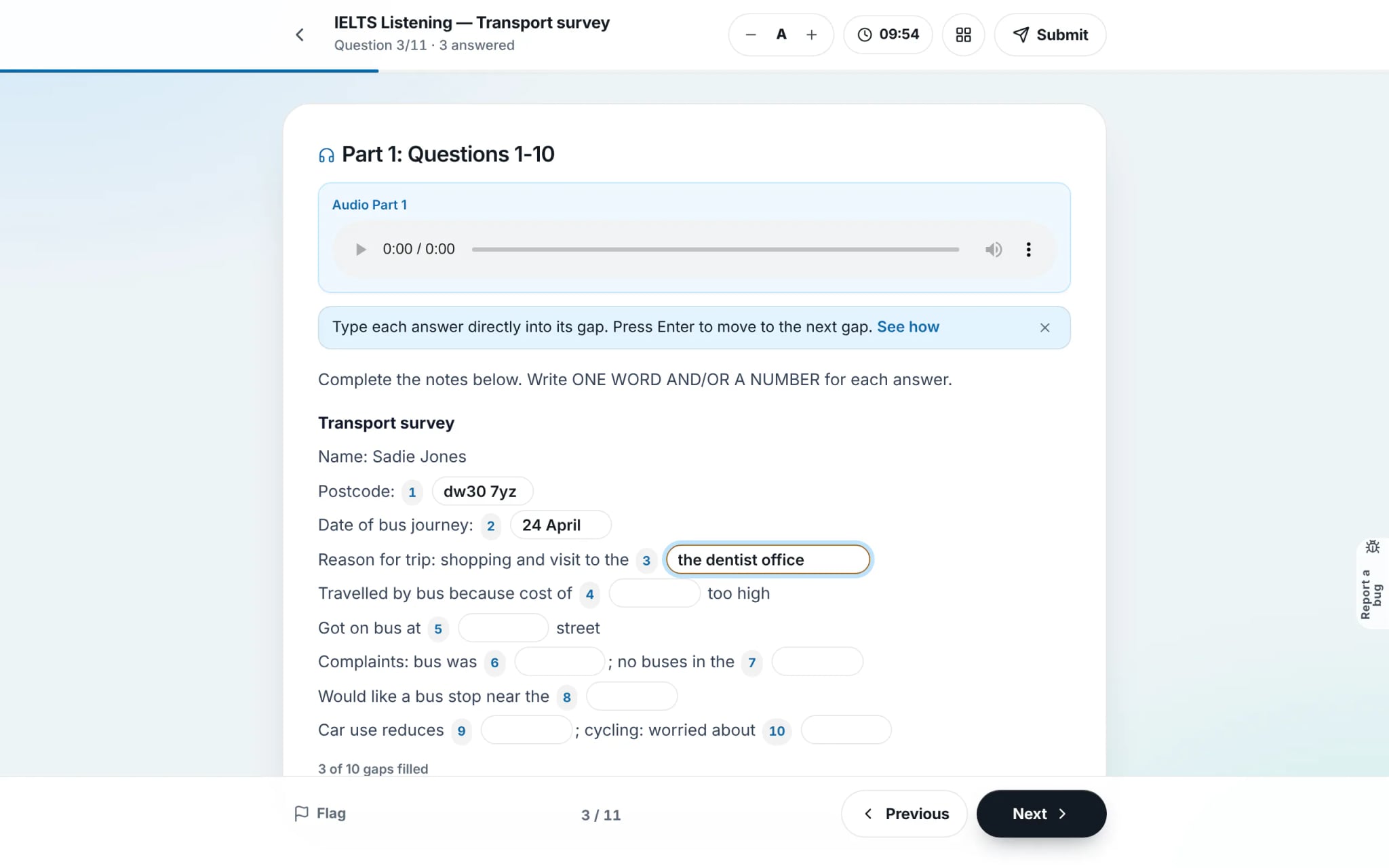
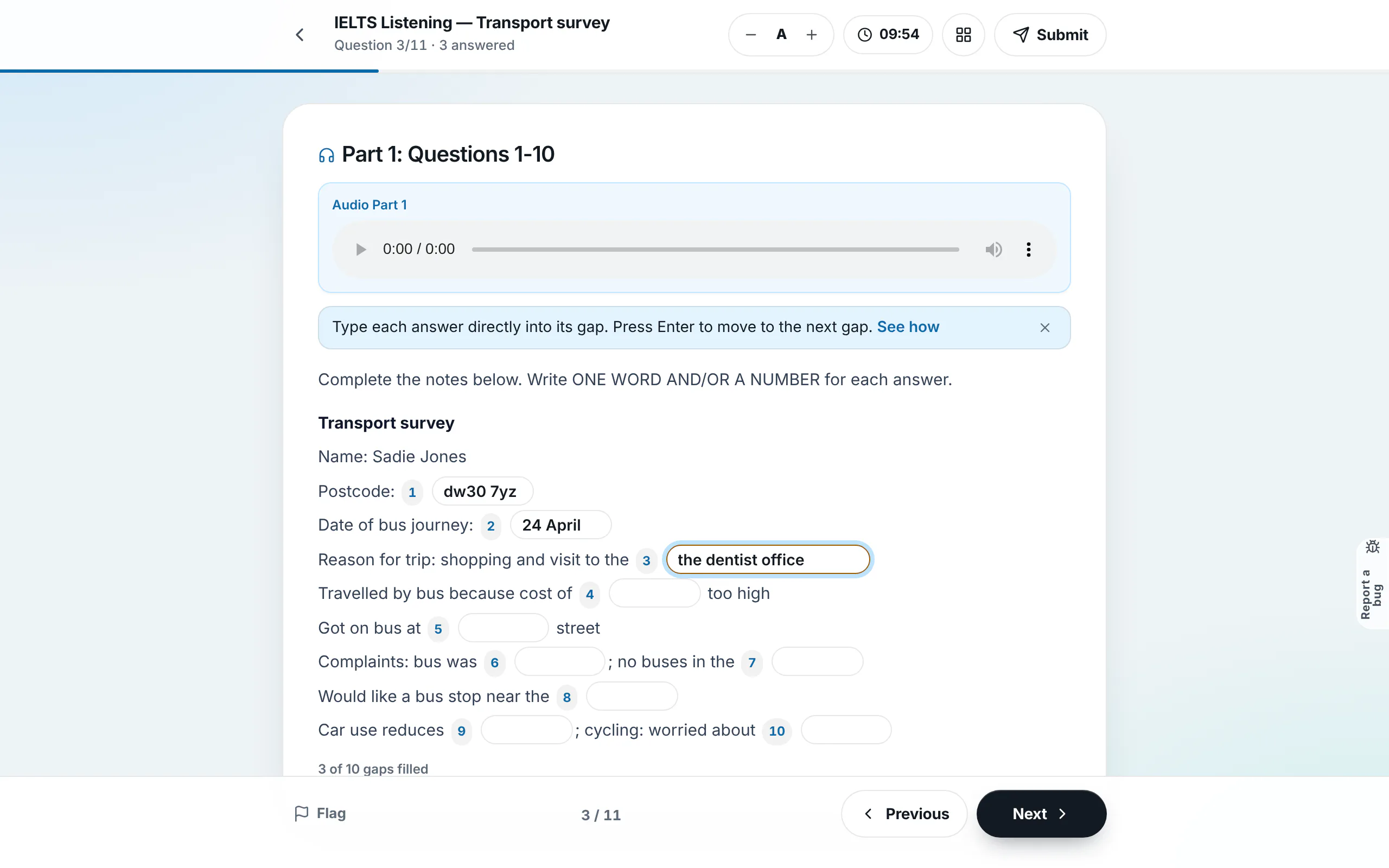
Type your answer and press Enter to advance
Click a blank and type your answer. Press Enter on your keyboard to instantly jump to the subsequent blank without lifting your hands to use a mouse. The "filled" counter at the bottom tracks any missing blanks.
Tip: If your response exceeds the stated word limit (such as "NO MORE THAN TWO WORDS"), the border highlights in amber as a warning.
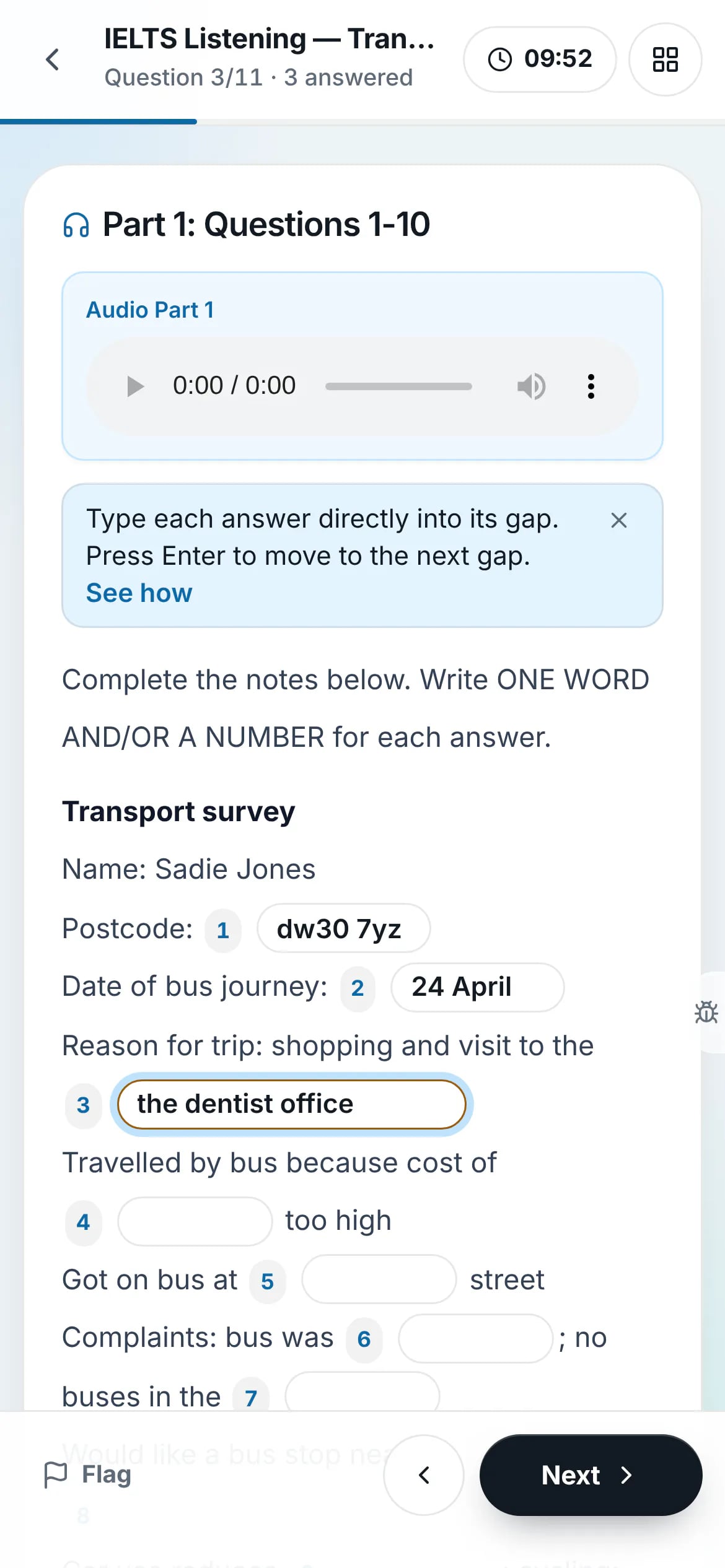
On a phone - 3
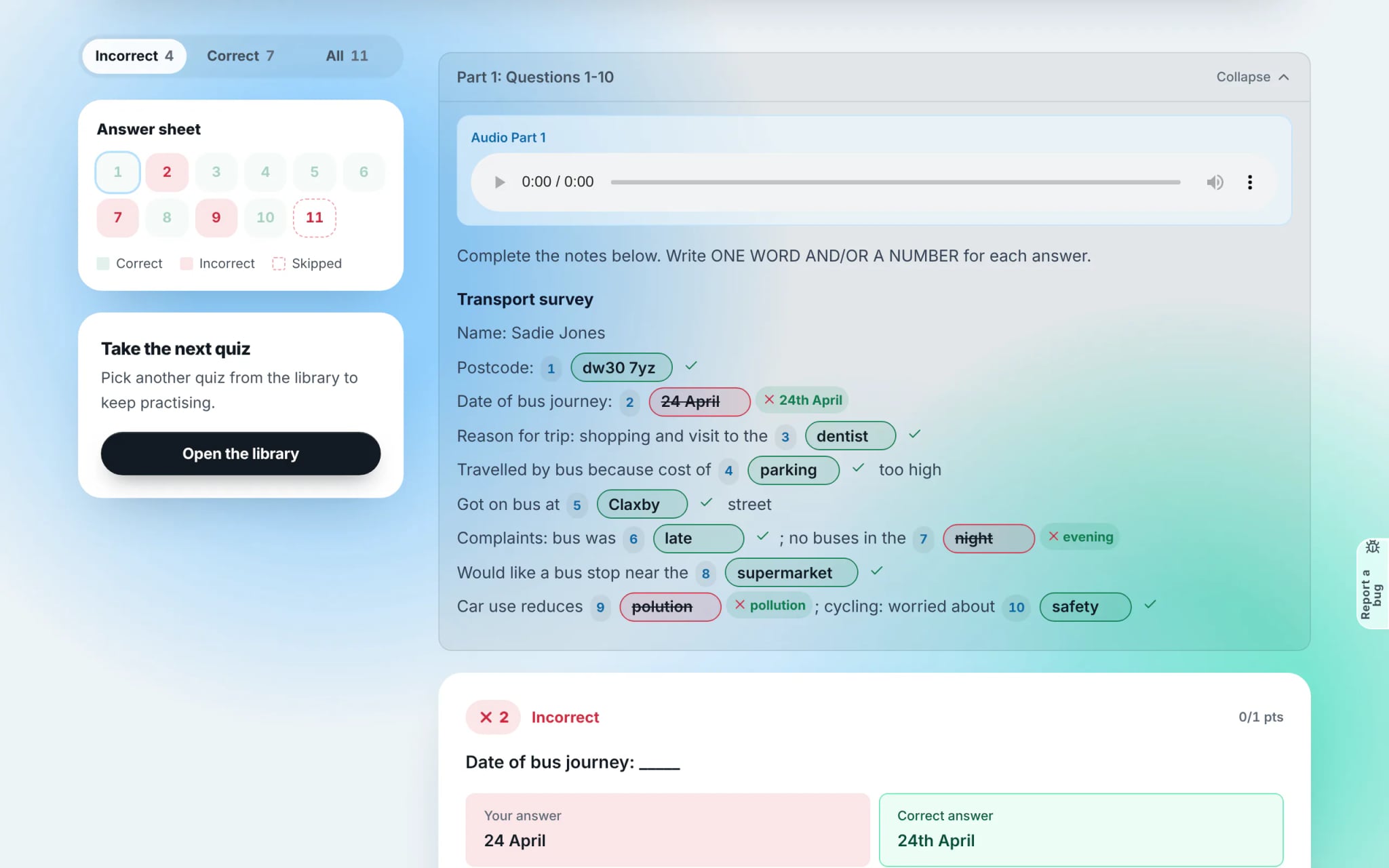
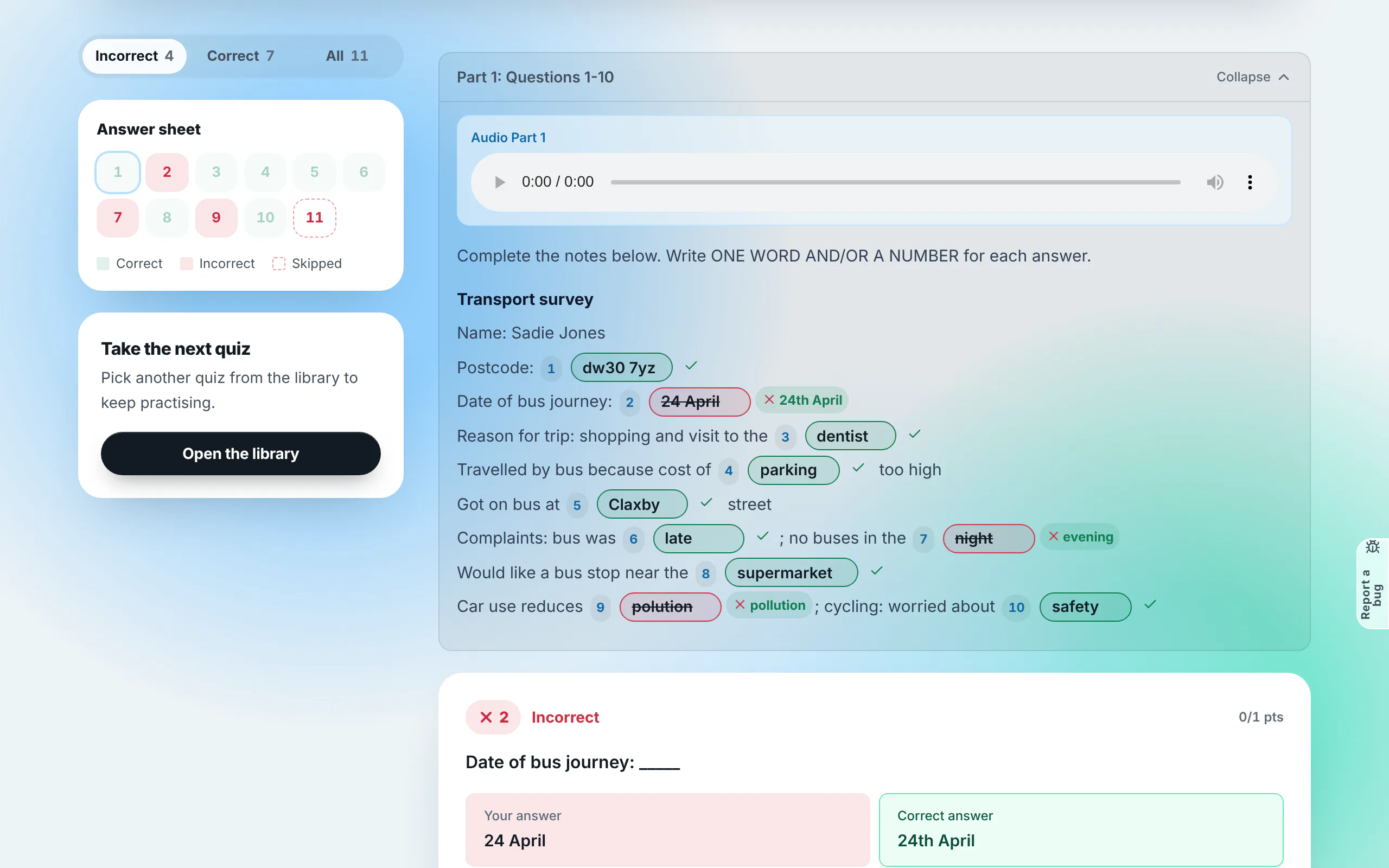
Review independent marking for each blank
Each gap represents an independent question and scores separate marks. Missed gaps display strikethroughs accompanied by the official answer key in green for rapid post-test review.
Frequently asked questions
- How are numbers and abbreviations counted in IELTS gap-fills?
- In line with official IELTS conventions, standalone digits (e.g. 24) or postcodes count as a number rather than a word. rayQuiz follows official scoring specifications.