Run exams
Run proctored online exams with anti-cheating controls and real-time monitoring
Launch synchronized exams with virtual waiting rooms, track tab-switching violations live, and export comprehensive CSV gradebooks.
Proctored online examinations uphold academic integrity for consequential evaluations. Cohorts congregate inside a virtual waiting lobby and begin testing synchronously under automated supervisory oversight.
6 min · 6 steps
- 1
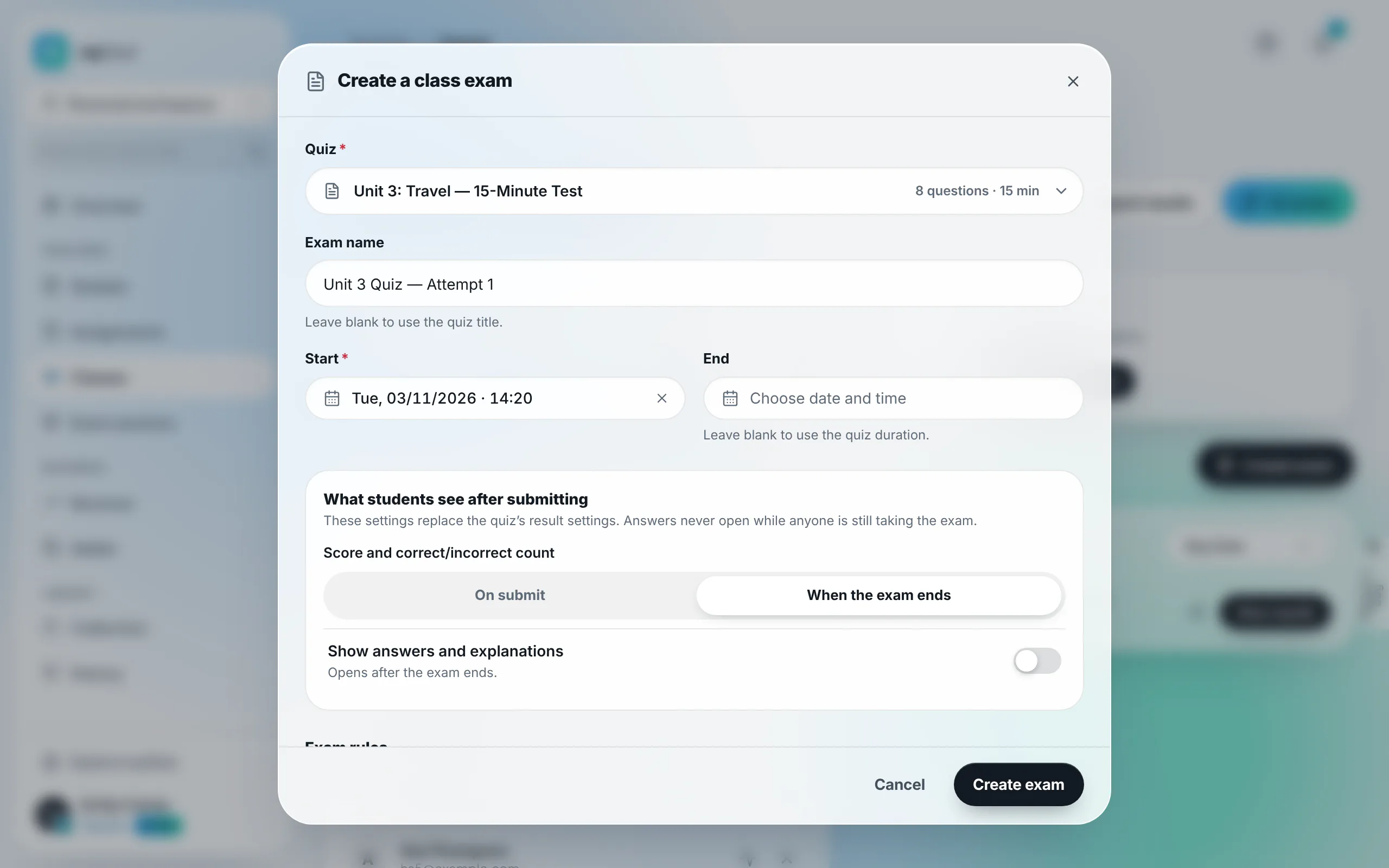
Initiate a proctored exam from the classroom hub
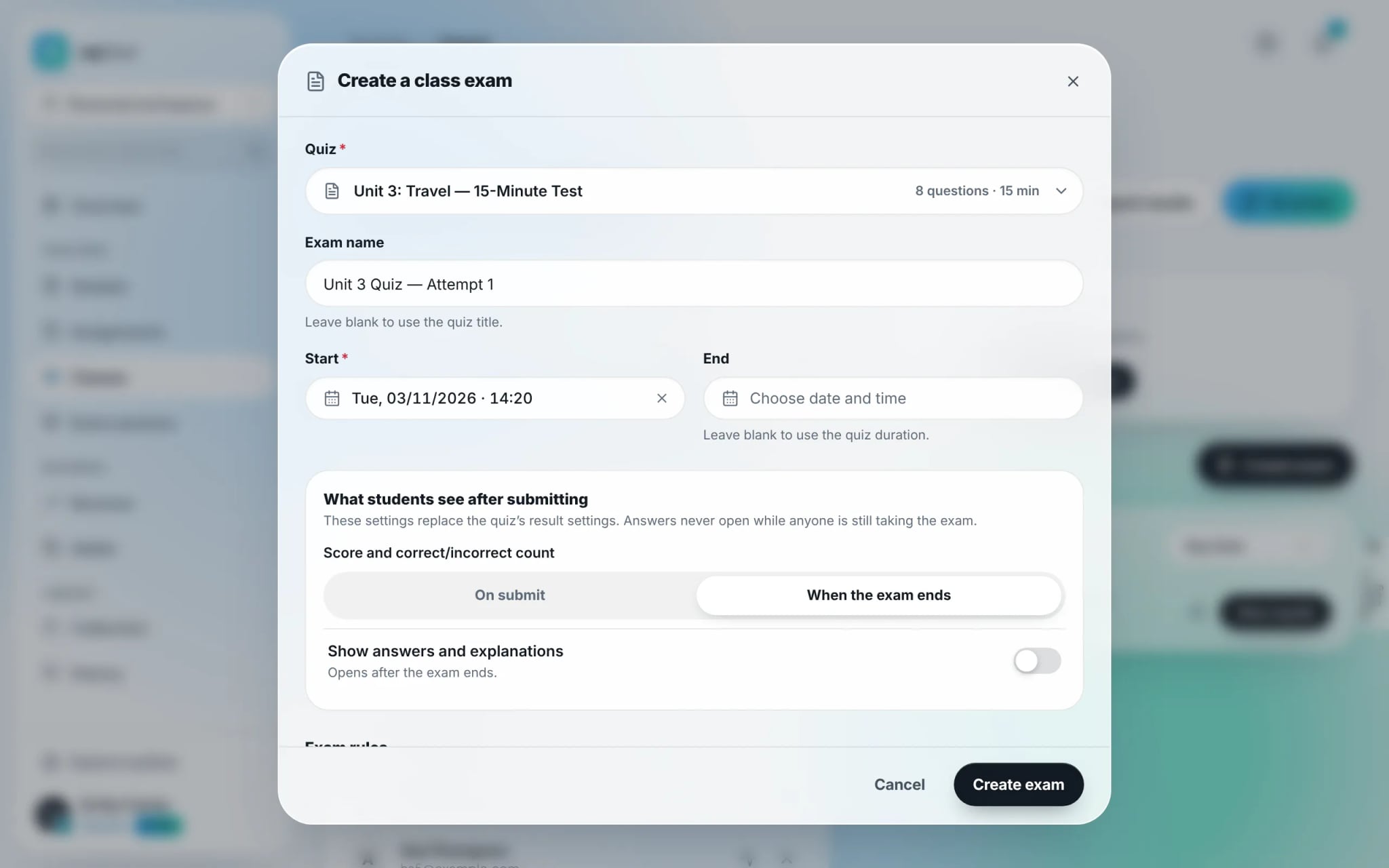
Open your class management page and click "Create exam". Choose an assessment from your catalog, provide a test title, and define the official commencement timestamp.
- 2
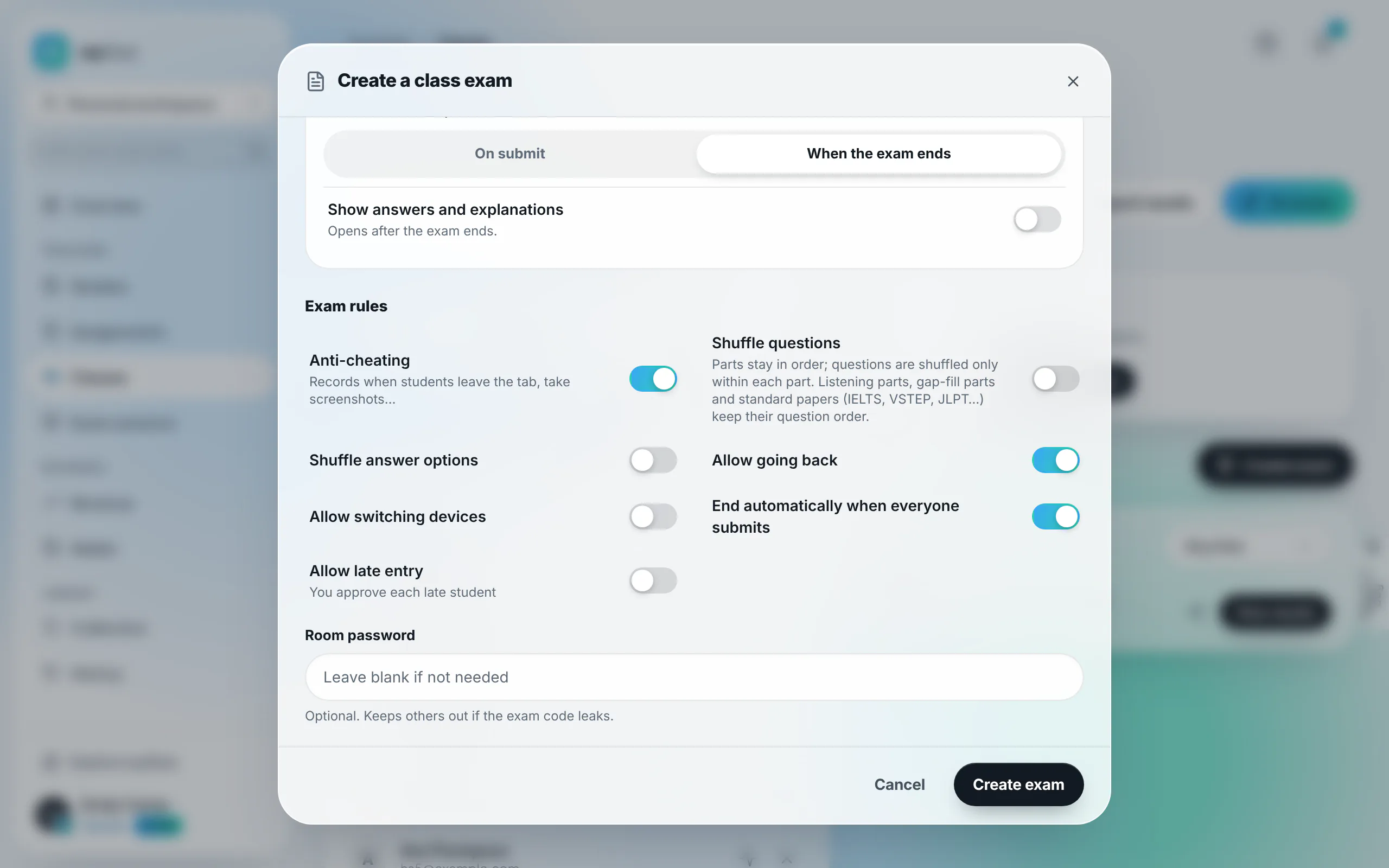
Configure anti-cheating safeguards and room rules
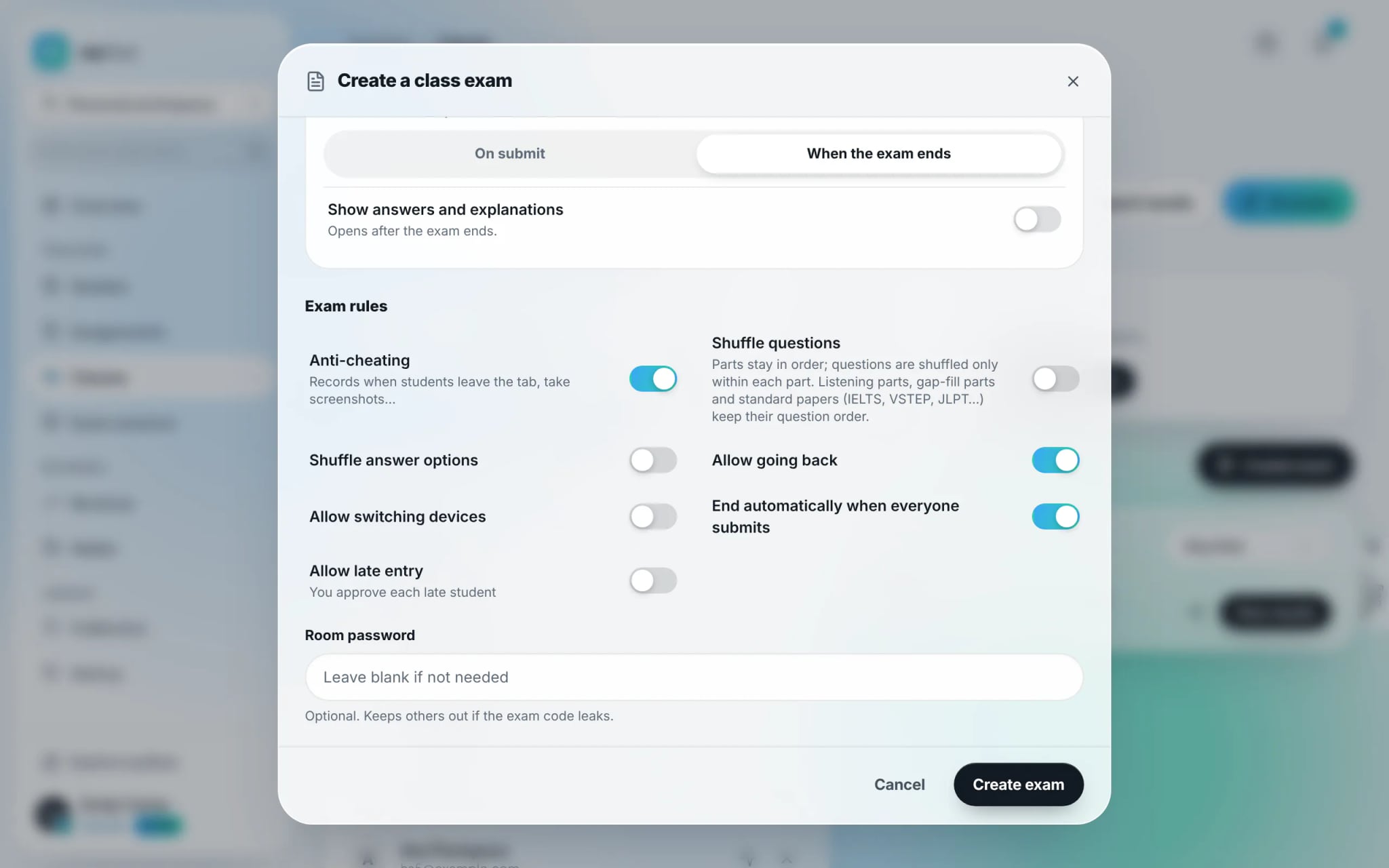
Toggle on "Anti-cheating". Fine-tune behavioral parameters: randomize question/choice sequencing, enable or disable late entry, permit device switching, and auto-close the room once all submissions conclude.
- 3
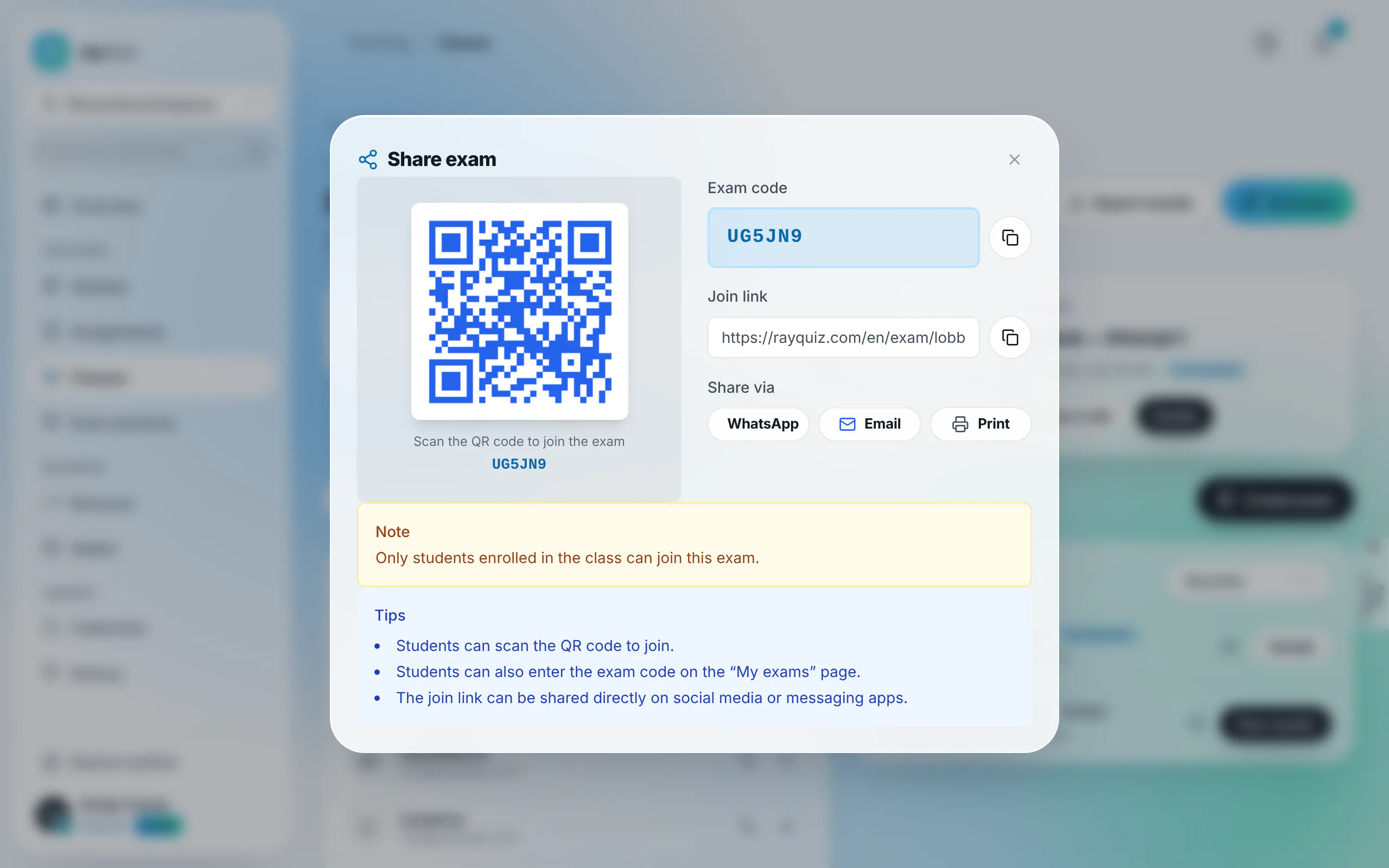
Broadcast the 6-character code and QR code
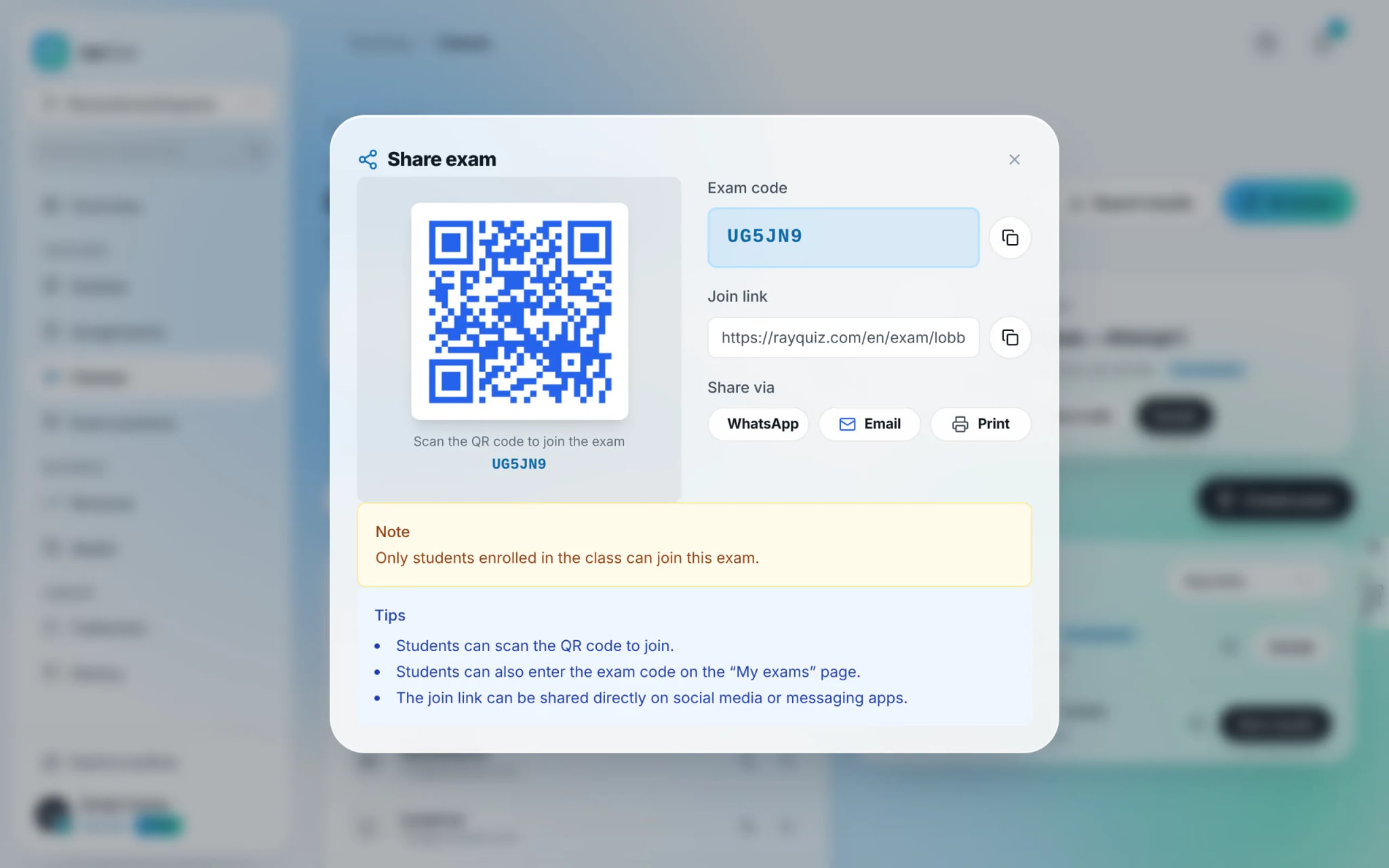
Click "Share code" to display the 6-character room code and scalable QR code. Project the QR code on physical classroom screens or copy the access link into class communication channels.
- 4
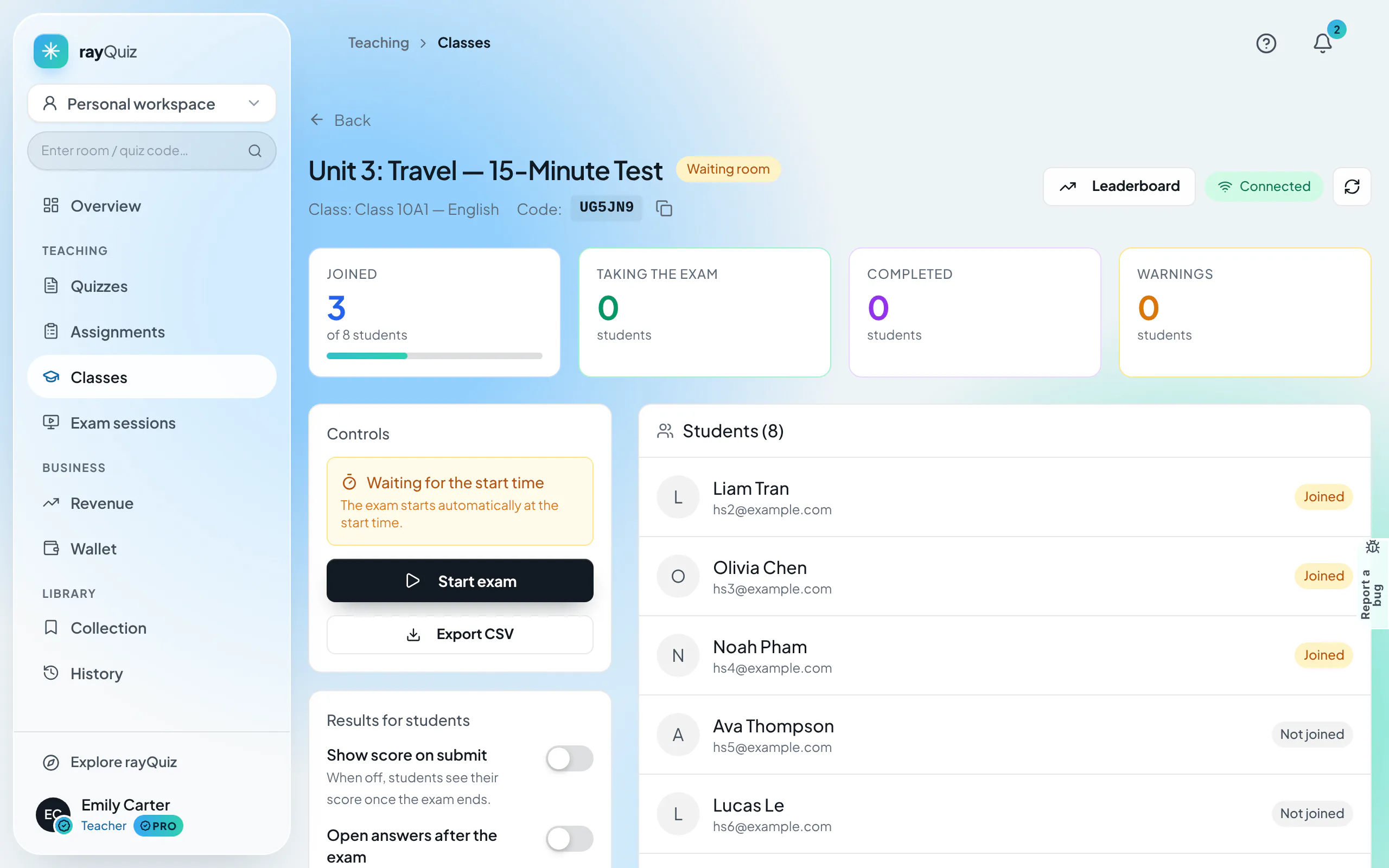
Open the virtual waiting room lobby
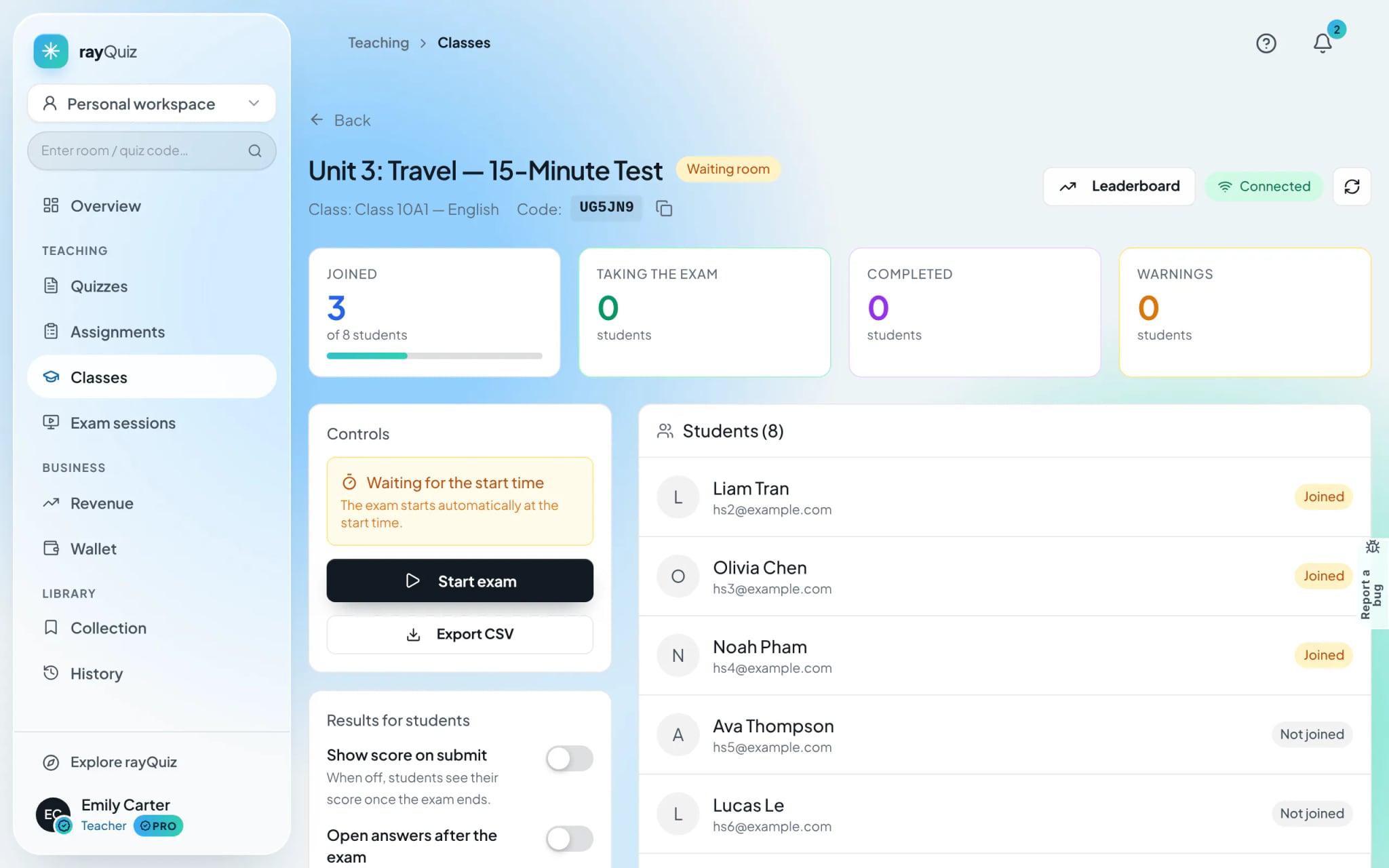
Access the proctoring monitor and select "Open lobby". As students check in, their names populate the roster with "Joined" badges. At the scheduled time, rayQuiz transitions everyone into the test automatically.
- 5
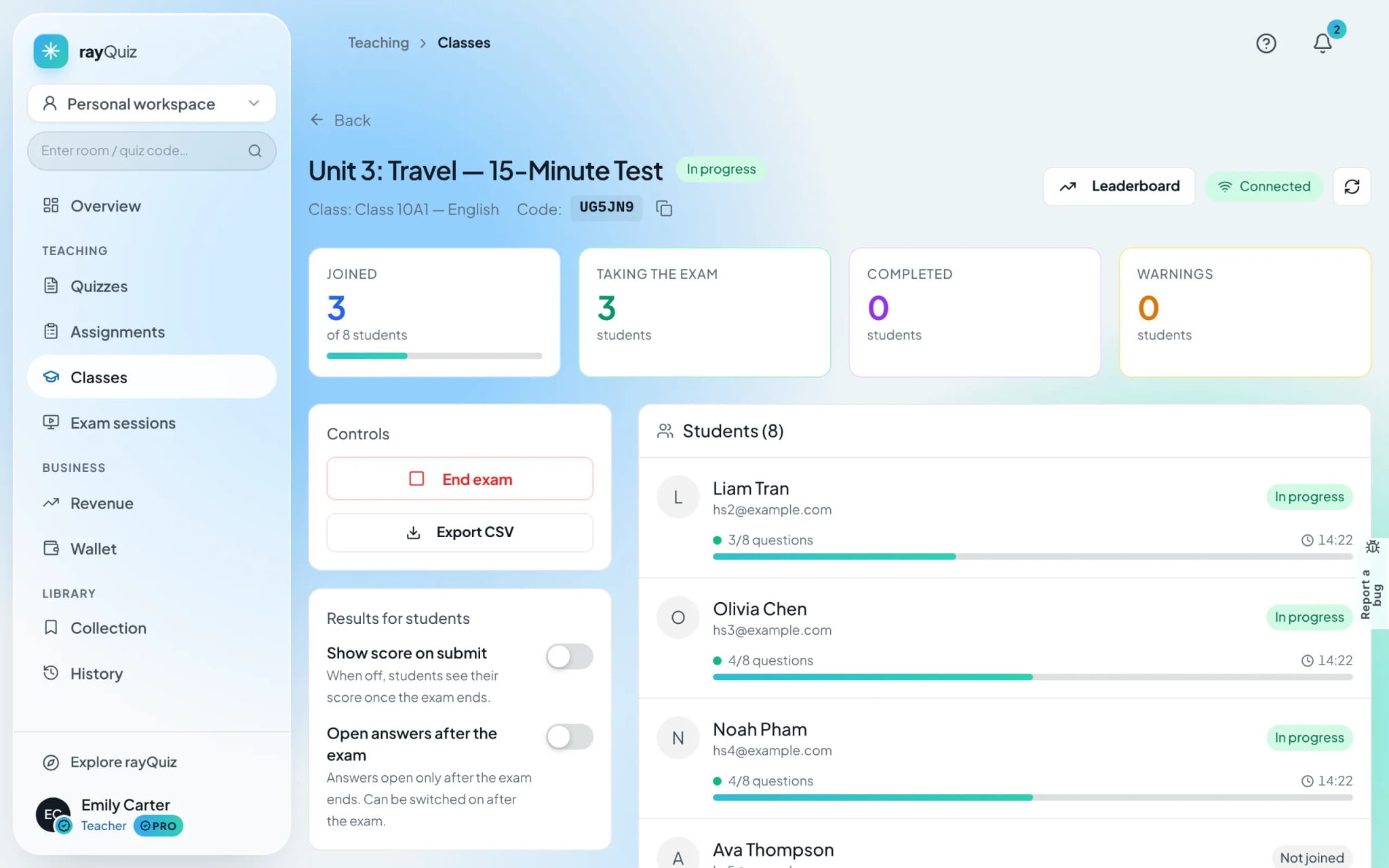
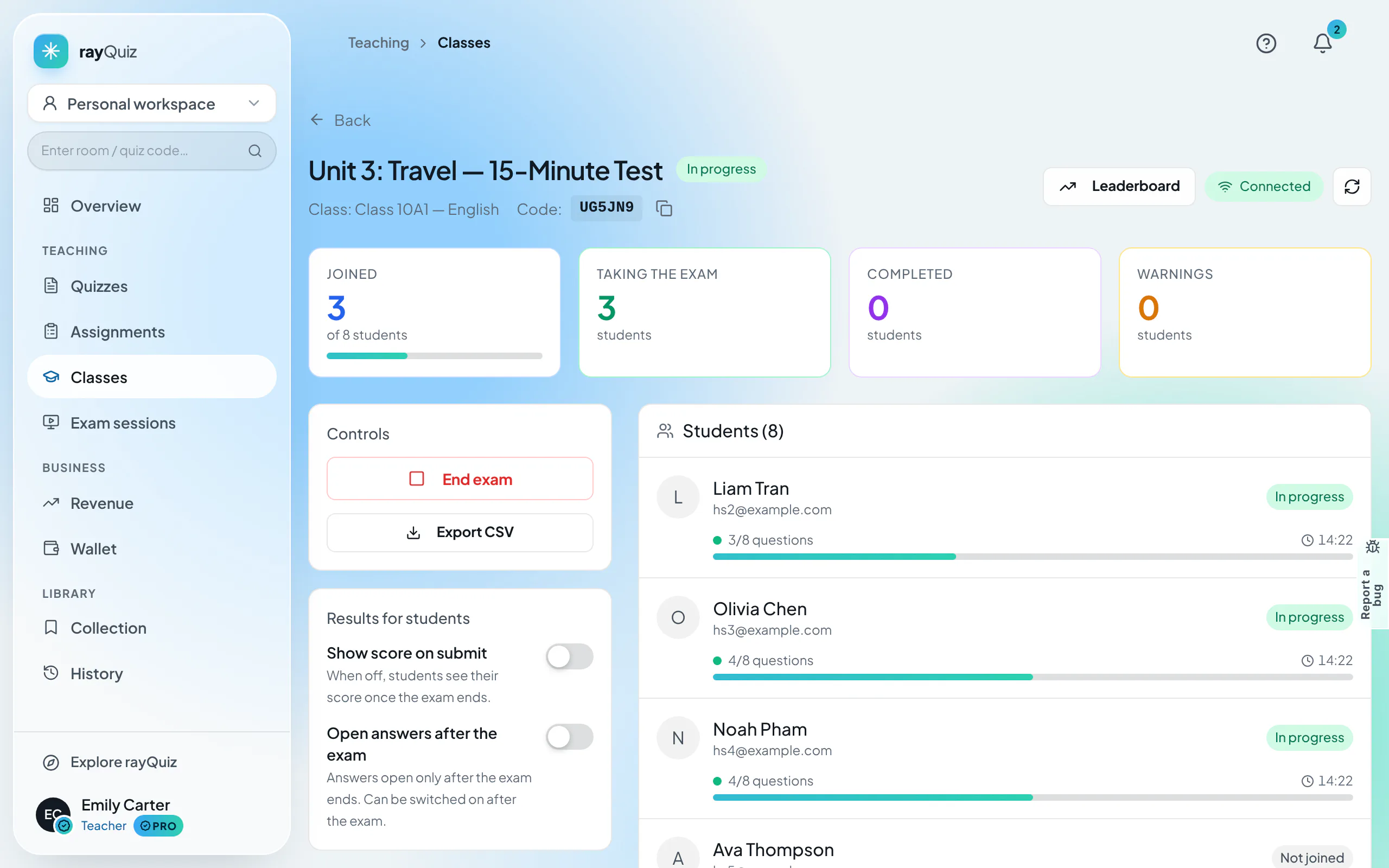
Monitor live testing progress and violation warnings
The live proctoring board tracks: Active students, Current question progress, and Warning indicators. If a student switches tabs, minimizes windows, or navigates away, timestamped warnings are recorded immediately.
- 6
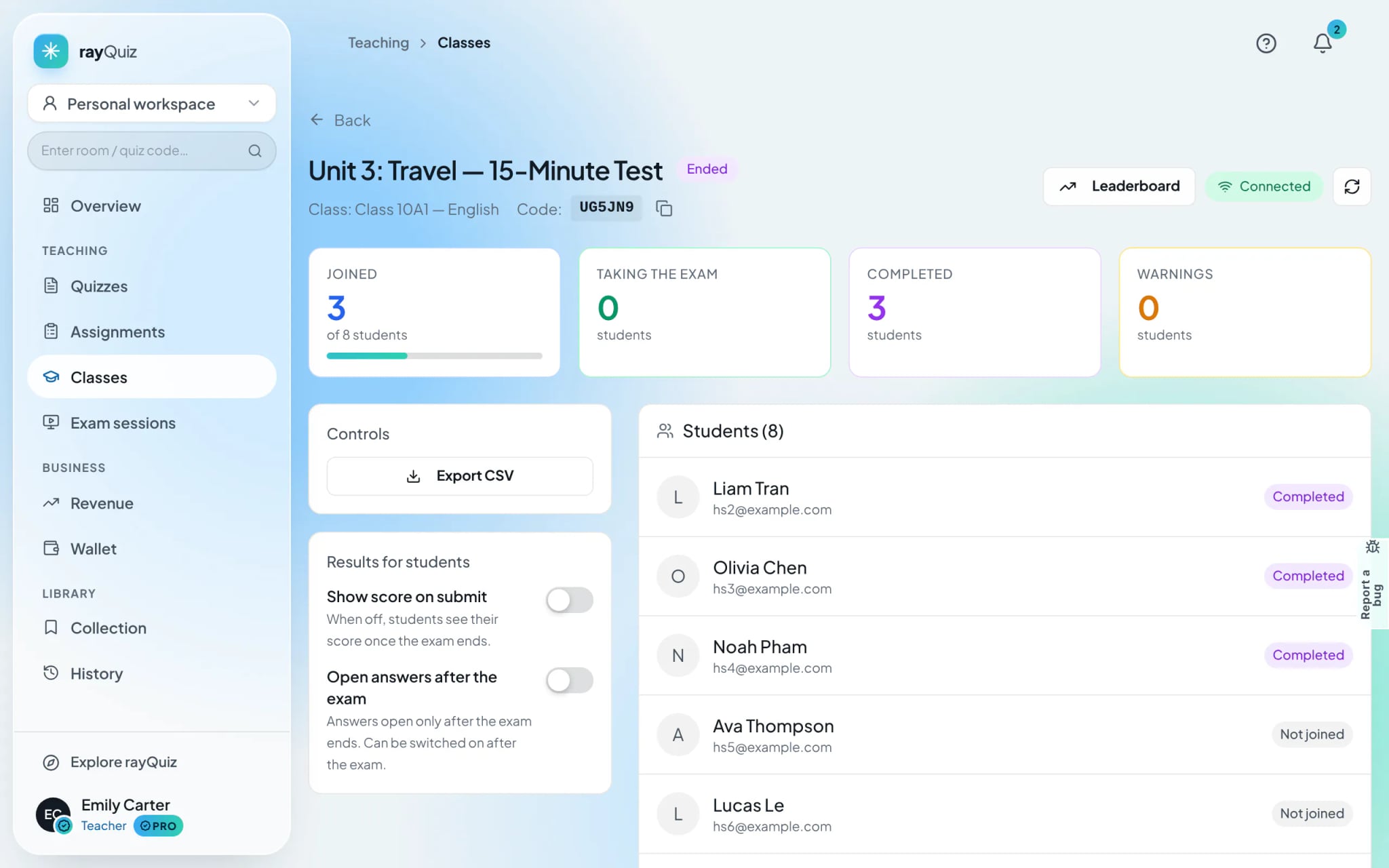
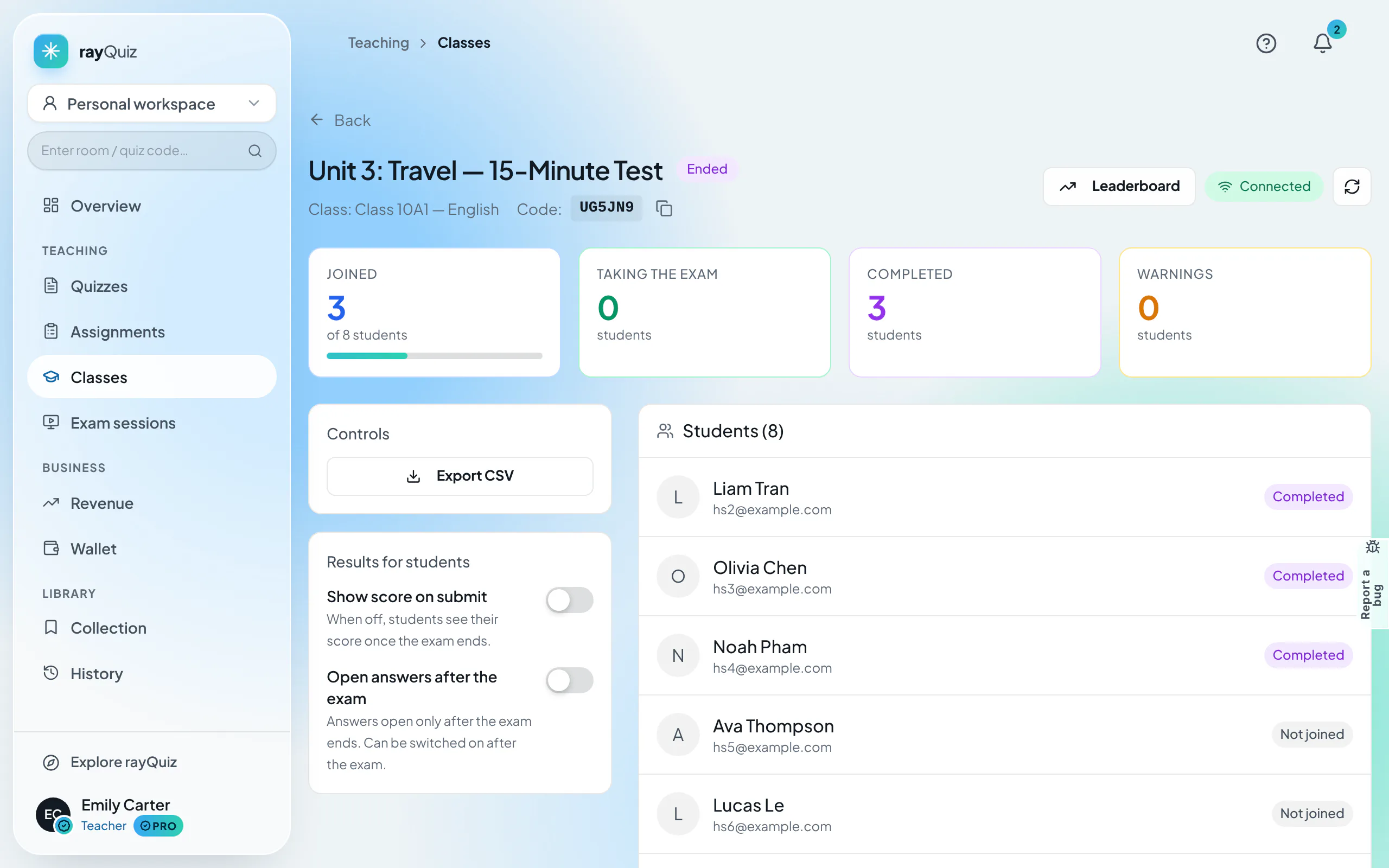
Conclude the examination and export gradebooks
Once time expires, select "End exam". Click "Export CSV" to download comprehensive grade reports, or launch the "Leaderboard" to review top cohort rankings.
Frequently asked questions
- What specific actions trigger anti-cheating violation warnings?
- rayQuiz detects and logs: switching browser tabs, launching secondary applications, exiting full-screen mode, taking screenshots, and switching client devices.
- What occurs if a student suffers an accidental Wi-Fi outage?
- If device re-connection permissions are active, the student can reload the test on the same browser; all previously selected responses are restored instantly.