Setup and members
Set up an organization workspace for centers and institutions
Launch a shared institutional workspace, onboard instructional faculty, and centralize the shared assessment library.
An Organization Workspace provides centralized governance for language centers, academies, and schools. Exams, classes, proctored rooms, and reporting remain unified under the institution’s ownership, while individual teachers’ personal workspaces stay private.
4 min · 4 steps
- 1
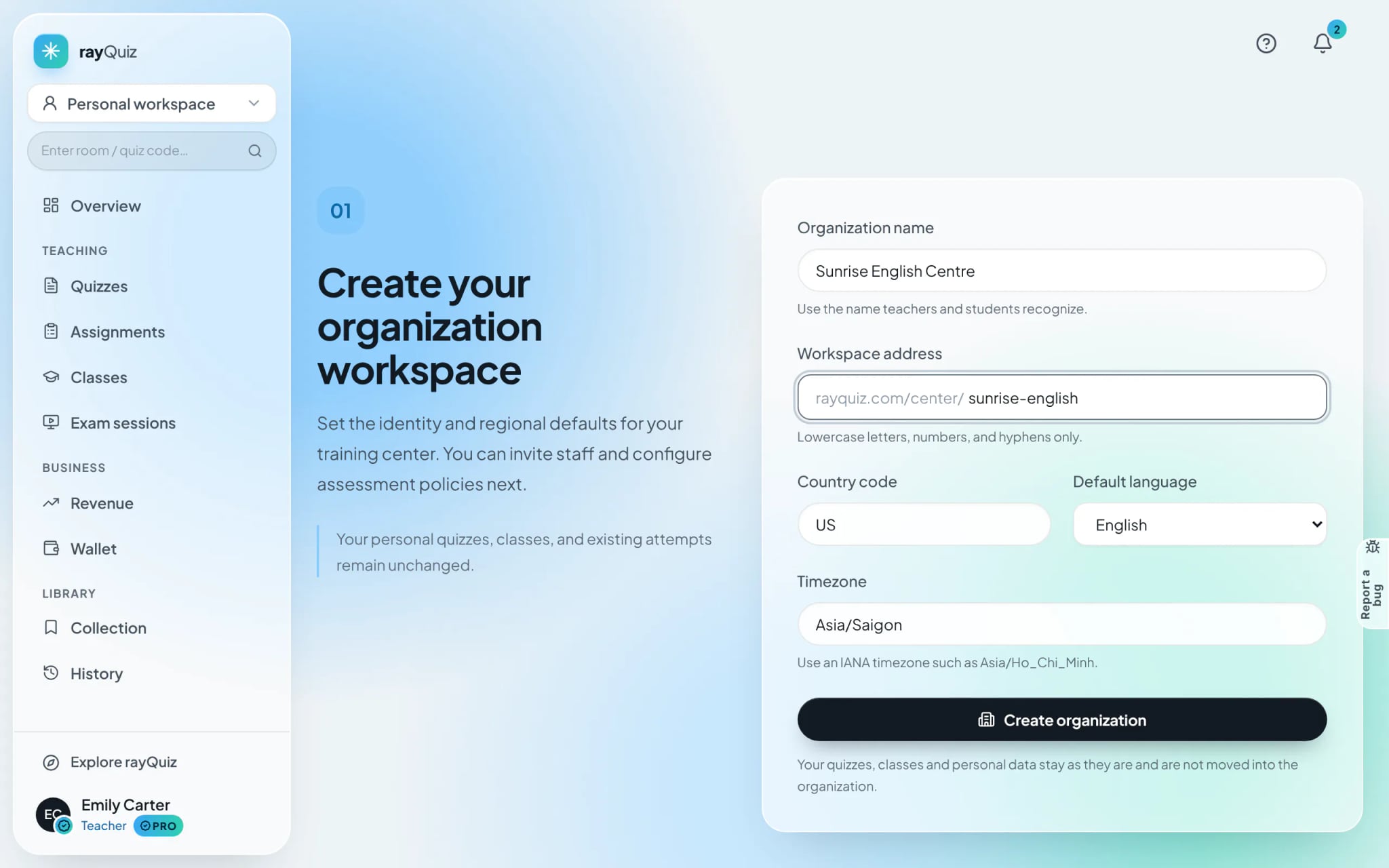
Create the new institutional workspace
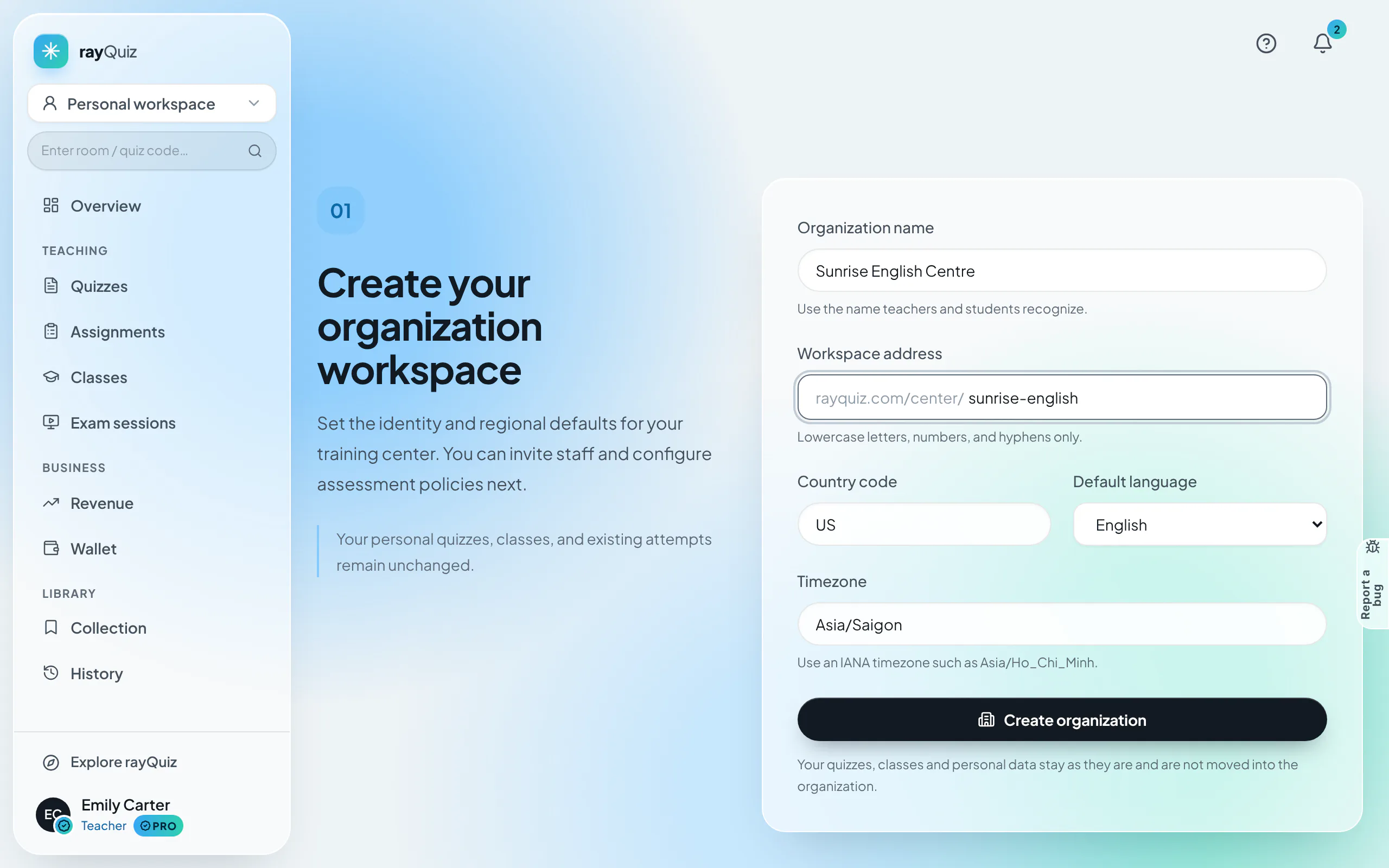
Open the workspace dropdown at the top-left corner and click "Create organization". Enter your center name, configure your vanity URL path (e.g. rayquiz.com/center/sunrise-academy), and select your operational time zone. Click "Create organization"; your account automatically assumes the initial Owner role.
- 2
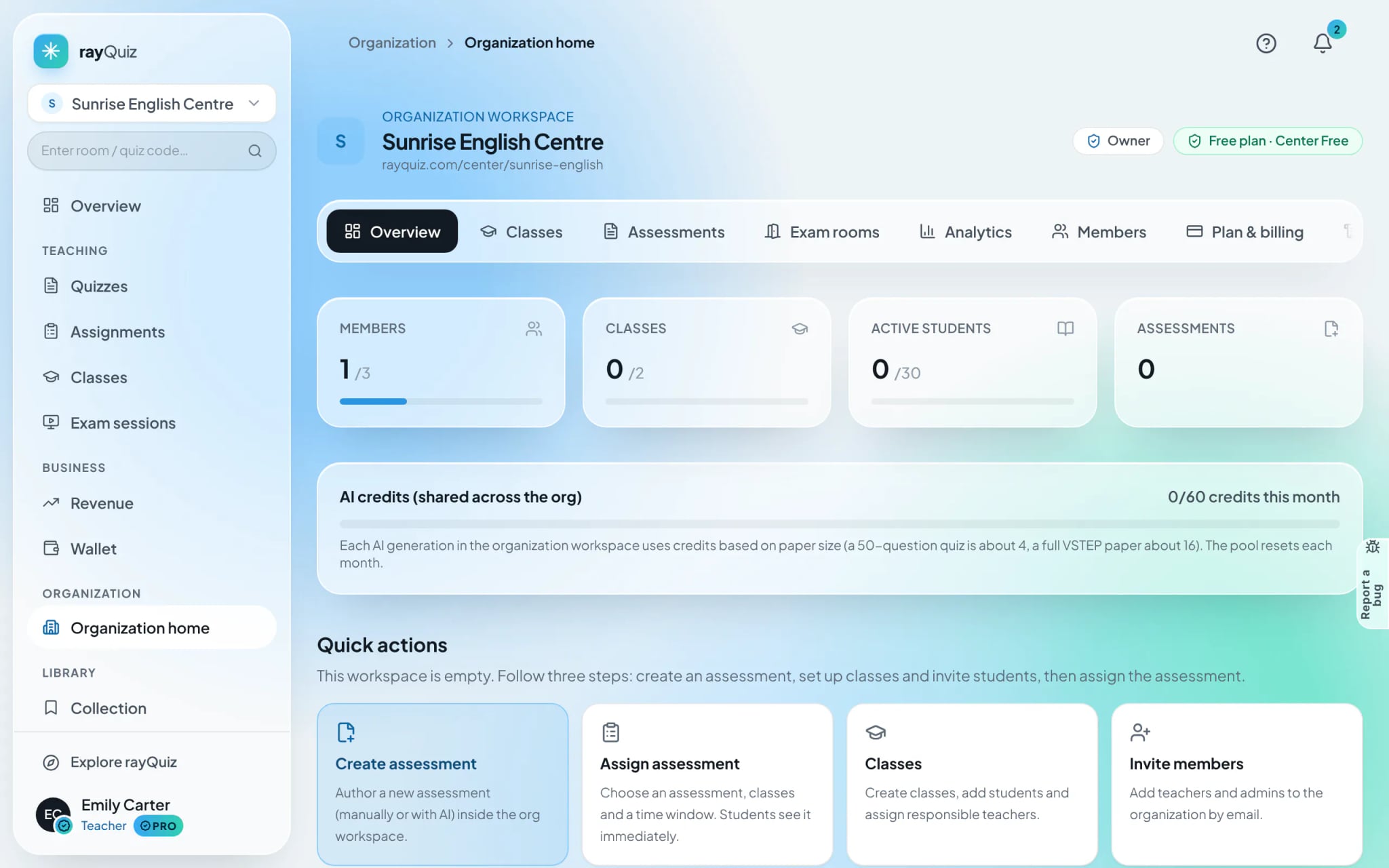
Explore the centralized organization dashboard
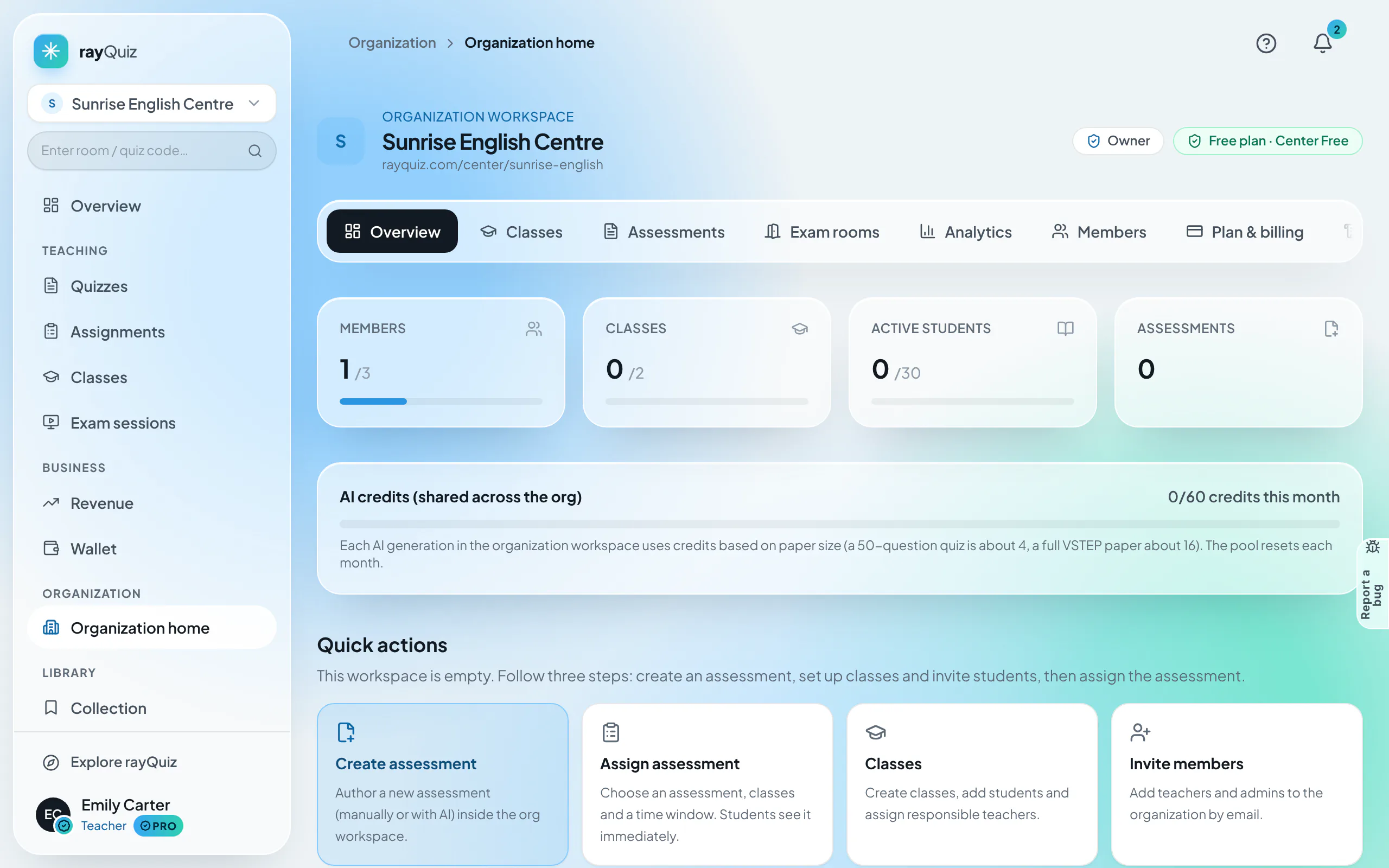
The Overview dashboard surfaces key institutional KPIs: active classroom count, exam library inventory, faculty roster size, and subscription utilization. Top navigation links directly to Classes, Assessments, Exam sessions, Analytics, Members, Plan & billing, and Audit logs.
- 3
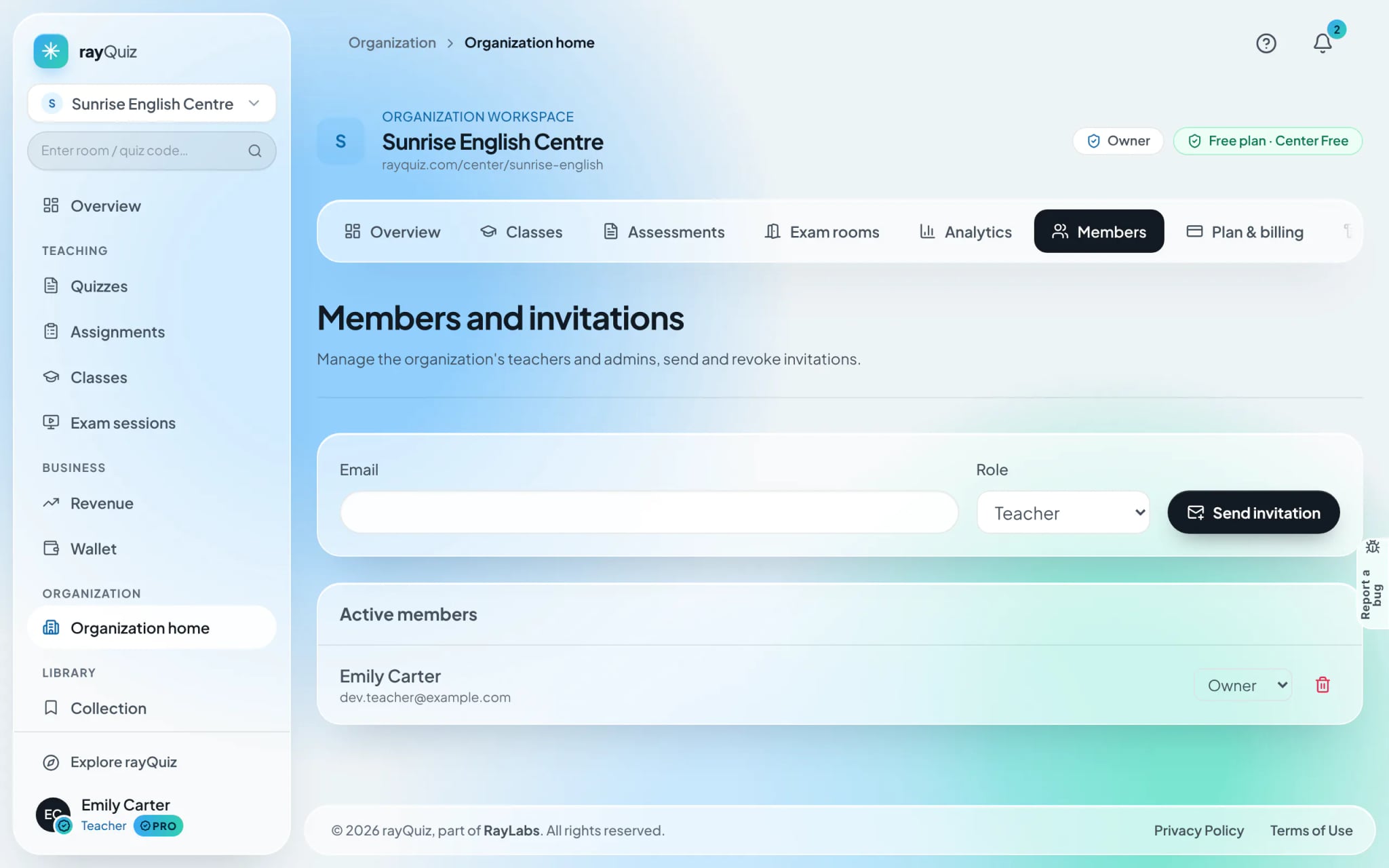
Invite faculty members and instructional staff
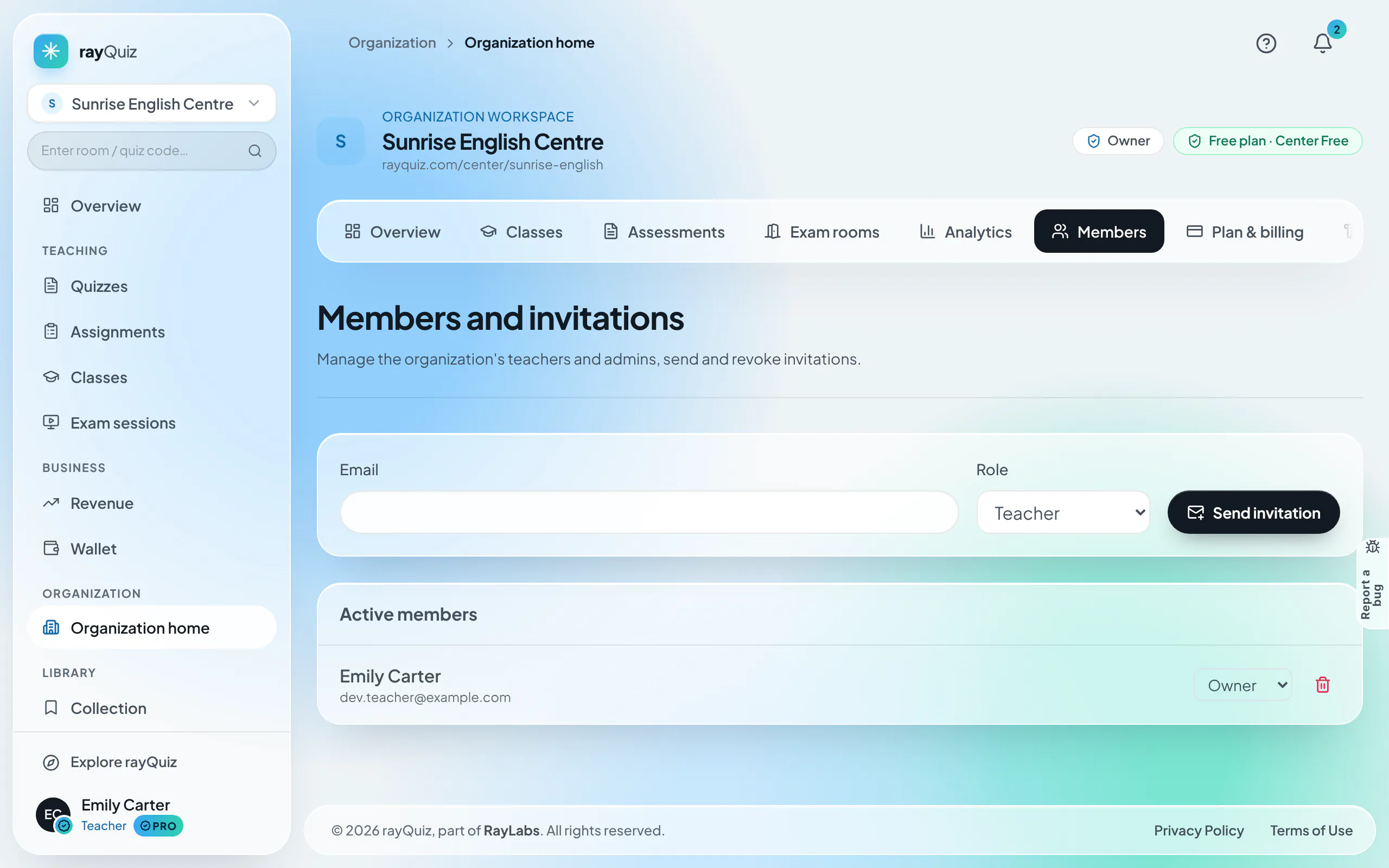
Navigate to the "Members" tab. Enter the teacher’s email address, specify their designated permission tier (Admin, Teacher, or Viewer), and select "Send invitation". The instructor receives an invitation link to confirm membership seamlessly.
- 4
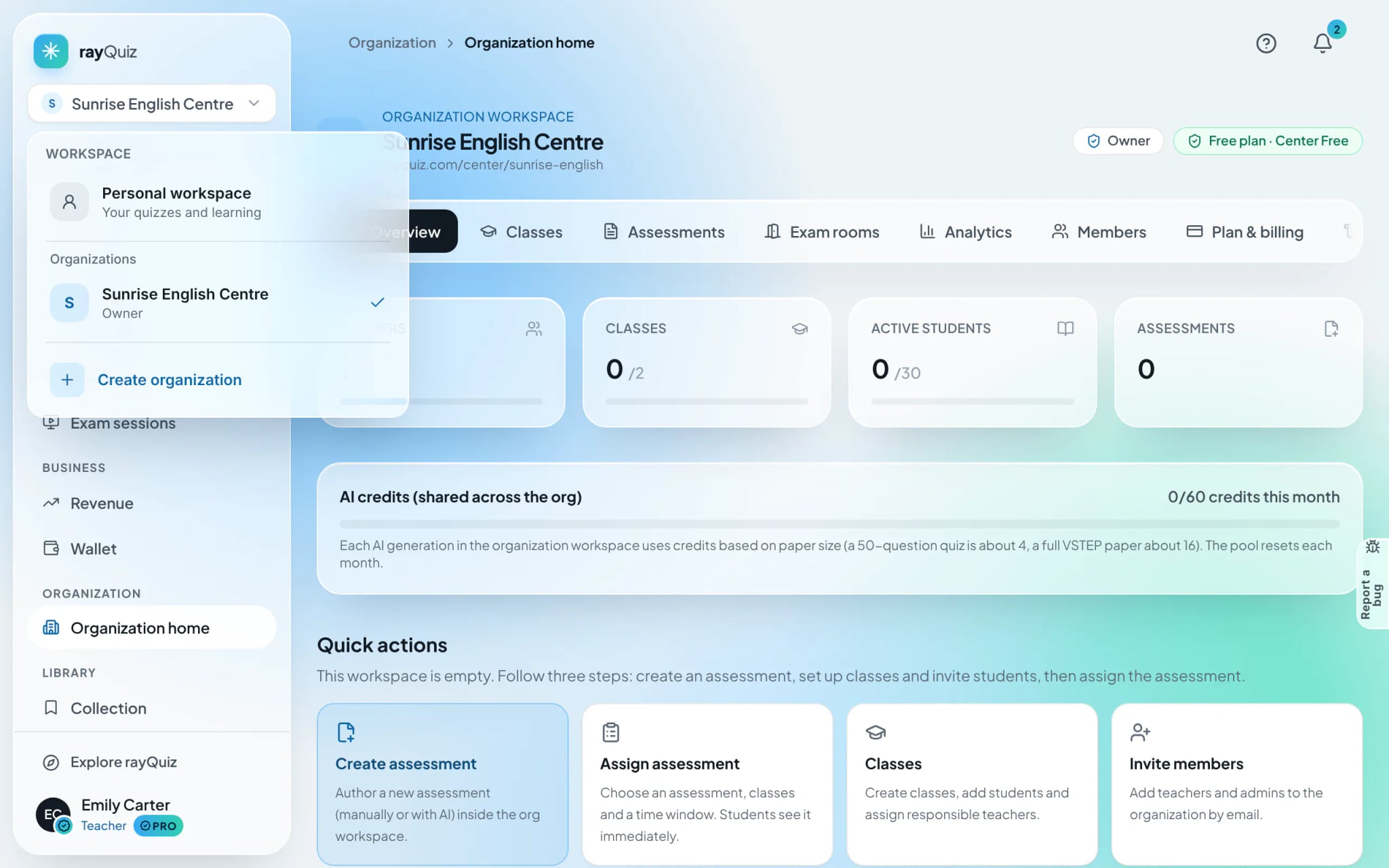
Switch seamlessly between personal and institutional spaces
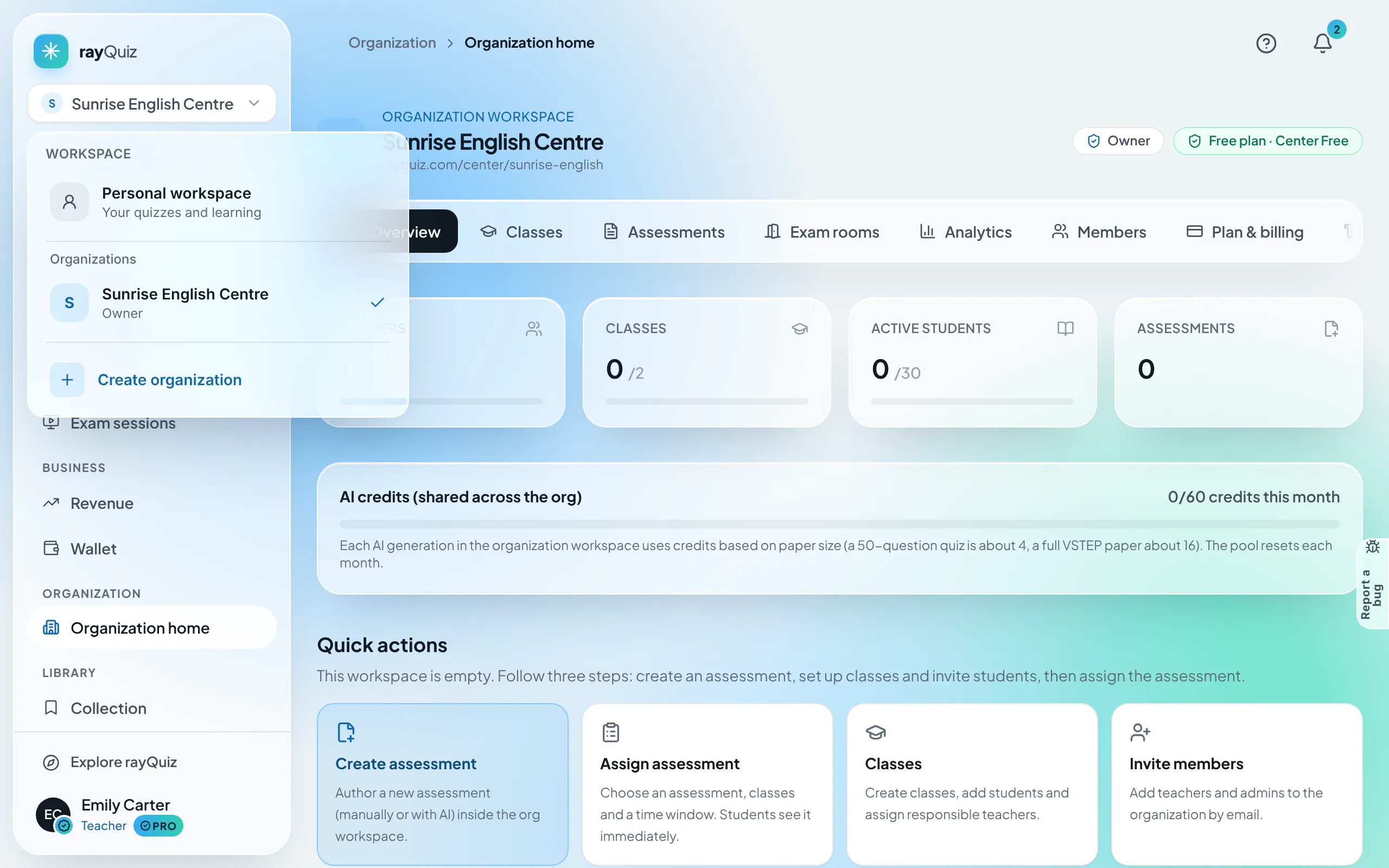
The workspace switcher at the top of the sidebar enables instant toggling: inside the Organization space, all created assessments and classes belong permanently to the school; inside your Personal space, your materials remain strictly confidential.
Tip: Always verify the top-left workspace badge before drafting new tests to ensure they land in your school’s central repository.
Frequently asked questions
- Are previously created personal tests automatically merged into the organization?
- No. To safeguard intellectual property and privacy, personal and institutional environments remain strictly isolated. Shared curriculum content must be drafted or published inside the organization workspace.
- Do enrolled students consume faculty seat quotas?
- No. Staff seats apply exclusively to administrators and teaching staff. Student capacity is tracked separately under the plan’s "Active students" quota.
- Can an instructor belong to multiple institutions on rayQuiz?
- Yes. Instructors can teach across multiple partner centers, with each school represented distinctly in their personal workspace switcher.