Create tests
Convert a Word document into an online quiz with automated key detection
Process .docx files automatically: extract question structures, options, embedded images, data tables, answer keys, and explanations.
Word import converts document files (.docx or .doc up to 15 MB) into structured online assessments. The parser analyzes question numbering hierarchies, recognizes answer keys, and extracts embedded graphic assets automatically.
5 min · 6 steps
- 1
Download standardized format templates
To ensure flawless extraction accuracy, download our pre-formatted .docx templates. Each template models standard question numbering, choice separation, and answer key designations.
By question format
- Multiple choiceSingle answer, multiple answers, true/false and explanations; answers marked with an "Answer" line, a * or red text.Download .docx
- Short answerThe answer goes in [[ ]], with | between accepted spellings.Download .docx
- MatchingA two-column table under the question, one correct pair per row.Download .docx
- Reading comprehensionOne passage shared by several questions, including True / False / Not Given.Download .docx
- Gap-fill passageEach blank in the passage is a 1-point question, with a word limit.Download .docx
- Question bank [<$>]Level tags [<DE>] / [<TB>] / [<KH>], options starting with [<$>], correct option in red.Download .docx
- Answer key at the endAnswers listed together after an "ANSWER KEY" line, as 1.B 2.C 3.A.Download .docx
- Listening, writing and speakingListening with a script and play count, writing with a word count, speaking with preparation and speaking time. Audio is uploaded after import.Download .docx
By test structure
- 15-minute quizTen multiple-choice and true/false questions for a quick in-class check.Download .docx
- End-of-term test, 3 partsPart I multiple choice, Part II true/false, Part III short answer.Download .docx
- English test with readingVocabulary, grammar, a reading passage with questions and a gap-fill text, following VSTEP/IELTS Reading.Download .docx
By certificate exam
- IELTS AcademicAll four skills: listening note completion, reading True / False / Not Given, Writing Tasks 1 and 2, Speaking Parts 1 and 2.Download .docx
- VSTEP levels 3–5All four skills: announcements, reading, a 120-word email and a 250-word essay, situational speaking.Download .docx
- JLPTFour sections: 文字・語彙, 文法, 読解 and 聴解; questions in Japanese with 4 options each.Download .docx
- TOPIK IIListening (듣기), reading (읽기) and writing (쓰기, questions 53–54); questions in Korean.Download .docx
- 2
Structure the Word document specifications
Each question starts with standard numbering ("Question 1." or "1."). Place choices on separate lines ("A.", "B.", "C.", "D."). The parser supports three answer key conventions: (1) An "Answer: B" line below the item; (2) An asterisk prefix on the correct option (*B. Paris); or (3) Red font formatting on the correct choice. Solutions are designated via an "Explanation:" prefix. Appended answer key blocks (e.g. "ANSWER KEY: 1.B 2.A...") are also parsed.
Question 1. What is the capital of France?
A. Lyon
*B. Paris
C. Nice
D. Lille
Answer: B
Explanation: Paris is the capital of France.

Question 2. The Earth orbits the Sun.
A. True
B. False
Answer: A

Question 3. The capital of Japan is [[Tokyo]].
Download starter Word template (.docx)Tip: Tiered question banks utilizing cognitive tags like [<DE>], [<TB>], [<KH>] are supported, recognizing keys formatted in bold, underlined, or colored text.
- 3
Structure reading passages, gap-fills, and matching matrices
Wrap shared reading texts between [PASSAGE] and [END PASSAGE] tags. Fill-in-the-blank gaps are indicated with double square brackets [[keyword]]. For matching items, insert a standard two-column table matching keys row by row.
[PART 1: READING]
[PASSAGE] Cognitive Benefits of Reading
Reading regularly expands lexical range and sharpens cognitive focus.

Question 4. What does regular reading develop?
A. Fatigue
*B. Lexical range
C. Disorientation
[END PASSAGE]

Question 5. Match countries with respective capitals:
| Vietnam | Hanoi |
| Japan   | Tokyo |
Tip: Do not start paragraphs within passage blocks with number prefixes like "1." or "Question 1." to avoid triggering accidental question delineation.
- 4
Structure Listening, Writing, and Speaking tasks
Enclose listening units between [LISTENING] and [END LISTENING], declaring properties: "Audio: filename.mp3" and "Plays: 1". Once the document uploads, attach the corresponding audio file inside the editor.
[LISTENING] Section 1
Audio: exam-audio.mp3
Plays: 2
Instructions: Write ONE WORD AND/OR A NUMBER.
Price: £[[120]]
[END LISTENING]
Tip: Embedded illustrations, graphs, and tables are extracted and bound automatically to their respective question blocks.
- 5
Upload and process the Word document
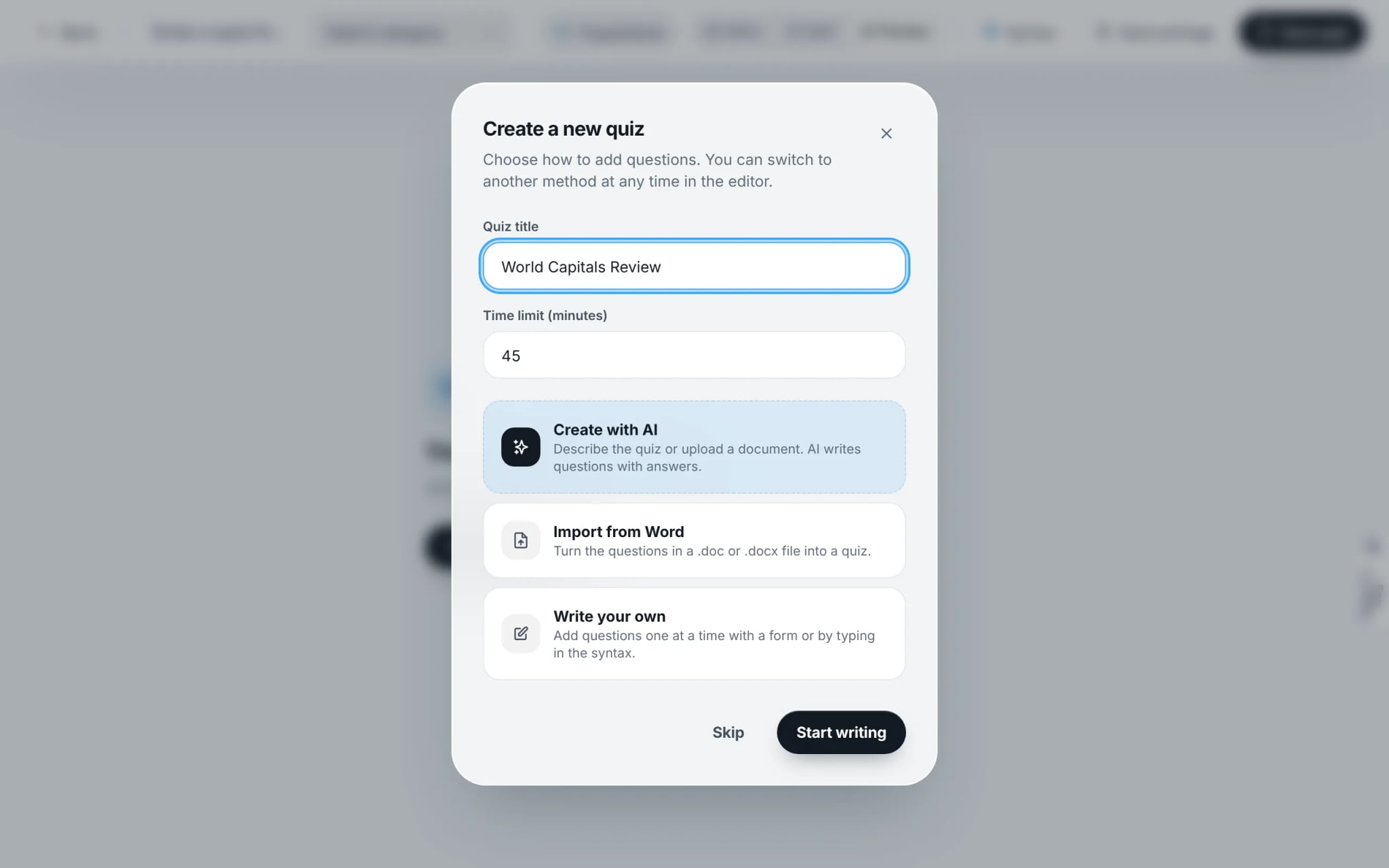
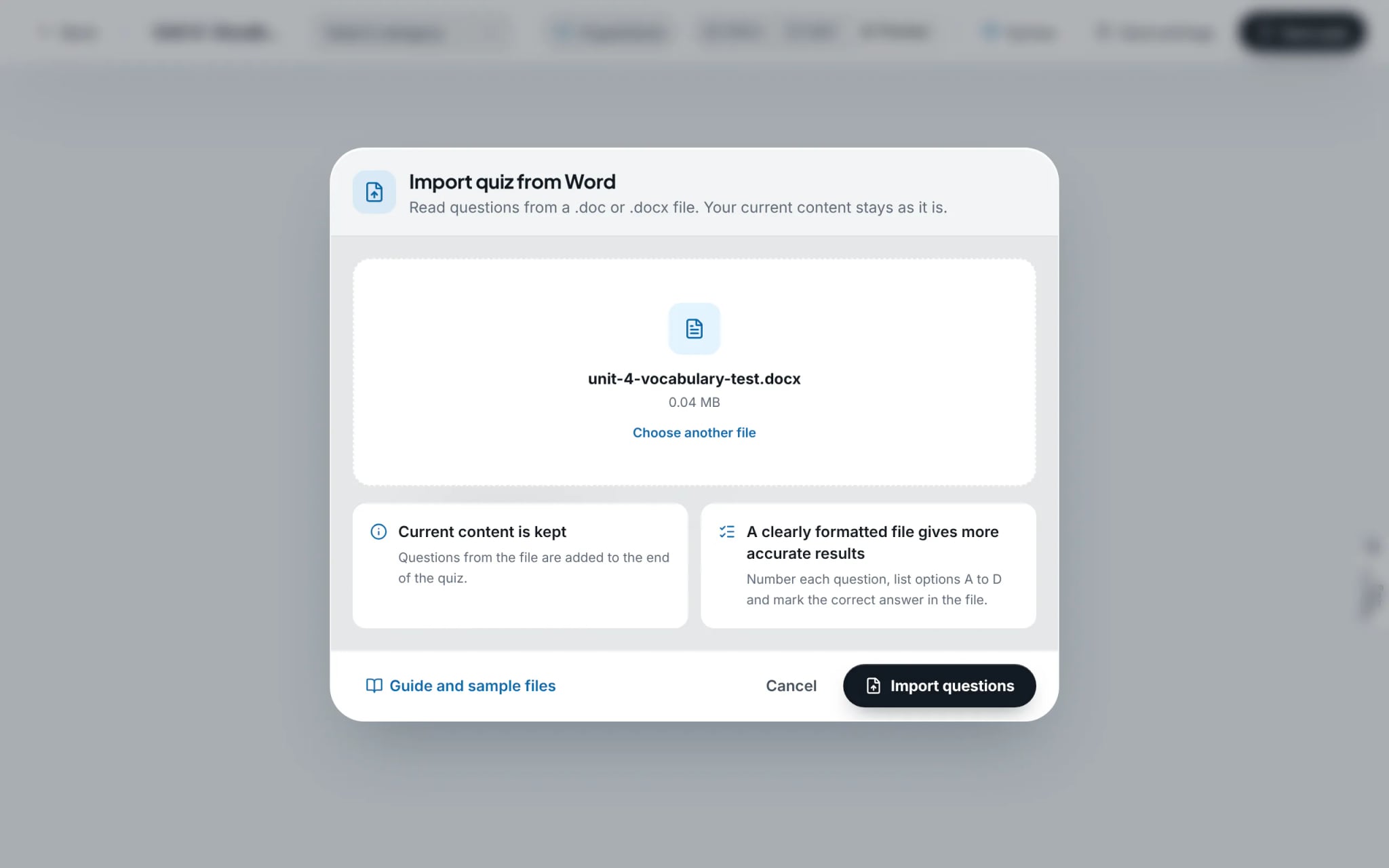
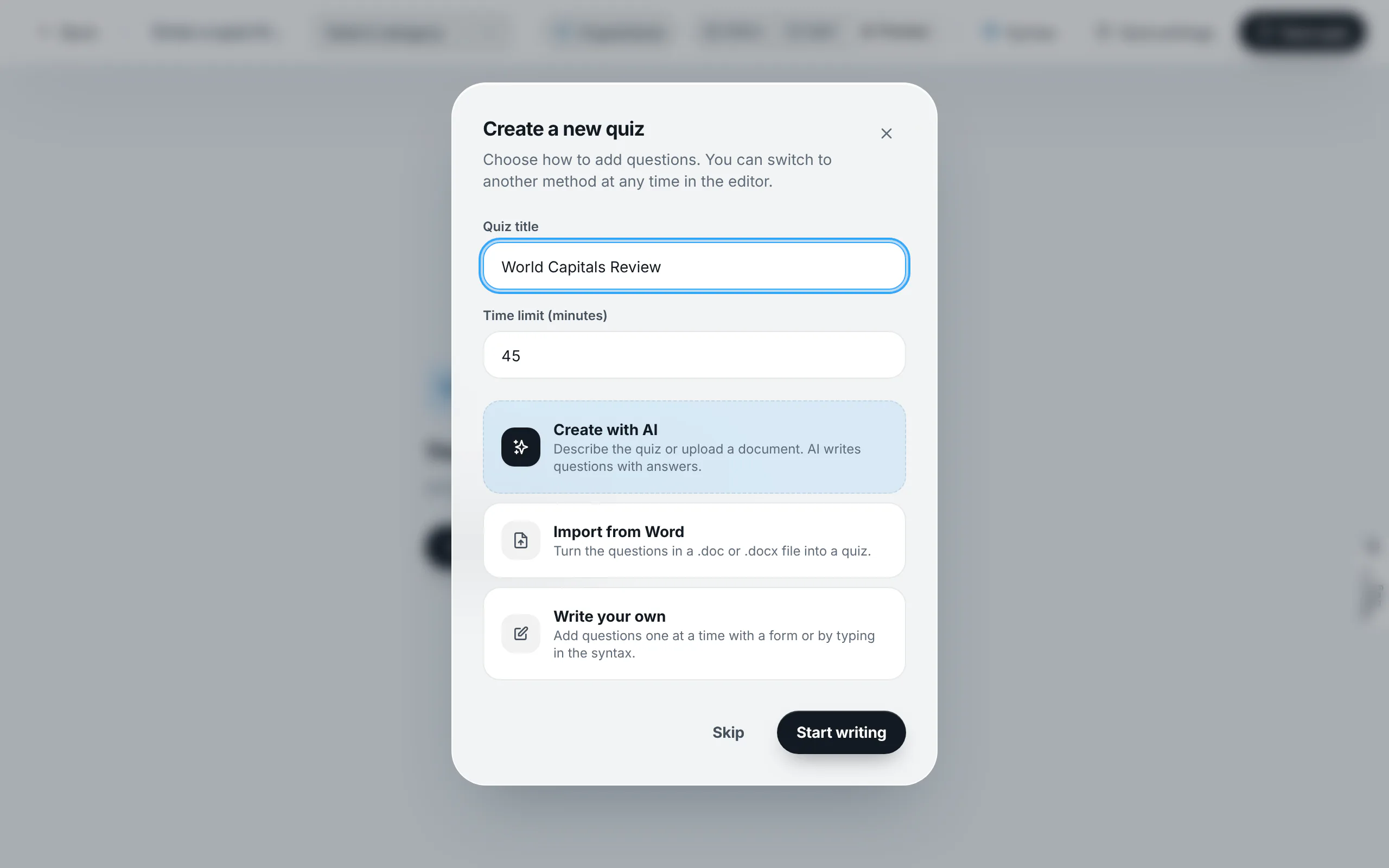
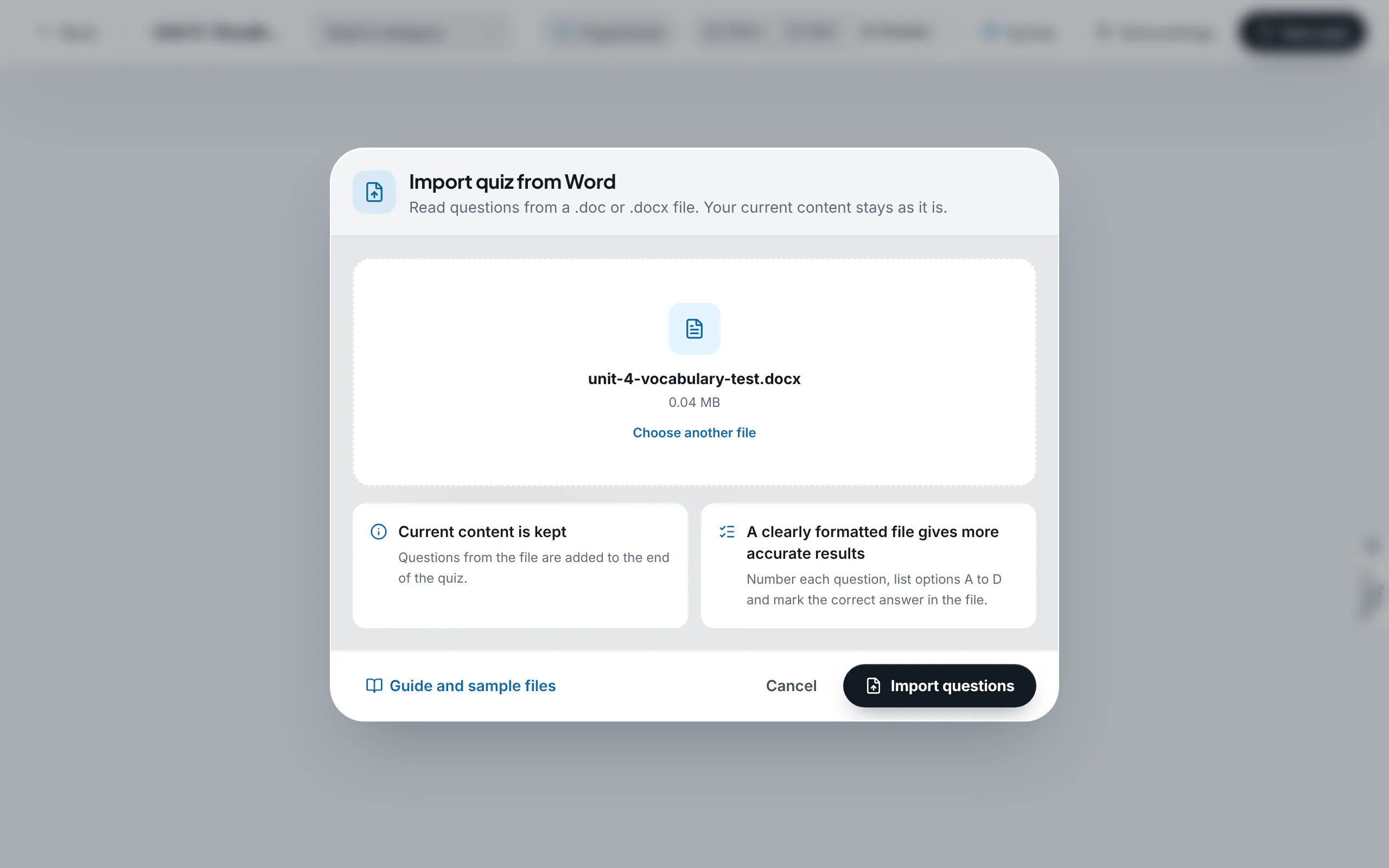
In the setup modal, choose "Import from Word". Drag and drop the .docx file into the drop zone or browse local storage, then select "Import questions". The parser processes and appends the content into the editor buffer.
- 6
Audit live preview and commit assessment
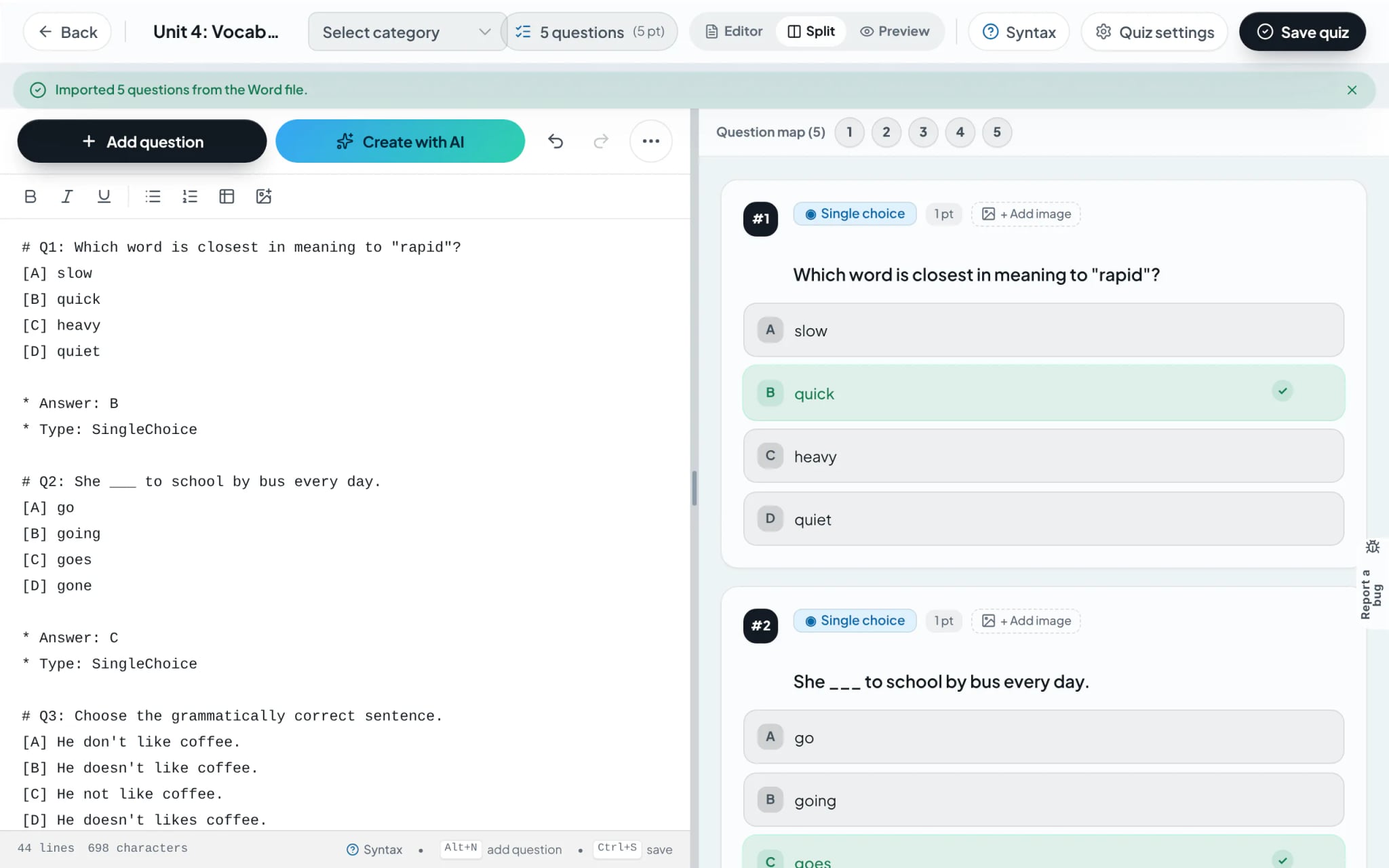
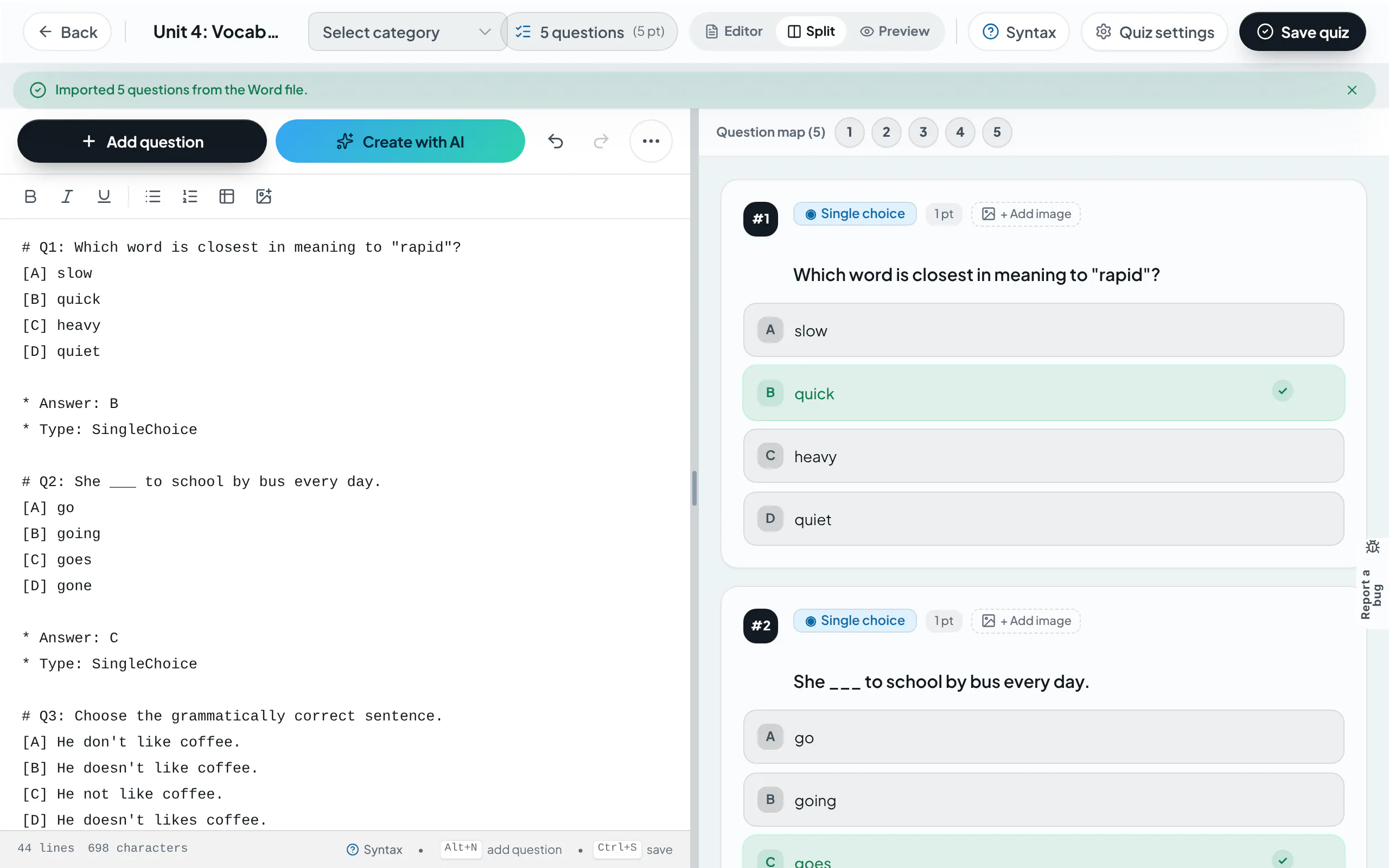
The engine confirms total parsed items. The interactive preview pane confirms item layout and verified answer keys. Audit the assessment for pedagogical fidelity and select "Save Quiz".
Tip: If any item lacks an identified answer key, an advisory banner appears on top, allowing immediate assignment of asterisk prefixes before saving.
Frequently asked questions
- Does the Word parser accept scanned PDF documents directly?
- No. The Word parser is restricted to .doc and .docx formats. For PDFs or scanned question sheets, utilize "Create with AI" with document attachments.
- Are embedded images preserved during the conversion process?
- Yes. All diagrams, photos, and figures embedded in the Word file are extracted, hosted securely, and anchored to their respective question items.