Share and sell tests
Share online quizzes via links, QR codes, and secure access passcodes
Distribute direct test links, project QR codes in classrooms, share via social channels, and restrict entry with access codes.
rayQuiz streamlines exam distribution across multiple channels: project interactive QR codes on classroom screens, distribute one-click web links, or enforce gated security with single-use access codes.
3 min · 4 steps
- 1
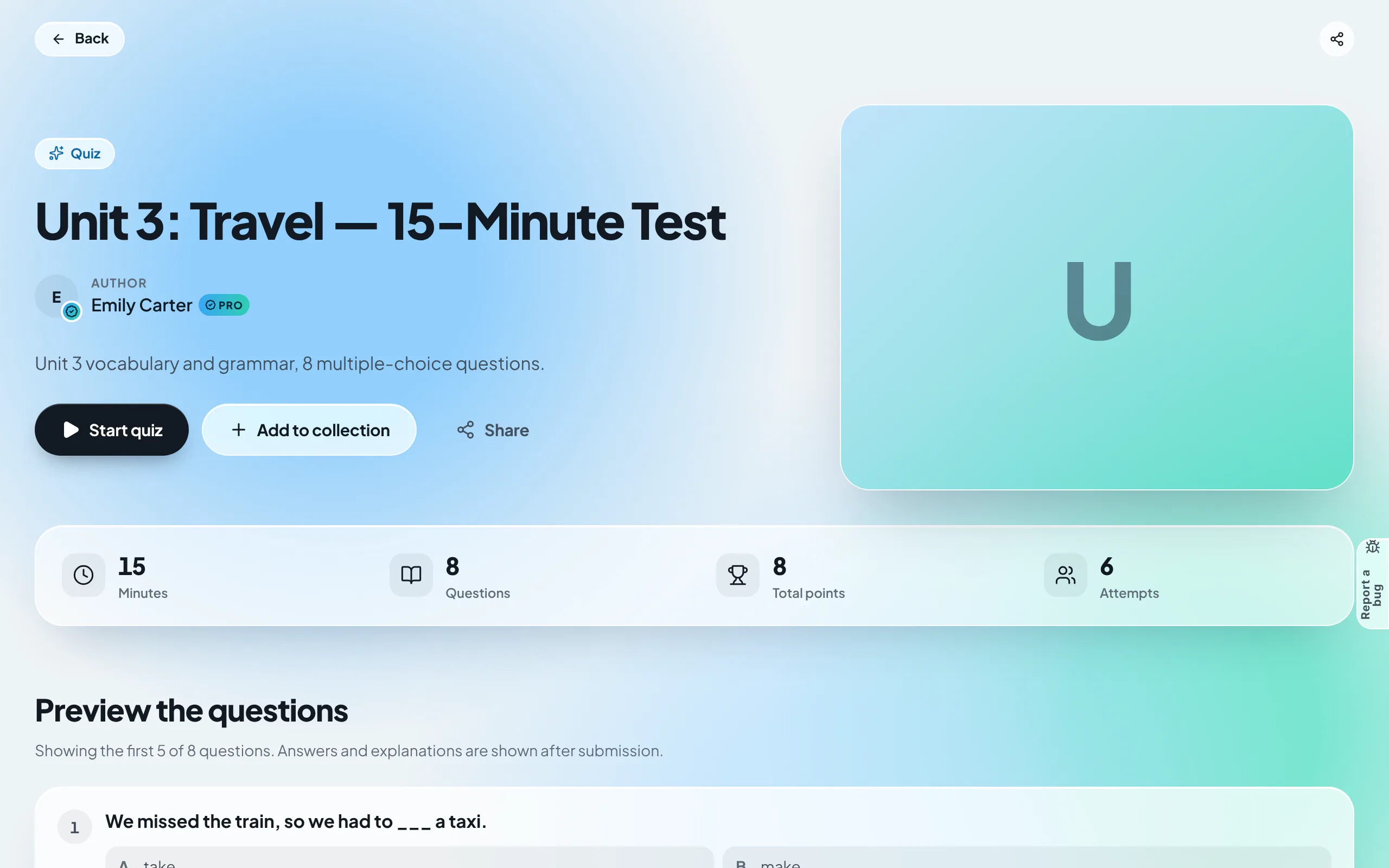
Open the public quiz landing page
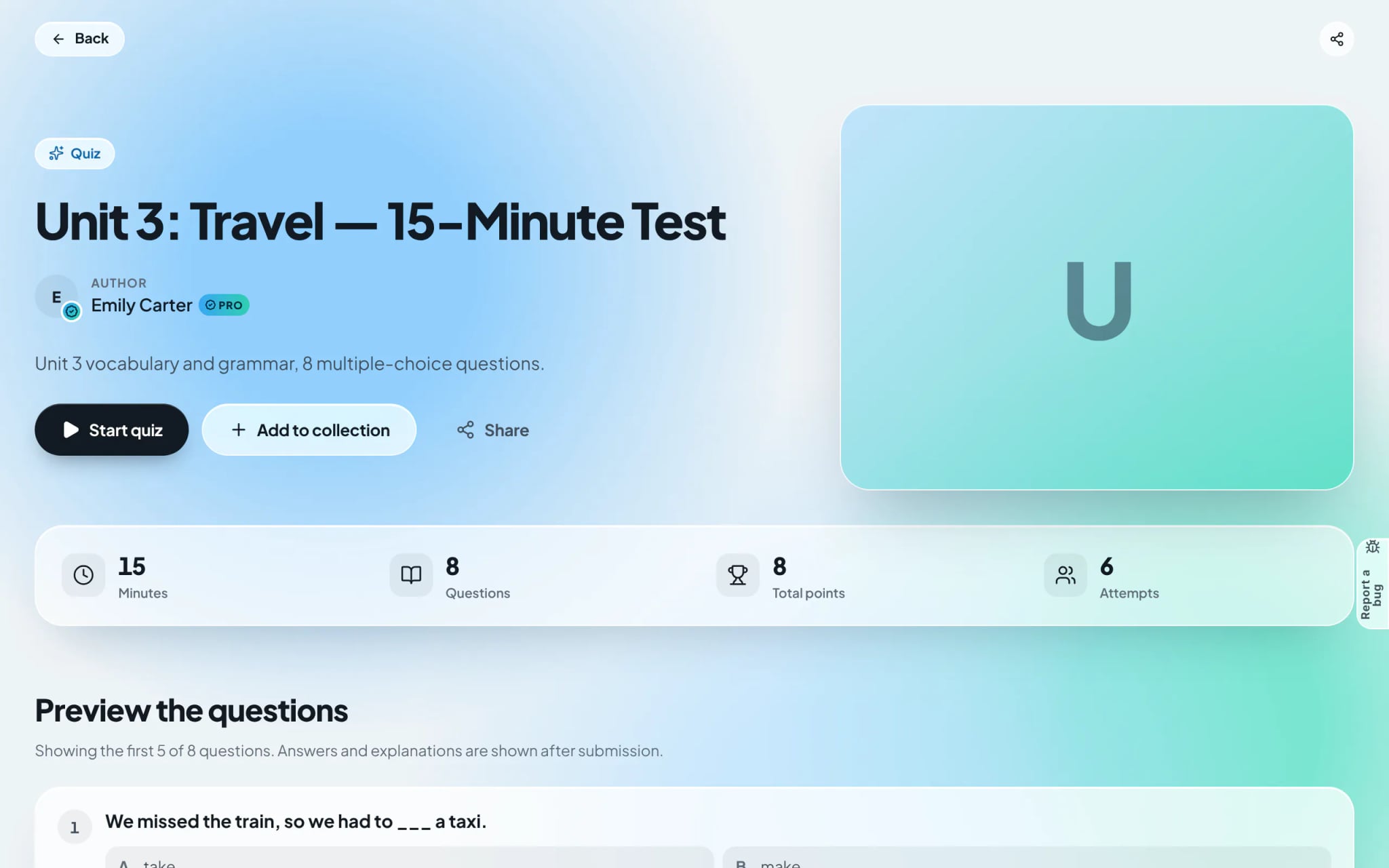
Every public assessment features a branded landing page displaying: Title, Author, Duration, Question count, and sample question previews. Click the "Share" action on this page.
- 2
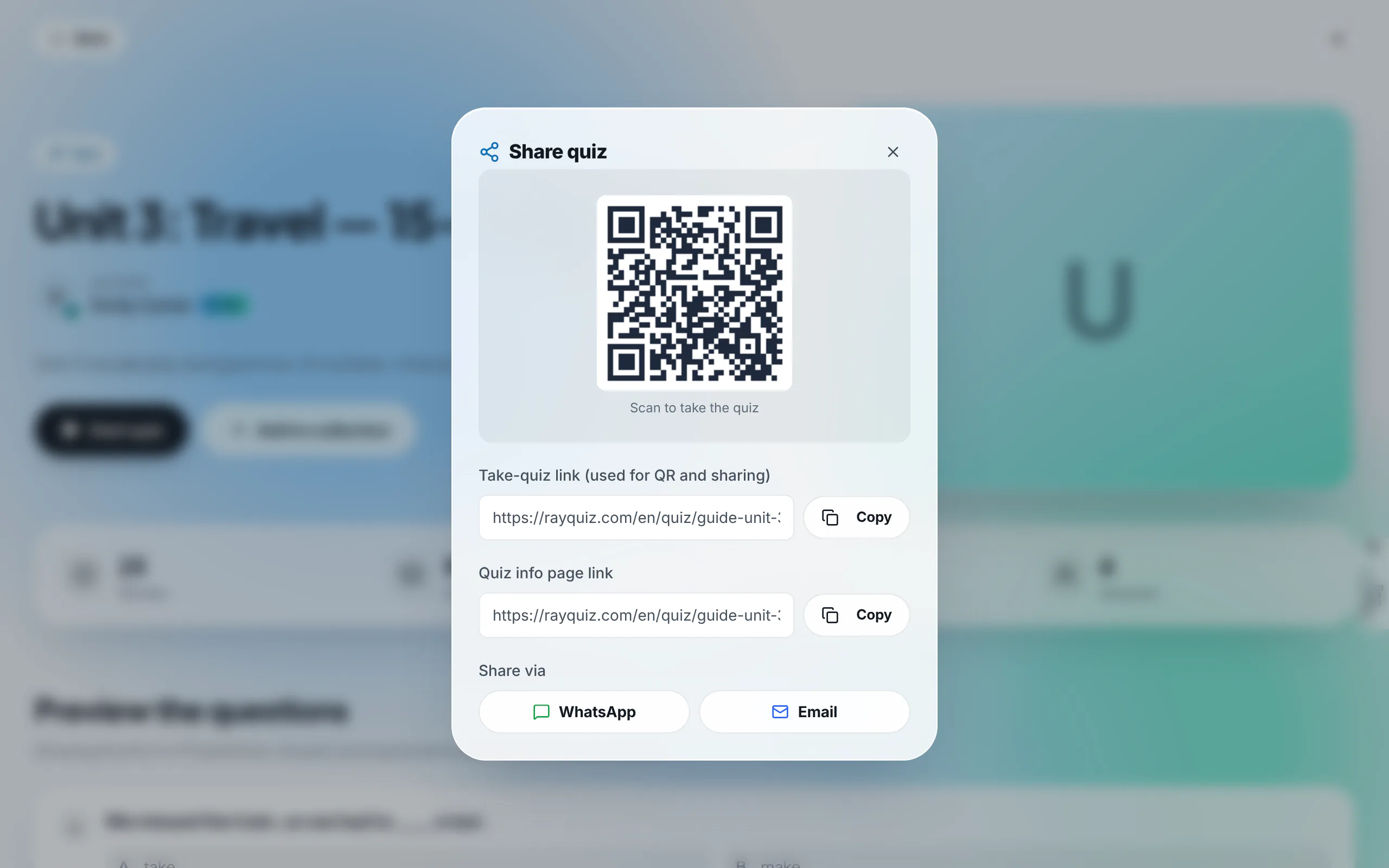
Select your preferred distribution method
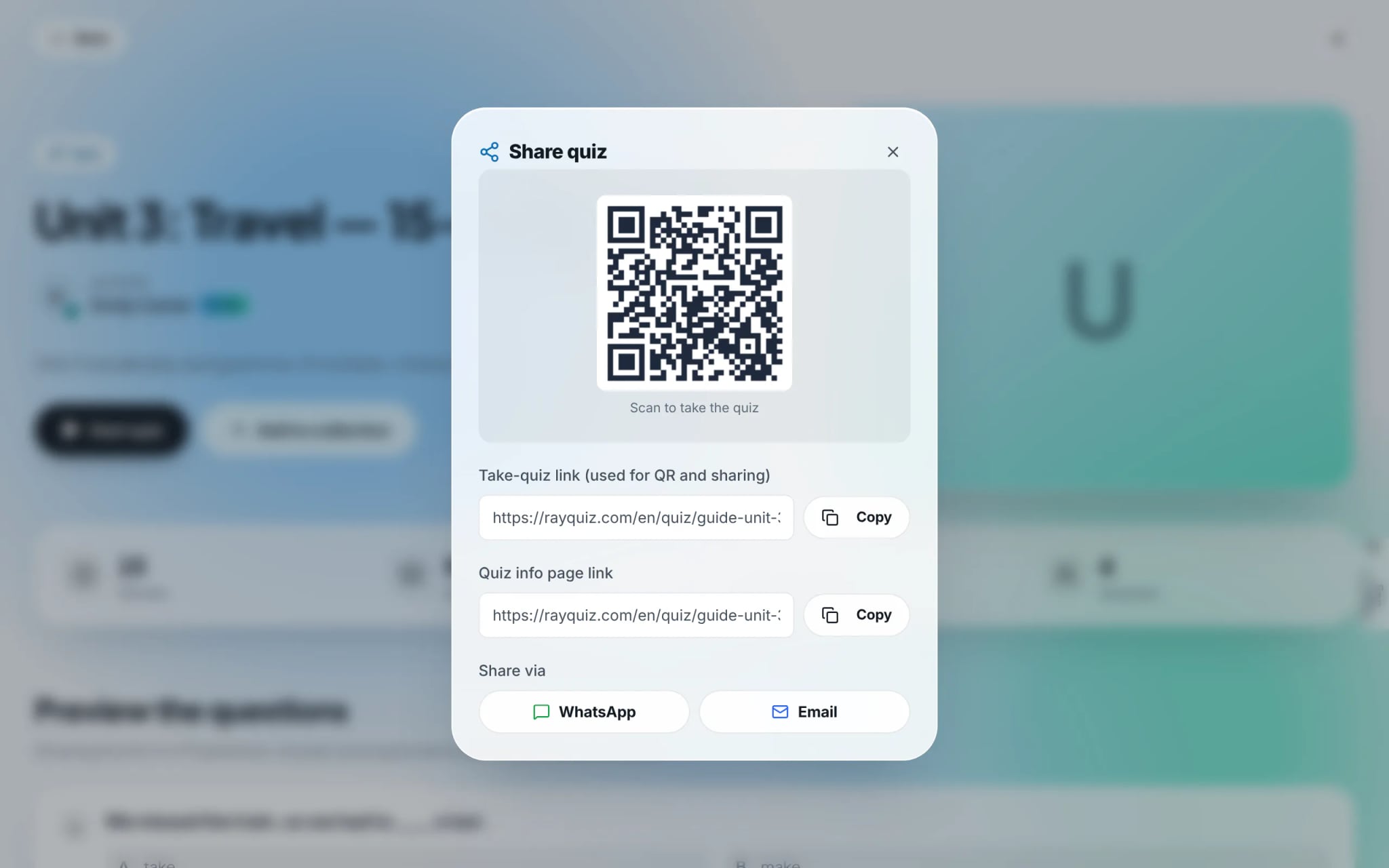
The share modal features: (1) A high-resolution QR code ideal for classroom screens; (2) A direct test link that launches the exam immediately; and (3) One-click dispatch to WhatsApp and Email. Click "Copy" to paste the link into chat channels.
- 3
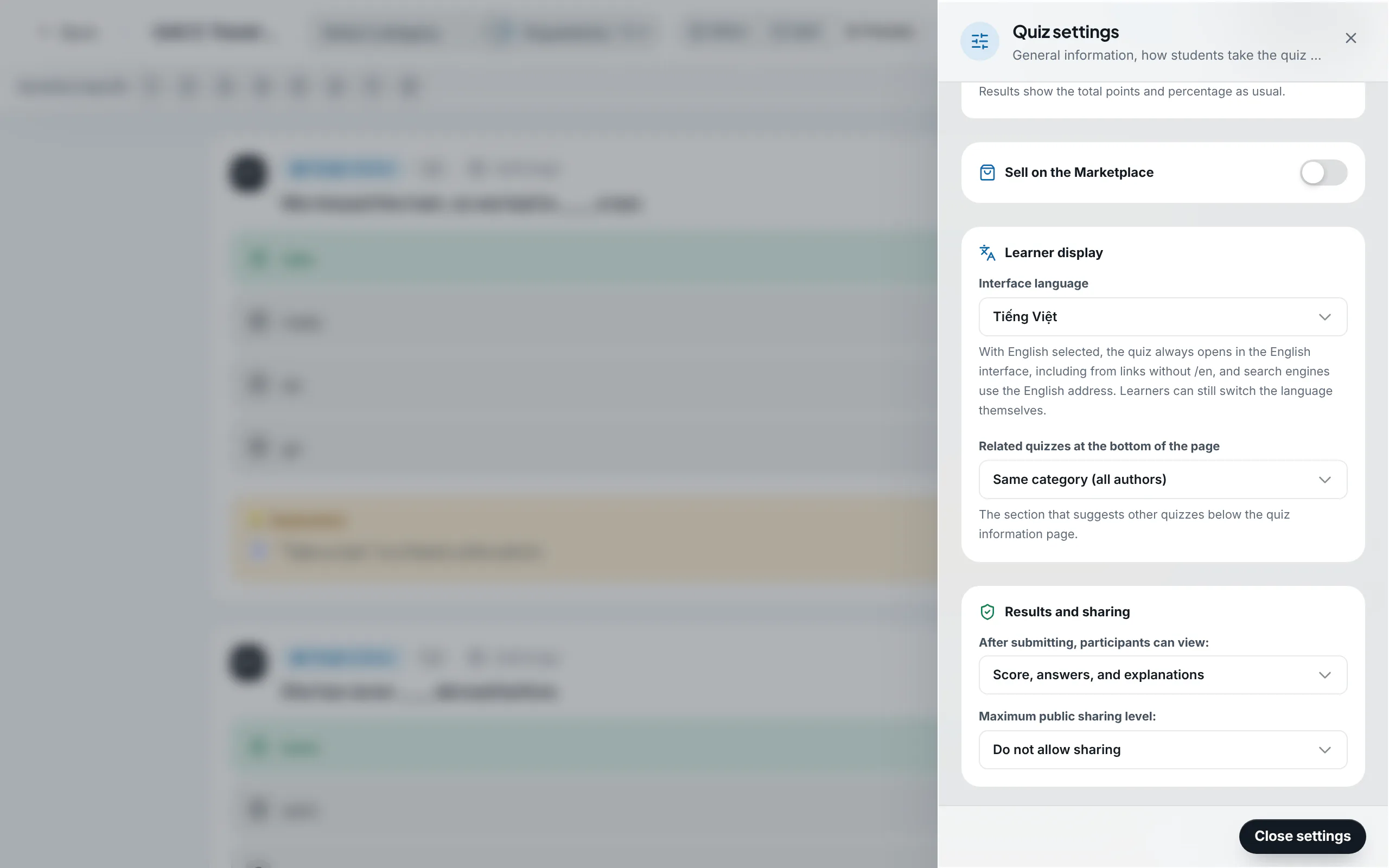
Configure post-submission disclosure and social settings
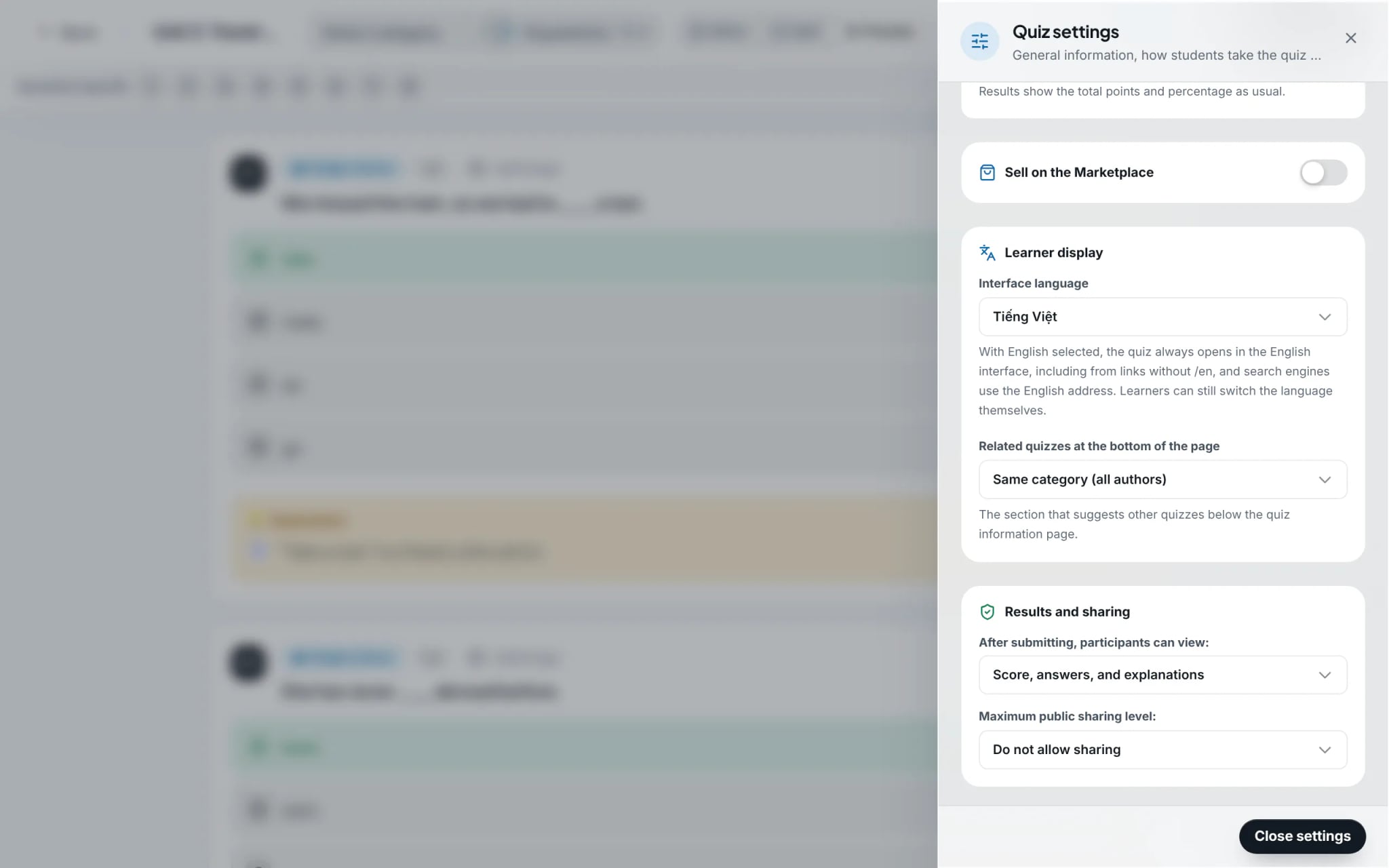
Under "Quiz settings", define what takers experience upon completion: score only, score plus answer keys, or full worked solutions. You can also permit or restrict public sharing of learner result certificates.
Tip: When you require verified identity tracking and gradebook integration, deploy the test as a class assignment rather than distributing an open link.
- 4
Gate assessments using secure access passcodes
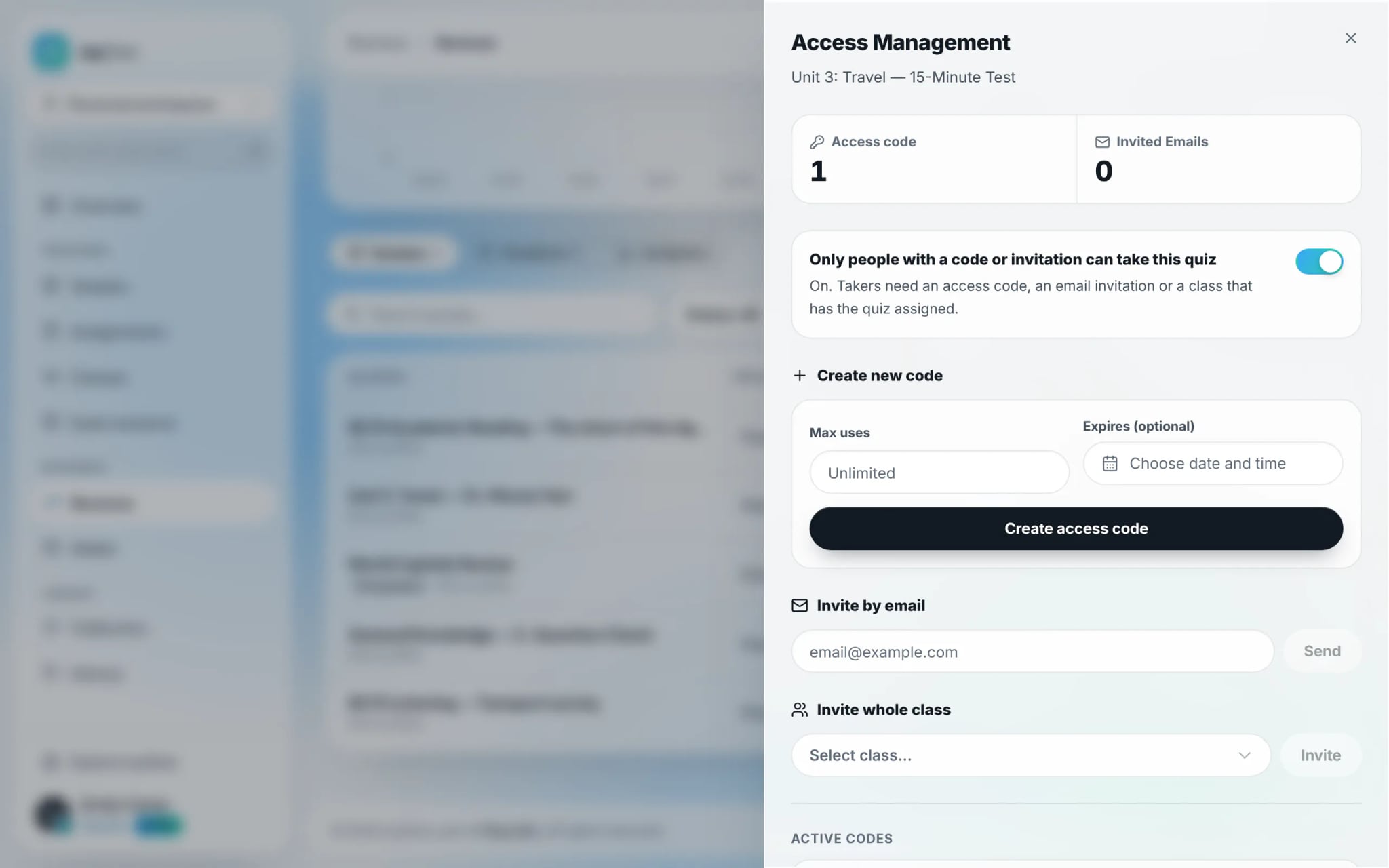
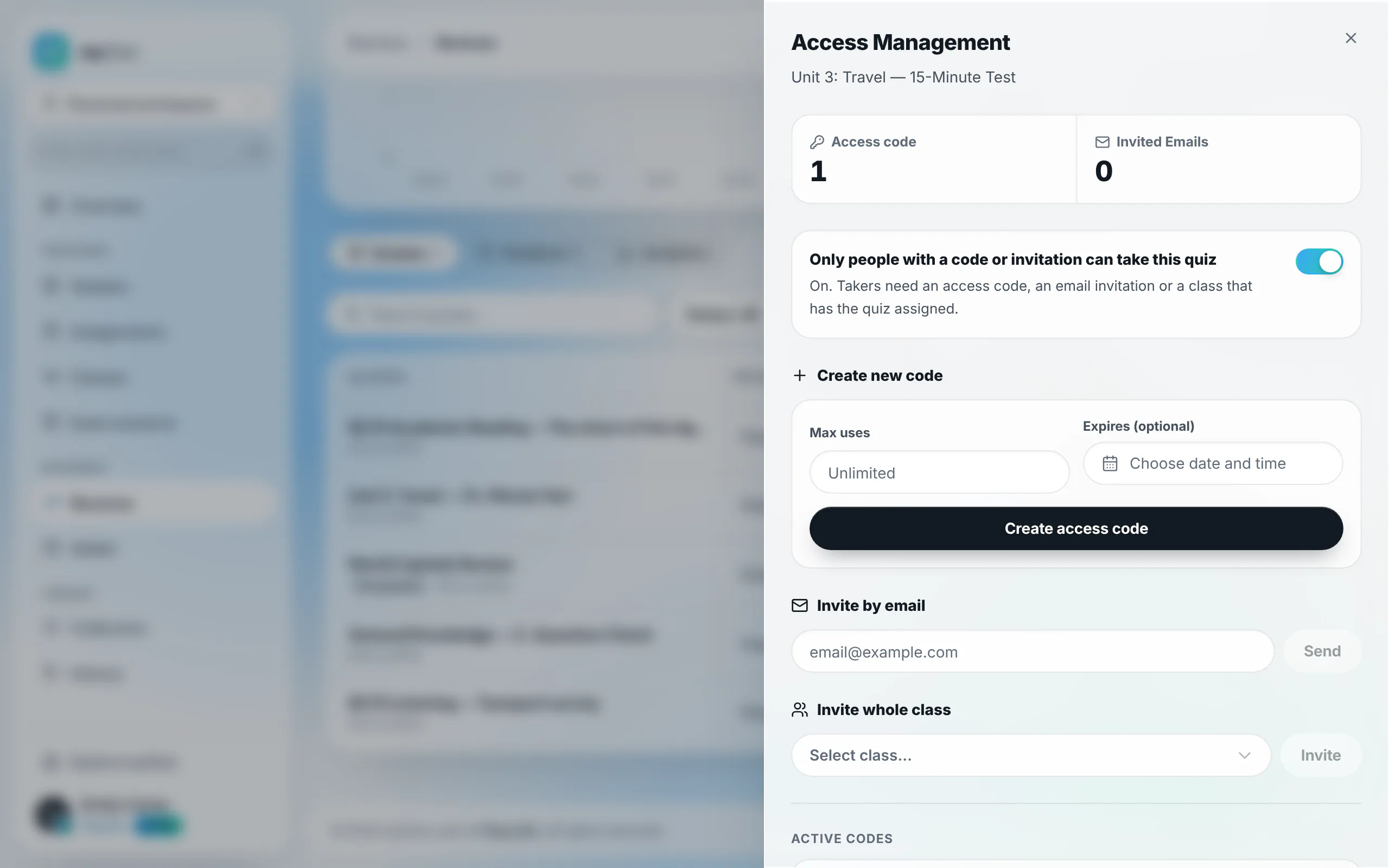
To prevent unauthorized access, navigate to "Revenue" in the sidebar, select "Manage access" on the quiz entry, and toggle "Only people with a code or invitation can take this quiz". Generate gated passcodes with custom expiration and usage limits.
Tip: Access passcodes are ideal for private tutoring cohorts or gated commercial study groups.